이 번역 페이지는 최신 내용을 담고 있지 않습니다. 최신 내용을 영문으로 보려면 여기를 클릭하십시오.
시간 영역 및 주파수 영역 분석
R2026a보드 플롯 및 계단 응답과 같은 시스템 응답, 응답 시간 및 오버슈트와 같은 시스템 특성, 시뮬레이션
시간 영역 및 주파수 영역 분석 명령을 사용하여 보드 플롯, 니콜스 플롯, 계단 응답, 임펄스 응답과 같은 SISO 및 MIMO 시스템 응답을 계산하고 시각화할 수 있습니다. 상승 시간, 정착 시간, 오버슈트, 안정성 여유와 같은 시스템 특성을 추출할 수도 있습니다. 응답 플로팅을 시작하려면 시스템 응답 플로팅하기 항목을 참조하십시오. 응답 플롯 사용자 지정에 대한 자세한 내용은 플롯 사용자 지정 항목을 참조하십시오.
함수
앱
| 선형 시스템 분석기 | LTI(선형 시불변) 시스템의 시간 및 주파수 응답 분석 |
툴
| 선형 시뮬레이션 툴 | Specify input signals and initial conditions for simulating linear models with arbitrary input signals and initial conditions |
라이브 편집기 작업
| 플롯 만들기 | Interactively create linear analysis response plots in the Live Editor (R2022b 이후) |
블록
 | LTI System | Simulink에서 선형 시불변 시스템 모델 객체 사용 |
도움말 항목
분석 플롯 기본 사항
- 시스템 응답 플로팅하기
이 예제에서는 시간 영역 응답 플롯과 주파수 영역 응답 플롯을 생성하는 과정을 보여줍니다.
시간 영역 분석
- 시간 영역 응답
계단 응답과 임펄스 응답 같은 시간 응답 데이터를 생성하고 시각화합니다.
- 응답 플롯의 시간 영역 특성
응답 플롯에서 정착 시간과 오버슈트 같은 시간 영역 시스템 특성을 시각화합니다. - Numeric Values of Time-Domain System Characteristics
Use thestepinfofunction to obtain numeric values of step response characteristics such as rise time, settling time, and overshoot.
주파수 영역 분석
- 주파수 영역 응답
보드 플롯이나 니콜스 플롯 같은 주파수 응답 데이터를 만들고 시각화합니다.
- Frequency-Domain Characteristics on Response Plots
Visualize frequency-domain system characteristics such as peak response on plots. - Numeric Values of Frequency-Domain Characteristics of SISO Model
Obtain numeric values of frequency-domain characteristics such as peak gain, dc gain, and system bandwidth.
선형 시스템 분석기
- Joint Time-Domain and Frequency-Domain Analysis
Compare multiple types of responses side by side, including both time-domain and frequency-domain responses, using the Linear System Analyzer app. - Analyzing MIMO Models
In analysis plots of multiple-input, multiple output LTI models, there are plot tools for selecting subsystems and grouping I/O pairs.
시간 지연이 있는 시스템
- Analyze Dynamic Systems with Time Delays
The time and frequency responses of delay systems can have features that can look odd to those only familiar with delay-free LTI analysis. - Analyze Control Systems with Delays
Many processes involve dead times, also referred to as transport delays or time lags. Controlling such processes is challenging because delays cause phase shifts that limit the control bandwidth and affect closed-loop stability. - Validate Simulation Results for Models with Internal Delays
Validate the accuracy of simulations with internal delays by varying sample time. (R2026a 이후)
추천 예제
RLC 회로의 응답 분석하기
2차 시스템의 시간 응답 및 주파수 응답을 분석합니다.
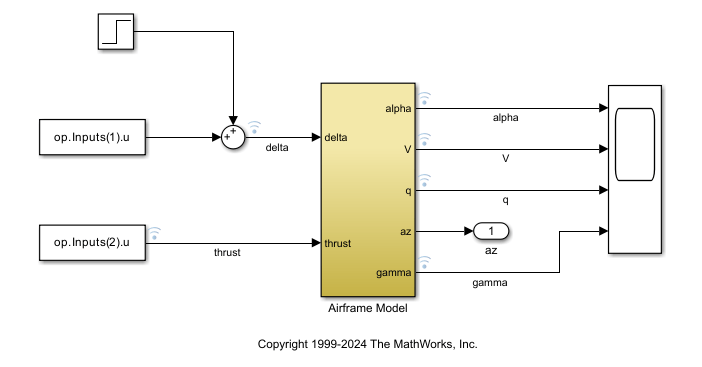
Use Linearization Offsets to Help Compare Nonlinear and Linearized Responses
Use offsets from linearization to facilitate the comparison of the nonlinear and linearized responses of a Simulink model.
교육 관련 자료

Transfer Function Analysis of Dynamic Systems
전달 함수를 계산하는 방법을 배우고, 극점, 영점 및 보드 플롯을 사용하여 전달 함수를 분석하는 방법을 익힙니다.

