이 페이지는 기계 번역을 사용하여 번역되었습니다. 영어 원문을 보려면 여기를 클릭하십시오.
위한 Kinect for Windows 하드웨어를 사용한 수집
R2026bImage Acquisition Toolbox™ Support Package for Kinect For Windows Sensor를 사용하면 이미지 센서 데이터를 MATLAB® 및 Simulink®로 직접 수집할 수 있습니다. Kinect for Windows V1 또는 V2 장치를 사용하여 이미지를 수집할 수 있습니다. Kinect V1 센서는 Windows 7 이상에서 실행되고, Kinect V2 센서는 Windows 8 이상에서 실행됩니다.
참고: 지원되는 모든 하드웨어에 대한 기능은 이제 지원 패키지 인스톨러를 통해 사용할 수 있습니다. R2014a부터 각 어댑터는 지원 패키지 인스톨러를 통해 개별적으로 사용할 수 있으며, 하드웨어와 함께 툴박스를 사용하려면 적절한 지원 패키지를 설치해야 합니다. 자세한 내용은 하드웨어 어댑터를 위한 이미지 수집 지원 패키지 항목을 참조하십시오.
함수
imaqhwinfo | 사용 가능한 이미지 수집 하드웨어에 대한 정보 표시 |
videoinput | 비디오 입력 객체 생성 |
imaq.VideoDevice | Acquire one frame at a time from video device |
getselectedsource | 현재 선택된 비디오 소스 객체를 반환합니다. |
preview | 라이브 비디오 데이터 미리보기 |
closepreview | 비디오 미리보기 창을 닫습니다 |
도움말 항목
설정 및 구성
- Kinect for Windows 센서 지원 패키지 설치
이전 버전의 Image Acquisition Toolbox에서는 모든 어댑터 파일이 설치에 포함되었습니다. - Kinect V2 지원의 주요 기능 및 차이점
Kinect for Windows 카메라로 이미지를 수집하는 방법은 다른 카메라와 어댑터를 사용하는 것과 비슷하지만, 몇 가지 중요한 차이점이 있습니다. 이 섹션에서는 Kinect V2의 요구 사항과 지원되는 하드웨어에 대해서도 간략히 설명합니다. - Detect the Kinect V2 Devices
Because the Kinect for Windows camera has two separate sensors, the color sensor and the depth sensor, the toolbox lists twoDeviceIDs. Useimaqhwinfoon the adaptor to display the two device IDs.
Kinect V2로 이미지 수집
- Data Streams Returned by the Kinect V2 Adaptor in MATLAB
The Kinect for Windows V2 device returns these data streams in MATLAB. The formats of the image and depth streams are outlined here. - Acquire Image and Body Data Using Kinect V2
This example shows how to create avideoinputobject for the color sensor to acquire RGB images and then for the depth sensor to acquire body data. It also outlines the properties of each sensor, and the skeletal metadata. - Kinect V2 색상 및 깊이 장치에서 동시에 데이터 수집
소프트웨어 수동 트리거를 사용하여 Kinect for Windows 컬러 스트림과 깊이 스트림의 데이터를 동기화할 수 있습니다.
Kinect V1로 이미지 수집
- Key Features and Differences in the Kinect V1 Support
Doing image acquisition with a Kinect for Windows camera is similar to using other cameras and adaptors, but has some key differences. - Detect the Kinect V1 Devices
Because the Kinect for Windows camera has two separate sensors, the color sensor and the depth sensor, the toolbox lists twoDeviceIDs. Useimaqhwinfoon the adaptor to display the two device IDs. - Data Streams Returned by the Kinect V1 Adaptor in MATLAB
The Kinect for Windows V1 device returns these data streams in MATLAB. The formats of the image and depth streams are outlined here. - Acquire Image and Skeletal Data Using Kinect V1
This example shows how to create avideoinputobject for the color sensor to acquire RGB images and then for the depth sensor to acquire skeletal data. It also outlines the properties of each sensor, and the skeletal metadata. - Kinect V1 색상 및 깊이 장치에서 동시에 데이터 수집
소프트웨어 수동 트리거를 사용하여 Kinect for Windows 컬러 스트림과 깊이 스트림의 데이터를 동기화할 수 있습니다. - Kinect V1 골격 데이터에 Skeleton Viewer 사용
뷰어에서 골격 데이터를 수집하고 골격 관절을 볼 수 있습니다. 이 예제에서는 뷰어 함수를 사용하여 RGB 이미지에 골격 관절 위치를 중첩하여 표시합니다.
문제 해결
Kinect for Windows 센서와 함께 툴박스를 사용하는 데 문제가 있는 경우 이러한 팁을 시도해 보십시오.
추천 예제
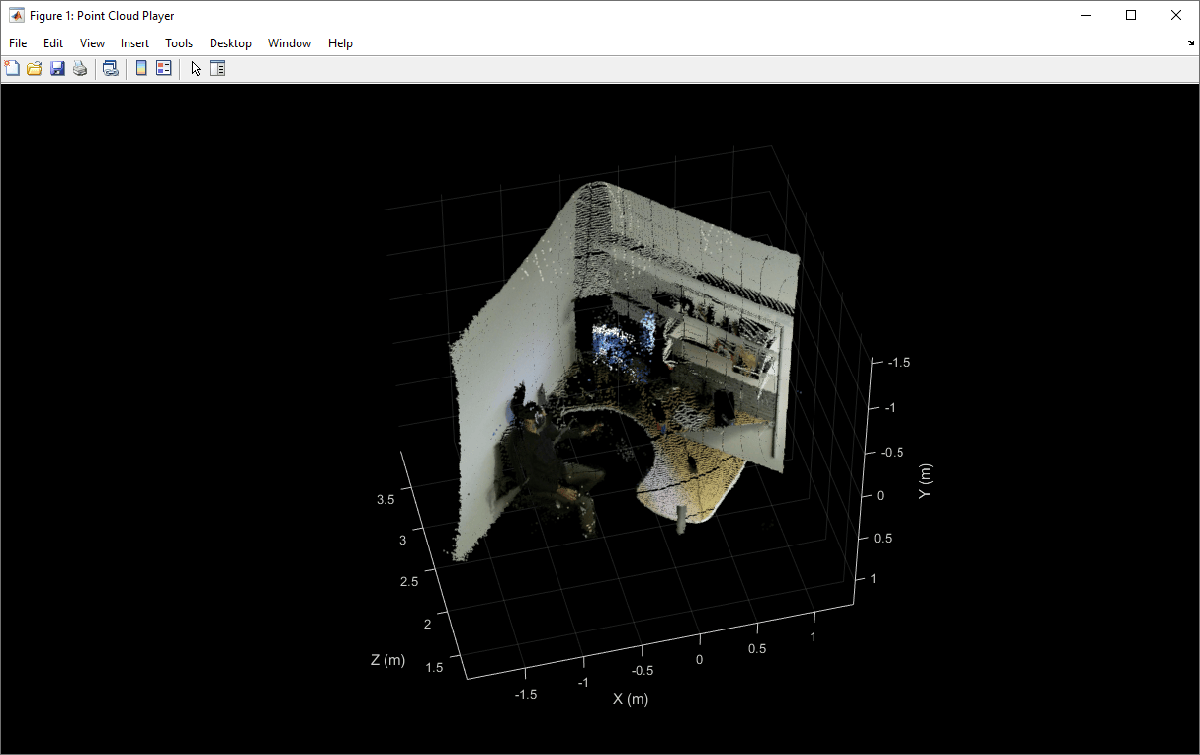
Kinect for Windows V2에서 색상 포인트 클라우드 플롯
이 예제에서는 Kinect® for Windows® V2를 사용하여 색상 포인트 클라우드를 그리는 방법을 보여줍니다.
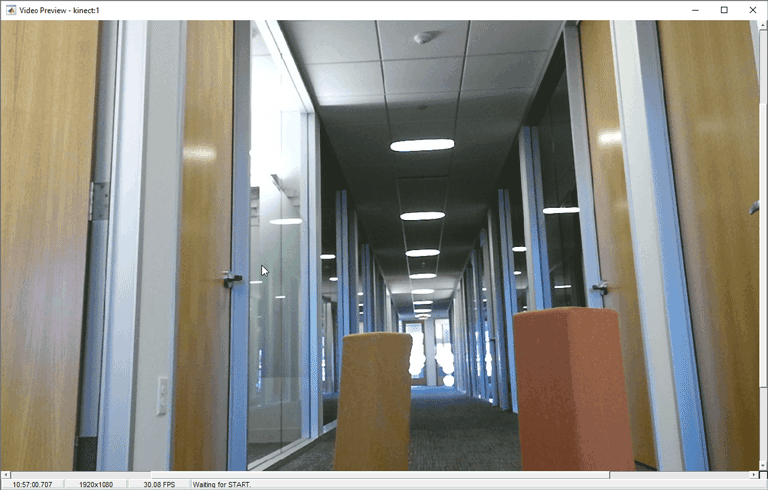
Kinect for Windows V2에서 색상 및 깊이 스트림을 동시에 미리 보기
이 예제에서는 Kinect® for Windows® V2를 사용하여 색상 및 깊이 스트림을 미리 보는 방법을 보여줍니다.
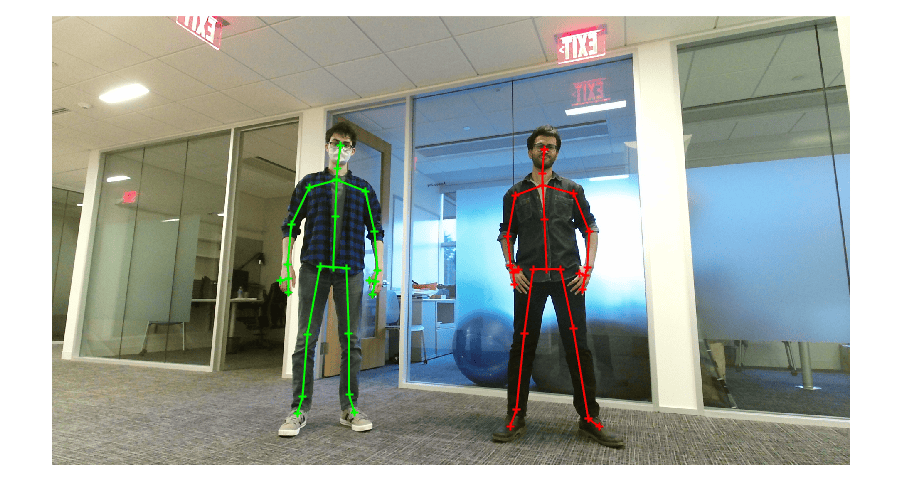
Kinect for Windows V2에서 골격 데이터 보기
이 예제에서는 Kinect® for Windows® V2에서 RGB 이미지를 표시하고, 그 이미지 위에 골격 관절 위치를 오버레이하는 방법을 보여줍니다.
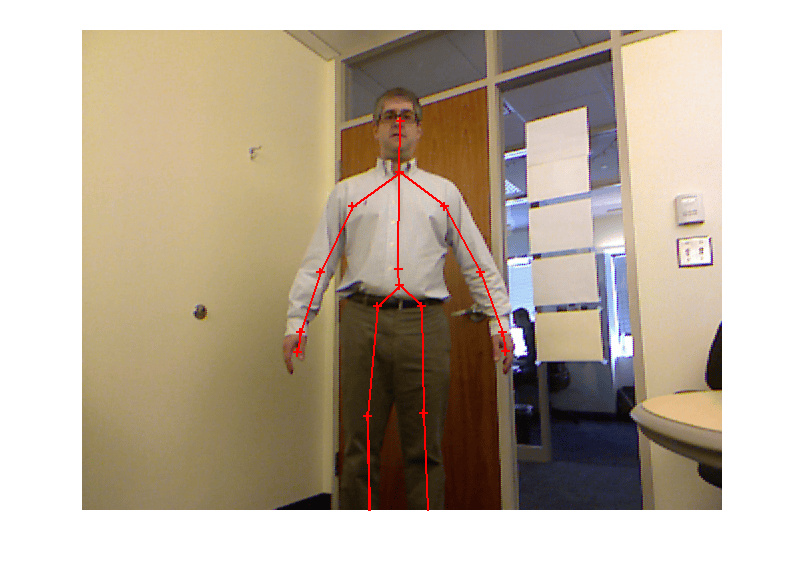
Image Acquisition Toolbox에서 Kinect for Windows V1 사용
이 예제는 Image Acquisition Toolbox™를 사용하여 Kinect for Windows® V1 센서에서 제공되는 데이터를 가져오는 방법을 보여줍니다:

