이 번역 페이지는 최신 내용을 담고 있지 않습니다. 최신 내용을 영문으로 보려면 여기를 클릭하십시오.
Simulink와 Eclipse SUMO 교통 시뮬레이터 연동 시뮬레이션하기
R2026aAutomated Driving Toolbox™ Interface for Eclipse SUMO Traffic Simulator 지원 패키지를 사용하면 SUMO(Simulation of Urban MObility) 교통 시뮬레이터와 Simulink를 연동 시뮬레이션할 수 있습니다. Eclipse SUMO 교통 시뮬레이터는 대규모 도로망을 모델링하고 시뮬레이션하도록 설계된 오픈 소스 교통 시뮬레이션 패키지입니다. Eclipse SUMO 교통 시뮬레이터에 대한 자세한 내용은 SUMO User Documentation을 참조하십시오. 이 지원 패키지는 클라이언트 및 서버 모델을 사용하여 SUMO와 상호 작용할 수 있도록 하는 Simulink 블록을 제공합니다. 이 모델에서 SUMO는 서버, Simulink는 클라이언트로 동작합니다. 이러한 블록을 사용하여 다음을 수행할 수 있습니다.
연동 시뮬레이션 중에 데이터를 보내고 받도록 서버와 클라이언트를 구성할 수 있습니다. 도로망, 경로 정보와 같이 연동 시뮬레이션하려는 SUMO 시나리오에 대한 정보가 포함된 SUMO 구성 파일을 선택할 수 있습니다.
시뮬레이션 시작 시 SUMO 시나리오 내에 무작위 교통 액터를 생성하여 교통 밀도를 제어하고, 다양하고 현실적인 시나리오를 시뮬레이션합니다.
SUMO 시나리오 내 지정된 차선이나 위치에서 차량을 추가하거나 제거합니다. 또한 차량을 차선에 추가할 때 출발 시간, 도착 시간, 속도, 탑승자 수, 수용 인원 등의 추가 정보를 지정할 수 있습니다.
SUMO 시나리오에서 액터, 시뮬레이션, 시각화 데이터를 읽고 이 시나리오에 쓸 수 있습니다.
Simulink와 SUMO 교통 시뮬레이터를 연동 시뮬레이션하려면 다음을 수행해야 합니다.
애드온 탐색기에서 Automated Driving Toolbox Interface for Eclipse SUMO Traffic Simulator 지원 패키지를 다운로드합니다. 애드온 다운로드에 대한 자세한 내용은 애드온을 받고 관리하기 항목을 참조하십시오.
SUMO Version 1.20.0을 다운로드합니다. Automated Driving Toolbox Interface for Eclipse SUMO Traffic Simulator 지원 패키지는 Windows® 및 Linux® 플랫폼에서 SUMO Version 1.20.0을 사용한 연동 시뮬레이션을 지원합니다. 설치 단계에 대한 추가 정보를 보려면 Download and Install SUMO를 참조하십시오.
블록
 | Server | Configure SUMO server for cosimulation with Simulink (R2026a 이후) |
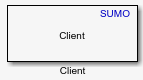 | Client | Configure Simulink client for cosimulation with SUMO (R2026a 이후) |
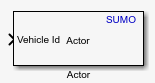 | Actor | Add or remove actor in SUMO scenario (R2026a 이후) |
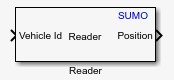 | Reader | Read selected topic from SUMO scenario (R2026a 이후) |
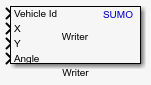 | Writer | Write selected topic to SUMO scenario (R2026a 이후) |
추천 예제
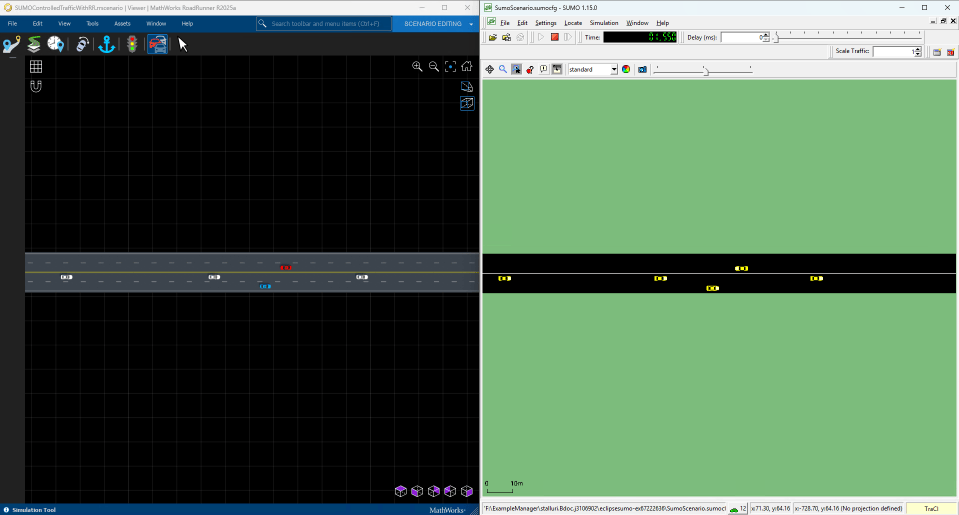
SUMO Traffic Simulation with RoadRunner Scenario
SUMO Traffic Simulation with RoadRunner Scenario.

