DateTime
R2026b시뮬레이션 날짜 및 시간을 출력하고 변환하는 블록(예: DateTime Clock, DateTime Data Type Converter)
DateTime 라이브러리의 블록을 사용하여 특정 달력 날짜 및 시간에 모델을 시뮬레이션할 수 있습니다. DateTime Clock 블록은 datetime 데이터형을 사용하여 현재 시뮬레이션 날짜 및 시간을 출력하고, 지원 블록은 시점, 스토리지 데이터형, 시간 표준(TAI, UTC, TT), 문자열 형식 간을 변환합니다.
DateTime형 신호는 MATLAB datetime 객체를 사용합니다.
이 라이브러리의 블록을 모델에 추가하려면 모델에 블록 추가하기 항목을 참조하십시오.
블록
 | DateTime Clock | Output current simulation calendar date and time as DateTime data
type (R2026b 이후) |
 | DateTime Data Type Converter | Convert time points or storage data types of DateTime
signal (R2026b 이후) |
 | DateTime Time Standard Converter | Convert between DateTime time standards (R2026b 이후) |
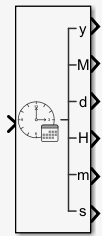 | DateTime to Calendar Time | Convert DateTime signal to calendar time format (R2026b 이후) |
 | DateTime to Formatted String | Convert DateTime signal data type to formatted
string (R2026b 이후) |
 | From DateTime | Extract value of DateTime input signal (R2026b 이후) |
 | To DateTime | Output DateTime signal (R2026b 이후) |
툴
| 라이브러리 브라우저 | 블록을 찾고 모델에 추가 |
도움말 항목
- 모델에 블록 추가하기
라이브러리 브라우저와 빠른 삽입 메뉴를 사용하여 블록을 삽입합니다.

