Lidar Point Cloud Generator
R2026bGenerate lidar point cloud data for driving scenario or RoadRunner Scenario
Lidar Point Cloud Generator block

To add a block to a model, double-click the canvas and start typing the block name. Then, select the block from the list.
Libraries:
Automated Driving Toolbox /
Driving Scenario and Sensor Modeling
Description
The Lidar Point Cloud Generator block generates a point cloud from lidar measurements taken by a lidar sensor mounted on an ego vehicle.
The block derives the point cloud from simulated roads and actor poses in a driving scenario and generates the point cloud at intervals equal to the sensor update interval. By default, detections are referenced to the coordinate system of the ego vehicle. The block can simulate added noise at a specified range accuracy by using a statistical model. The block also provides parameters to exclude the ego vehicle and roads from the generated point cloud.
You can use the block with vehicle actors in Driving Scenario and RoadRunner Scenario simulations. The block does not require any inputs when used with actors in a RoadRunner Scenario simulation. For more information, see Add Sensors to RoadRunner Scenario Using Simulink example.
Note
When cosimulating with RoadRunner, if the sample time of the RoadRunner Scenario block does not match the fixed-step size of the Simulink solver, this block does not receive ground truth updates at the expected times and outputs all NaN values in the point cloud data. To avoid this issue, ensure that the sample time specified in the RoadRunner Scenario block and the fixed-step size of the Simulink solver are set to the same value.
The lidar generates point cloud data based on the mesh representations of the roads and actors in the scenario. A mesh is a 3-D geometry of an object that is composed of faces and vertices.
The lidar sensor model created with Lidar Point Cloud Generator uses hardware accelerated ray tracing to produce a highly realistic and accurate representation of objects in the point cloud. Ray tracing allows for precise modeling of the interactions between light rays emitted by the lidar sensor and the surfaces of objects in the scene. Additionally, ray tracing considers factors such as surface texture and angles, which enhances the realism and accuracy of the output point cloud data. The sensor model can also add random noise to the detections.
When building scenarios and sensor models using the Driving Scenario Designer app, the lidar sensors exported to Simulink® are output as Lidar Point Cloud Generator blocks.
Tip
In a model configured for driving scenario simulation, the Scenario Reader block must execute before the Lidar Point Cloud Generator block. That way, the driving scenario data is correctly processed by the Lidar Point Cloud Generator block. To check the block execution order, right-click the blocks and select Properties. On the General tab, confirm these Priority settings:
Scenario Reader —
0Lidar Point Cloud Generator —
1
.
Examples
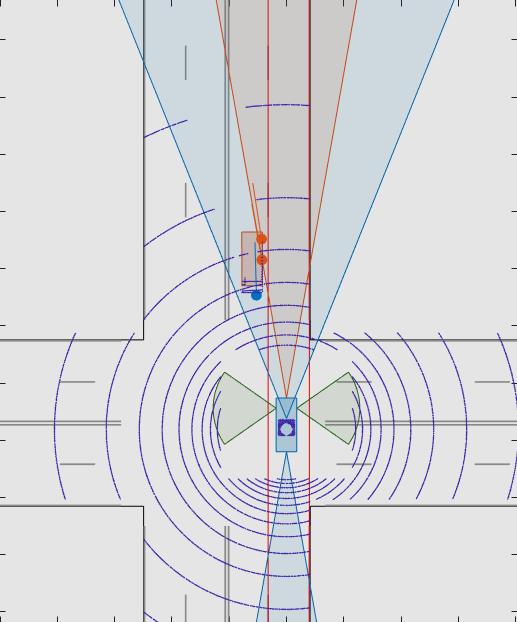
Test Open-Loop ADAS Algorithm Using Driving Scenario
Test open-loop ADAS algorithms in Simulink by using driving scenarios saved from the Driving Scenario Designer app.
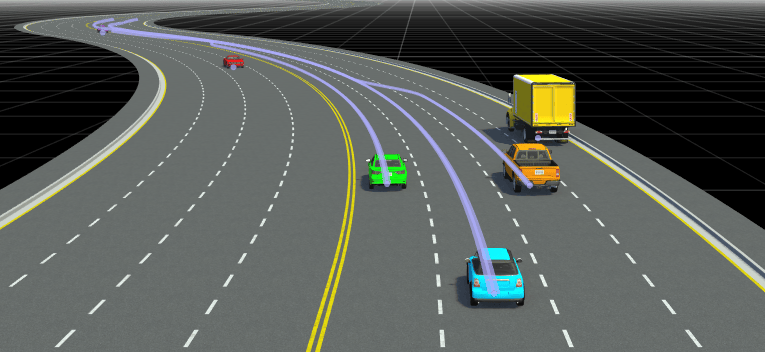
Add Sensors to RoadRunner Scenario Using Simulink
Simulate a RoadRunner Scenario with sensor models defined in Simulink and visualize object and lane detections.
Limitations
C/C++ code generation is not supported.
For Each subsystems are not supported.
Rapid acceleration mode is not supported.
Use of the Detection Concatenation block with this block is not supported. You cannot concatenate point cloud data with detections from other sensors.
If a model does not contain a Scenario Reader block, then this block does not include roads in the generated point cloud.
Point cloud data is not generated for lane markings.
This block does not support stepping back in simulation.
In a model configured for driving scenario simulation, the Scenario Reader block and the Lidar Point Cloud Generator block must be at the same level in the model hierarchy. Placing these blocks at different levels, such as one inside a referenced model and the other outside it, results in inconsistent simulation behavior.

