Soft Real Time

버전 1.4.0.0 (1.51 MB) 작성자: Giampiero Campa
Guides that explain how to execute generated code periodically on Windows or Linux
다운로드 수: 611
업데이트 날짜: 2023/10/25

How to Execute Code Periodically

Two guides that explain how to execute generated code periodically on Windows® or Linux®

View how-to-execute-code-periodically on File Exchange

Open in MATLAB Online

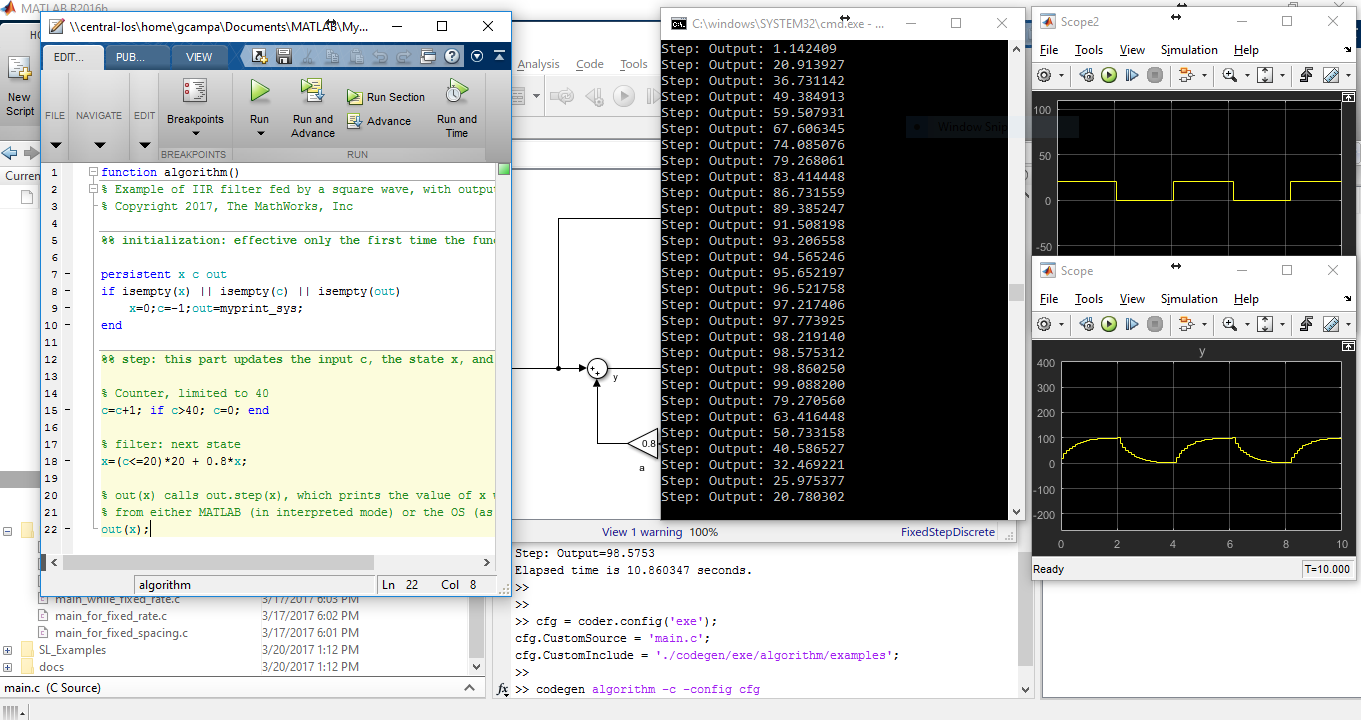
This package contains two guides that discuss how to build an application that runs as a normal OS process and calls some (generated) code periodically. In the first guide, you start form MATLAB® code and use it to generate C code that you can call periodically within a simple executable. In the second guide you do the same, starting from a Simulink® model.

Notes:

-) While in the guides the C code is generated, this is not strictly necessary. The guides do a decent job to discuss several ways to call such code periodically.

-) In the guides, the final executable runs as a normal Windows or Linux process, (it does not run in the Kernel, let alone in a microkernel underneath the OS). Therefore, while the software runs periodically, the OS cannot guarantee meeting any deadline or having a maximum latency. This might be ok for applications in which missing deadlines, while not ideal, does not constitute a failure (sometimes such systems are referred to as "soft" real-time systems. If you need any kind of timing guarantees, you need to look at tools and operating systems for hard real time systems. For example, to execute Simulink models in real-time, you can consider Simulink Desktop Real-Time:tm: or Simulink Real-Time:tm:.

-) The guide goes through several ways of implementing timed loops before showing how to use timers, which is the most appropriate way to do the job. However, reading the appropriate guide is highly suggested.

-) In hindsight, I should have emphasized more that, among all the discussed methods, only timers can somewhat limit drift with respect to clock time. Perhaps i'll do that in a future version.

Cheat Sheet: Use timers without reading the guides

If you are in a hurry and want to implement something the right way (using timers) starting from an existing example, here's what you can do: Start from either the MATLAB or Simulink example, execute the example on your machine, then generate code, as shown in the "Generating Code" section of the guide, build the executable ad run it to make sure things are working as expected. The next step (e.g. for the MATLAB Code example under Windows) would be to delete "main.c", save "main_loop_timer.c" as "main.c" where the one you just deleted was, rebuild the executable, make sure everything is working and then start doing your modifications from there. Maybe refer to the MATLAB guide starting from page 18. Of course under Linux use "main_loop_timer_linux.c" , and for the Simulink example use the prefix "ert_" before the "main" names in each of the above files (and refer to the Simulink guide starting from from page 16). That being said, again, reading the guide and proceeding step-by-step is suggested.

Contents (main folder):

-) Readme.md This file, which i'm glad you are reading :) -) MLSoftRealTime.pdf "MATLAB code to Soft Real Time" guide -) SLSoftRealTime.pdf "Simulink model to Soft Real Time" guide -) algorithm.m Algorithm (an IIR Filter) in MALTAB -) algorithm_sl.slx Same algorithm in Simulink -) “myprint_sys.m Definition file of a System Object that prints its input -) myprint.cpp Init and Output C functions for Windows and Linux -) myprint.h Init and Output declarations for Windows and Linux

-) license.txt License file -) security.md Security statement

Contents (ML_examples folder):

-) main_for_fixed_spacing.c MATLAB to Windows, "Sleep"-only example, for loop -) main_for_fixed_rate.c MATLAB to Windows, "Sleep" and "GetTickCount", for loop -) main_while_fixed_rate.c MATLAB to Windows, "Sleep" and "GetTickCount", while loop -) main_while_early_wakeup.c Like previus one with early task wakeup (and high cpu usage) -) main_timer.c MATLAB to Windows the proper way (using a Queue Timer) -) main_timer_linux.c MATLAB to Linux the proper way (using an Interval Timer)

Contents (SL_examples folder):

-) ert_main_for_fixed_spacing.c Simulink to Windows, "Sleep"-only example, for loop -) ert_main_for_fixed_rate.c Simulink to Windows, "Sleep" and "GetTickCount", for loop -) ert_main_while_fixed_rate.c Simulink to Windows, "Sleep" and "GetTickCount", while loop -) ert_main_while_early_wakeup.c Like previus one with early task wakeup (and high cpu usage) -) ert_main_timer.c Simulink to Windows the proper way (using a Queue Timer) -) ert_main_timer_linux.c Simulink to Windows the proper way (using an Interval Timer)

Versions:

Version 1.1, 10-Mar-2017, Initial version. Version 1.3, 18-Mar-2017, Naming convention and MATLAB document heavily modified. Version 1.4, 25-Oct-2023, Uploaded on GitHub and Readme file modified.

인용 양식

Giampiero Campa (2025). Soft Real Time (https://github.com/giampy1969/how-to-execute-code-periodically/releases/tag/v1.4.0.0), GitHub. 검색 날짜: .

MATLAB 릴리스 호환 정보
개발 환경: R2016b
모든 릴리스와 호환
플랫폼 호환성
Windows macOS Linux
카테고리
Help CenterMATLAB Answers에서 Code Generation에 대해 자세히 알아보기
도움

도움 받은 파일: Device Drivers

도움 준 파일: Soft Real Time Block for Pacing Simulink Simulations

Community Treasure Hunt

Find the treasures in MATLAB Central and discover how the community can help you!

Start Hunting!
버전 게시됨 릴리스 정보
1.4.0.0

See release notes for this release on GitHub: https://github.com/giampy1969/how-to-execute-code-periodically/releases/tag/v1.4.0.0

1.3.0.0

이 GitHub 애드온의 문제를 보거나 보고하려면 GitHub 리포지토리로 가십시오.