Using gpt-oss-120b and gpt-oss-20b open-weight language models on your local machine with MATLAB
최근 활동 xingxingcui
의 답글: 2025년 8월 12일
These got released last week and the process for using them on your local machine with MATLAB is very similar to how you use the local deepseek models as I demonstrated in my February blog post How to run local DeepSeek models and use them with MATLAB » The MATLAB Blog - MATLAB & Simulink
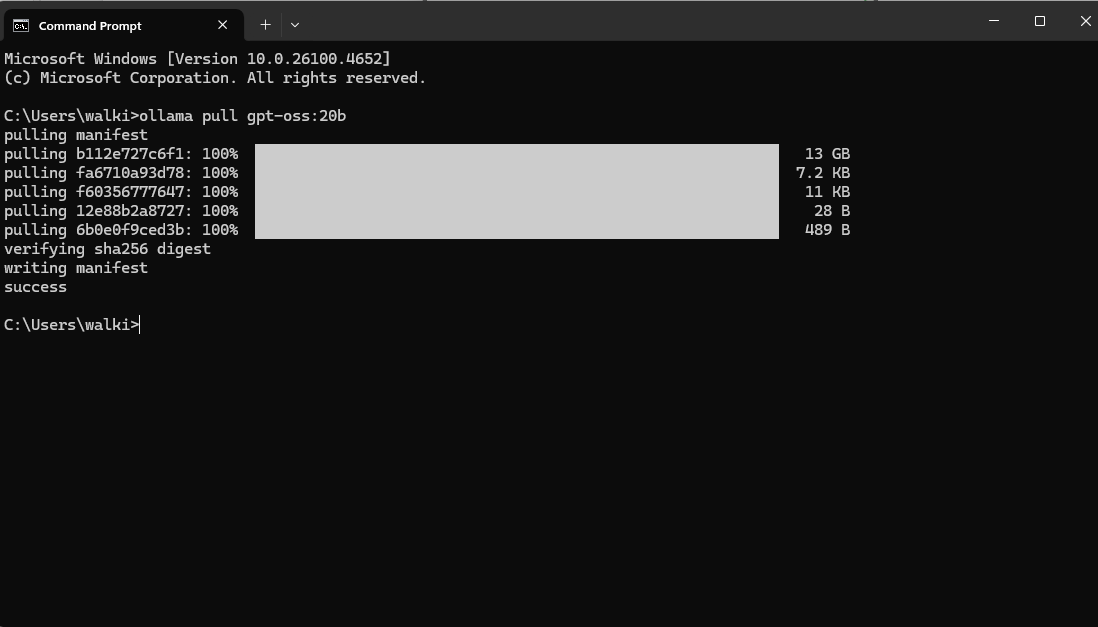
You need Ollama and the LLMs with MATLAB package installed (Details on how to do this in the blog post above). Then you run the following in your operating systems' command line
ollama pull gpt-oss:20b
Over to MATLAB and set up a chat session
>> chat = ollamaChat("gpt-oss:20b")
chat =
ollamaChat with properties:
ModelName: "gpt-oss:20b"
Endpoint: "127.0.0.1:11434"
TopK: Inf
MinP: 0
TailFreeSamplingZ: 1
Temperature: 1
TopP: 1
StopSequences: [0×0 string]
TimeOut: 120
SystemPrompt: []
ResponseFormat: "text"
FunctionNames: []
txt = generate(chat,"Who are you?")
txt =
"I’m ChatGPT – a conversational AI developed by OpenAI. My core is the GPT‑4 language model, which has been trained on a massive mix of text from books, websites, articles and other sources to understand and generate human‑like language. I don’t have feelings, consciousness, or a personal identity; I’m a tool that can help answer questions, brainstorm ideas, explain concepts, draft text, and more. My goal is to understand the context you give me and respond in a helpful, accurate and safe way. If there’s something specific you’d like to know or do, just let me know!"
This is the smaller of the two, new open models and it is bringing my aging desktop to its knees. My GPU is too small to do the work so I think everything is happening on the CPU and its slooooow. Will try on my Mac next
Let me know if you try this out!
댓글 수: 1
시간 내림차순
Great practical work — it would be even better if these open-weight language models support MATLAB R2025a's Copilot.
참여하려면 로그인하세요


