uisim3dviewer
R2026bSyntax
Description
viewer = uisim3dviewer()sim3d.World object
in a figure and returns the sim3d.ui.UnrealViewer object. MATLAB® calls the uifigure function to create the
figure.
viewer = uisim3dviewer(world)sim3d.World object specified by
world in a figure and returns the sim3d.ui.UnrealViewer object. MATLAB calls the uifigure function to create the figure.
viewer = uisim3dviewer(___,Name=Value)sim3d.ui.UnrealViewer object as name-value arguments. For example, specify the
size and location of the UI component using the Position property. Use
this option with any of the input argument combinations in the previous syntaxes.
Examples
Create a box actor in the 3D environment and view the 3D environment in a MATLAB figure window.
Create a world using the sim3d.World
object.
world = sim3d.World();
Create an actor object.
actor = sim3d.Actor();
Use the createShape
function to build a box shape for the actor. Use the Color
property to set the color of the box actor to red.
createShape(actor,'box');
actor.Color = [1 0 0];
Add the actor to the world.
add(world,actor);
Use the uisim3dviewer function to view the simulation in the
figure window. If you do not specify the parent container, then by default, the software uses the
uifigure function to create the figure.
viewer = uisim3dviewer(world);
Run the simulation to view the Simulation 3D Viewer in a figure window that displays the red box actor in the 3D environment.
sampletime = 0.01;
stoptime = 5;
run(world,sampletime,stoptime)
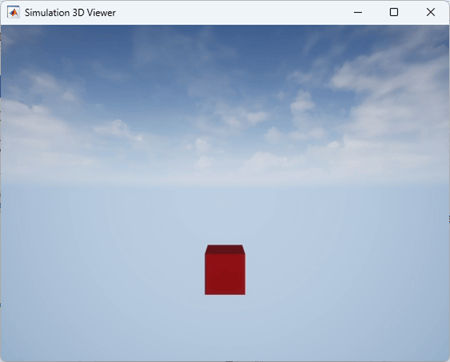
You can also interact with the 3D environment and use keyboard shortcuts and mouse actions to navigate in the 3D environment. For more information about interacting with the 3D environment and using keyboard shortcuts and mouse actions, see Interact with Unreal Engine Simulation Environment and Navigate in Unreal Engine Environment.
You can use the close
function to stop rendering or close the figure window to stop simulation.
Create a box actor in the 3D environment and view the 3D environment in a MATLAB figure window.
Create a world using the sim3d.World
object.
world = sim3d.World();
Create an actor object.
actor = sim3d.Actor();
Use the createShape
function to build a box shape for the actor. Use the Color
property to set the color of the box actor to red.
createShape(actor,'box');
actor.Color = [1 0 0];
Add the actor to the world.
add(world,actor);
Use the uifigure function to create a figure with a custom name. Use the uisim3dviewer function to view the simulation in the
figure window.
fig = uifigure(Name="3D Viewer");
viewer = uisim3dviewer(fig,world);
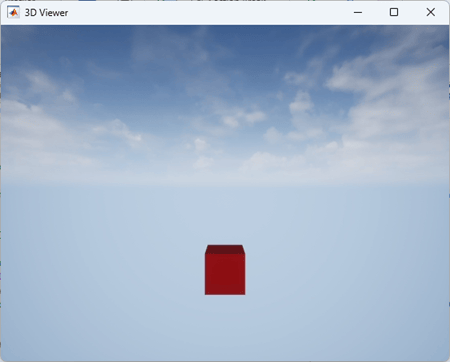
Run the simulation to view the simulation in the custom figure window with the red box actor in the 3D environment.
sampletime = 0.01;
stoptime = 5;
run(world,sampletime,stoptime)
Input Arguments
Output Arguments
Version History
Introduced in R2026b
See Also
sim3d.ui.UnrealViewer | sim3d.World | add | run | close | sim3d.Actor | createShape | Simulation 3D Scene
Configuration

