setView
R2026bSyntax
Description
Examples
Create a custom view of the 3D environment using the createViewpoint function. Use the setView function to set the view in the Simulation 3D Viewer window.
Create a world object using the sim3d.World object.
world = sim3d.World();
Create a box actor in the 3D environment using the sim3d.Actor object. Add the box actor to the world.
box = sim3d.Actor(ActorName='Box');
createShape(box,'box',[0.5 0.25 0.25]);
box.Color = [1 0 0];
add(world,box);
Create a custom view using the createViewpoint function.
view = createViewpoint(world);
view.Name = 'View';
view.Translation = [-4 0 0];
Set the view of the 3D environment to display in the Simulation 3D Viewer window. If you do not set the view, the software sets the default view.
setView(world,view);
Run the simulation.
sampletime = 0.01;
stoptime = 10;
run(world,sampletime,stoptime);
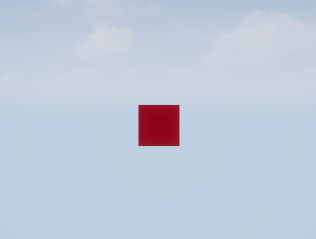
Create multiple views of the 3D environment using the createViewpoint function. Use the setView function to set the view in the Simulation 3D Viewer window.
Create a world object using the sim3d.World object.
world = sim3d.World(Output=@outputImpl);
Create a box actor in the 3D environment using the sim3d.Actor object. Add the box actor to the world.
box = sim3d.Actor(ActorName='Box');
createShape(box,'box',[0.5 0.25 0.25]);
box.Color = [1 0 0];
add(world,box);
Create multiple custom views using the createViewpoint function.
view1 = createViewpoint( ...
    world,Name='Front',Translation=[-4 0 0]);
view2 = createViewpoint( ...
    world,Name='Right',Translation=[0 4 0],Rotation=[0 0 -pi/2]);
view3 = createViewpoint( ...
    world,Name='Back',Translation=[4 0 0],Rotation=[0 0 pi]);
view4 = createViewpoint( ...
    world,Name='Left',Translation=[0 -4 0],Rotation=[0 0 pi/2]);
Using the UserData property of the sim3d.World object, create a user data structure with a field named Step to store the simulation step during simulation.
world.UserData.Step = 1;
Run the simulation. The viewer displays the default view.
sampletime = 0.01;
stoptime = 10;
run(world,sampletime,stoptime);
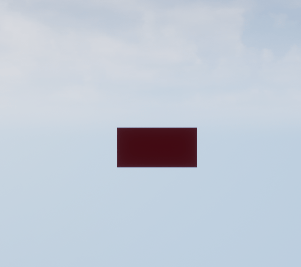
Output Function
Use the output function to set the view in the Simulation 3D Viewer window at a specific simulation step. The Front and Back views display a square. The Right and Left views display a rectangle.
function outputImpl(world)
    if world.UserData.Step == 200
        setView(world,world.Viewpoints.Front);
    elseif world.UserData.Step == 400
        setView(world,world.Viewpoints.Right);
    elseif world.UserData.Step == 600
        setView(world,world.Viewpoints.Back);
    elseif world.UserData.Step == 800
       setView(world,world.Viewpoints.Left);
    end
    world.UserData.Step = world.UserData.Step + 1;
end
Input Arguments
Version History
Introduced in R2024b
See Also
createViewpoint | deleteViewpoint | add | run | remove | load | pause | resume | close

