이 번역 페이지는 최신 내용을 담고 있지 않습니다. 최신 내용을 영문으로 보려면 여기를 클릭하십시오.
영상 디스플레이에 주석을 표시하고 ROI 그리기
R2026a영상 위에 마스크와 레이블을 겹쳐 표시하고, 다양한 형태의 관심 영역을 그리기
이 툴박스는 원, 타원, 다각형, 직사각형, 손으로 그린 형태 등 여러 형태의 ROI를 만드는 데 사용할 수 있는 일련의 객체를 지원합니다. 객체를 만든 뒤에는 형태, 위치, 모양, 동작을 수정할 수 있습니다.
함수
도움말 항목
ROI 지정하기
- ROI 형태 만들기
ROI 객체는 ROI를 기하 형태 및 손으로 그린 형태로 나타냅니다.
이벤트 및 콜백 함수를 사용하여 대화형 방식 ROI 만들기
- Subsample or Simplify a Freehand ROI
This example shows how to subsample or reduce the number of points in aFreehandROI object. - Create Freehand ROI Editing Tool
This example shows how to create a simple tool to edit the shape of a freehand ROI using another ROI object. - Use Wait Function After Drawing ROI
This example shows how to define a custom wait function that blocks the MATLAB® command line until you finish positioning a rectangle. - Create Image Comparison Tool Using ROIs
This example shows how to use the new ROI functions to create an interactive image comparison tool.
추천 예제
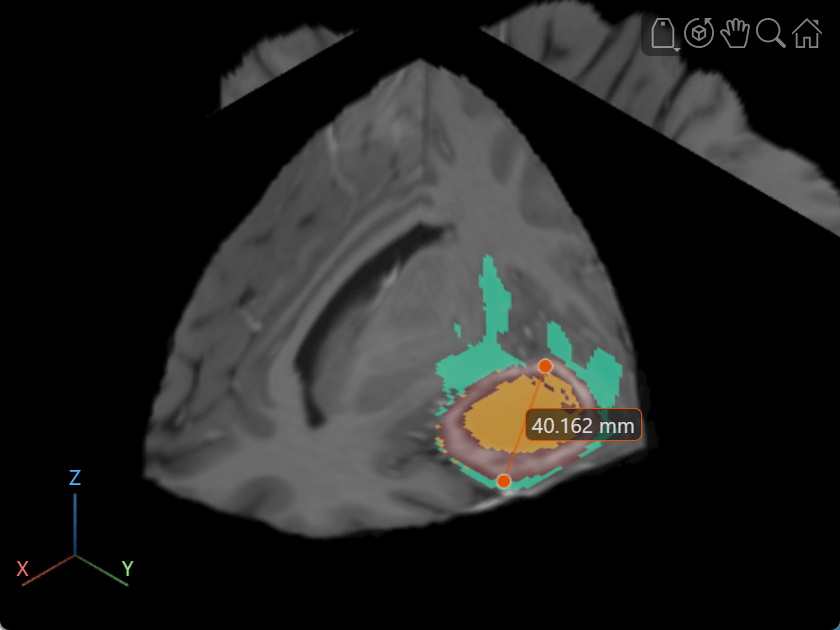
Label Volume Display Using Point and Line Annotations
Add and edit point and line annotations in a Viewer object displaying a 3-D Brain MRI scan.
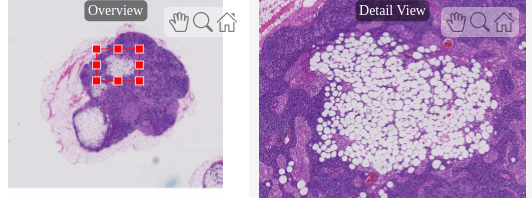
Explore Blocked Image Details with Interactive ROIs
Display a detailed region of a blocked image selected interactively using ROI tools.

