%Image_processing2
%% Quick Start
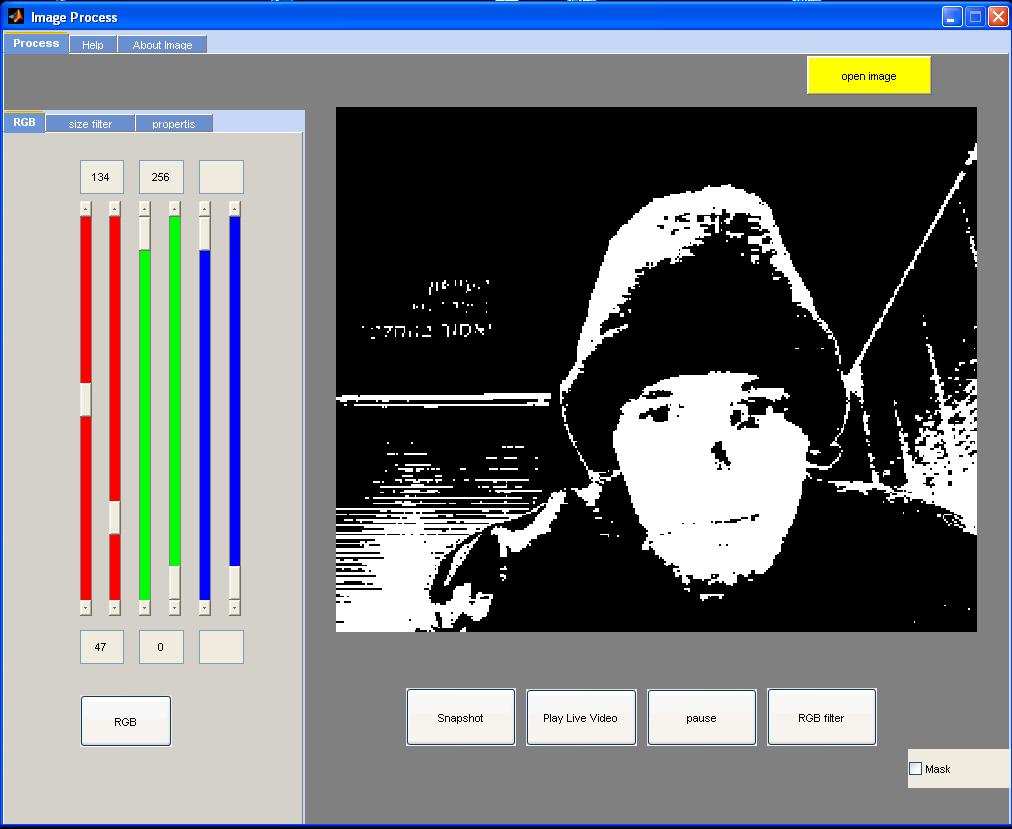
% Click - Open File
% Select an image file
%
% Then move the slider to select the RGB color filter that you want displayed
% Press the RGB
% Then Mark V mask
% And click the button RGBfilter
%
% Snapshot - allows to acquire images from the camera
% Play live video - allows to show the changes live video selected
% Stop - Stops the video
% You can make more changes to properties
% And you can also select objects by size
%
% Created by Oren Berkovitch
% During the period of development-10.31.2013 04.10.2013
% Version 1
인용 양식
Oren B (2026). Image_processing2. (https://kr.mathworks.com/matlabcentral/fileexchange/44152-image_processing2), MATLAB Central File Exchange. 검색 날짜: .
MATLAB 릴리스 호환 정보
개발 환경:
R2012a
모든 릴리스와 호환
플랫폼 호환성
Windows macOS Linux태그
| 버전 | 게시됨 | 릴리스 정보 | |
|---|---|---|---|
| 1.0.0.0 |
