Colorize Document Bar

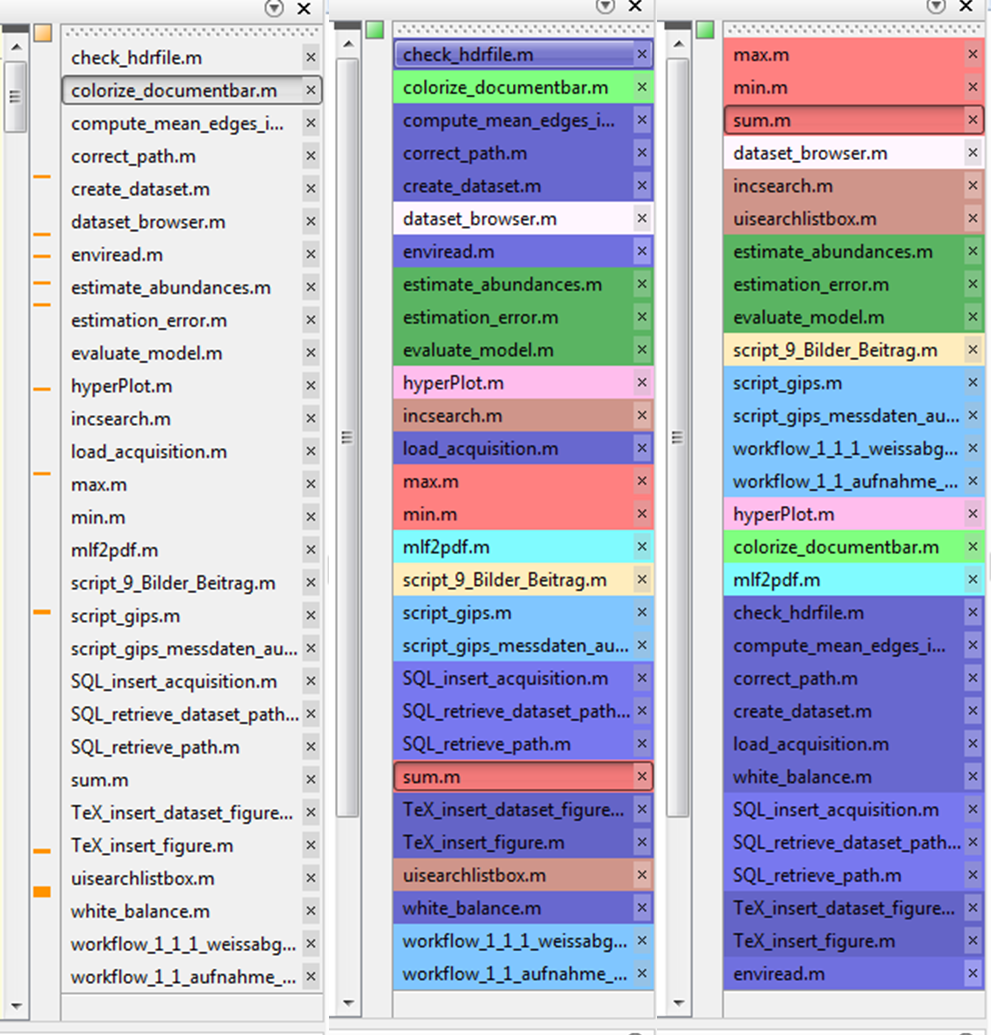
File names in the document bar of the editor are colorized according to the path

이 제출물을 팔로우합니다

This function colorizes the buttons with file names in the document bar of the Matlab editor according to the folders the files are stored in.
The colors are chosen to allow maximal distinct.

Different modes can be selected
- colorize_documentbar()
Colors are chosen automatically; each folder gets its own color.

- colorize_documentbar('folder',LIST_FOLDERS,LIST_COLORS)
with inputs
LIST_FOLDERS cellarray with string (1 x n)
LIST_COLORS n x 3 colormatrix (RGB values)
Files in one of the folders or subfolders listed in LIST_FOLDERS
get the color given in LIST_COLORS.
All other files get colors which are chosen automatically.

- colorize_documentbar('root',list_folders_root,LIST_ROOTCOLORS)
with inputs
list_folders_root: cellarray with string (1 x n)
LIST_ROOTCOLORS: n x 3 colormatrix (RGB values)
Files in one of the folders listed in list_folders_root get colorized
with the color given in LIST_ROOTCOLORS.
Files in subfolders of the folder get a color similar to the one of the
parent directory. Each subfolder has its own color.
All other files get colors which are chosen automatically.

colorize_documentbar('folder',LIST_FOLDERS,LIST_COLORS,'root',list_folders_root,LIST_ROOTCOLORS)
Combination of the two modes listed above.

colorize_documentbar('sort')
Sorts the opened documents by color. (Experimental)

This function requires the File Exchange contributions http://www.mathworks.com/matlabcentral/fileexchange/14317 and http://www.mathworks.com/matlabcentral/fileexchange/29702.

인용 양식

Matthias Michelsburg (2026). Colorize Document Bar (https://kr.mathworks.com/matlabcentral/fileexchange/39157-colorize-document-bar), MATLAB Central File Exchange. 검색 날짜: .

카테고리

Help CenterMATLAB Answers에서 Environment and Settings에 대해 자세히 알아보기

일반 정보

MATLAB 릴리스 호환 정보

  • 모든 릴리스와 호환

플랫폼 호환성

  • Windows
  • macOS
  • Linux
버전 퍼블리시됨 릴리스 정보 Action
1.0.0.0