Interacting wih figures in 2025a

이전 댓글 표시
Hello!
After updating to MATLAB 2025a, I've noticed a significant decrease in performance when interacting with figures. Specifically, zooming, panning, and other figure manipulations are very slow and occasionally cause the program to freeze.
I often work with complex plots that include multiple tabs and numerous subplots, which means a large amount of data is being displayed. While I acknowledge this is a data-intensive use case, performance in previous MATLAB versions was much smoother.
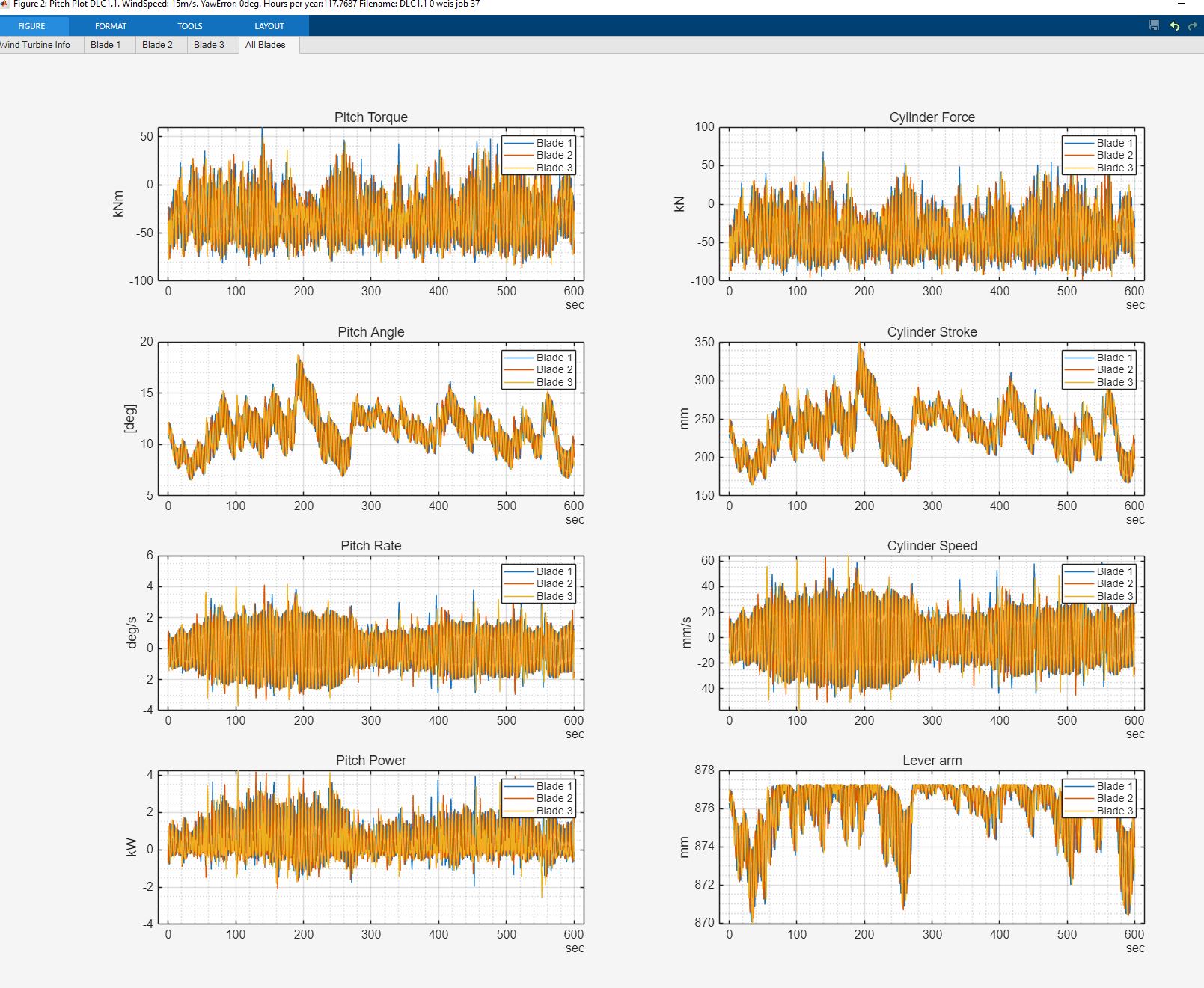
I'm wondering if anyone else has experienced similar issues since the 2025a update?
It appears that my integrated UHD graphics is being used as the renderer device, despite my laptop having a dedicated NVIDIA GeForce GPU. Are there any settings I can adjust to force MATLAB to use my dedicated GPU for rendering to improve performance?

Any insights or potential solutions would be greatly appreciated! Thank you.
댓글 수: 5

Torsten
2025년 9월 15일
Contact MATLAB Technical Support:
Systems that meet these specifications provide the best quality graphics and performance:
- At least 2 GB of GPU memory
- Graphics hardware that supports WebGL™ 2.0
- The latest versions of graphics drivers available from your computer manufacturer or graphics hardware vendor
You can investigate if your NVIDIA hardware meets the above and then see about any more recent drivers and see if that will resolve the issue.
There have been many instances noted that performance isn't as good with new release, so not necessarily an unexpected event; if the above doesn't resolve the issue for you, then submit this to Mathworks as an official support request/bug at <Product Support Page>; Mathworks needs to hear about such issues in order to be able to resolve them if the problem is on their side.
Particularly, if you can create a minimum working example to submit and provide a sequence of operations that cause issues, that would be invaluable debugging information for them.
Just out of curiosity and for completeness, what did rendererinfo report with prior MATLAB release you were running? Fortunately, mutiple MATLAB versions will coexist and so you can keep R2025a installed and use the prior release for production until issues can be resolved.

Mario
2025년 10월 17일
I am experiencing exactly your same issues with 2025a&b. Not only that, a function that takes 2.3" in ver 2024b takes more than 5min in 2025a&b. Tech Support claims to not have experience anything like that.

Andres
2025년 11월 21일
I can confirm this observation, especially in a one-to-one comparison between R2024b and R2025b on the same computer. Opening a larger .fig file (~30MB) takes 10 seconds compared to 2 seconds in R2024b, and programmatic zooming (xlim...) takes about 5 seconds for this diagram, while it happens in an instant in R2024b.
Unfortunately, R2025b is unusable for me with this workflow, and the suggested change to the graphics settings below had no effect for me.
Does anyone have experience with a one-to-one comparison between R2025b and R2025b Update 1?

Robert
2026년 3월 6일
I have similar problems after upgrading from 2022b. I see that in 2025b the matlabwindowhelper.exe sub-processes are handling the figure interactions whereas in 2022b the main MATLAB.exe process seems to handle everything (based on how CPU and Memory usage are attributed). I have a large data structure attached to the figure's UserData that gets frequently updated with the interactive callbacks - perhaps this is not handled as efficiently with the newer child-process structure?
답변 (1개)
Hi Søren,
You can switch the GPU for graphics rendering through the following steps:
- Open Windows Settings → System → Display → Graphics Settings
- Select "Choose an app to set preference" → "Classic App"
- Click "Browse" and navigate to: C:\Program Files\MATLAB\R2025a\bin\win64\matlabwindowhelper.exe (Path may differ on Win32 systems)
- Click "Options" and select "High performance" with your Nvidia GPU
- Save the settings
댓글 수: 8

dpb
2025년 9월 15일
@Ray, while I suppose one might be expected to go look at system settings; this is not someething MATLAB users are used to having to do so I think this needs to be highlighted somewhere in the doc/install directions with the new release.
I couldn't find anything in the release notes to suggest doing so...
dpb
2025년 9월 15일
One suggestion would be that if rendererinfo doesn't find a hardware accelerator (pretty rare I'd think these days) it should supply the hint in its output for the user to go see if the OS will/does recognize it.
It might also be agoodidea™ on installation to check there as well since the above only would occur if the user actually invoked the function.
Who knows how many other users are out there now with the same issue but not to the point of asking or complaining...
As an aside, I'm wondering why it isn't being discovered; would it be feasible if knew @Søren's actual device to investigate that?
dpb
2025년 9월 15일
"I suppose one might be expected to go look at system settings..."
Even if a user were to go do so, that they would think of
- Select "Choose an app to set preference" → "Classic App"
to manually set preferences for a "classic" brand-new release of MATLB would be, I suspect a real stretch fo come up with in isolation.

Ray
2025년 9월 18일
Thank you for the suggestions!
Regarding your question: This behavior can occur on machines with multiple GPUs (e.g., the Intel and the Nvidia GPUs here), where MATLAB R2025a may default to the integrated or lower-end GPU.
We’re aware of this and are preparing an External Bug Report so users can follow updates. We’re also working on a mitigation to guide users in selecting the GPU they want MATLAB to use for graphics.

Ken
2026년 2월 14일
any updates on this issue? A rela problem for me. I have to run 2024b

Jan
2026년 2월 15일
I'm using a large Matlab tool (> 250'000 lines of code) in clinical decision making. For the long-term documentation of patient data we needed PDFs of a set of diagrams for thausands of patients. The creation of the figures needs fractions of a second in Matlab 6.5.1 (2003) and slowed down with later Matlab versions, e.g. 2009a, 2016b and 2018b. So we save a lot of time, if we start a virtual machine with WinXP and run Matlab 6.5 to create the PDFs.
For programming these ancient Matlab versions ars much worse than modern releases. The power to recogize programming errors and ambiguities automatically was improved substantially. So the stability of the code and the debug time are much better. But the running performance degraded over time massively, except for multi-threaded functions and some serious improvements of the JIT allceleration.
카테고리
도움말 센터 및 File Exchange에서 Graphics Performance에 대해 자세히 알아보기
Community Treasure Hunt
Find the treasures in MATLAB Central and discover how the community can help you!
Start Hunting!
Translated by 

