uitsquare
R2026bInteractively measure distance perpendicular to edge using point-to-line measurement tool
Since R2026b
Description
The uitsquare object displays a "T-square" point-to-line
distance measurement tool on an image object that you create using the imageshow
function. You can use this measurement tool as a height gauge to interactively measure
distances from a point perpendicular to edges in an image.
To automatically adjust or correct the placement of the measurement tool to align
precisely with an edge, use the snap object function.
Creation
Description
sets writable properties using one or more name-value arguments.hTsquare = uitsquare(hImage,PropertyName=Value)
For example, LineSnapMethod="parallel" specifies to snap the
reference line to the linear edge that has the highest cosine similarity to the
reference line.
Input Arguments
Input image object, specified as an
images.ui.graphics.Image object. To create this image
object, use the imageshow function.
Note
By default, spatial image coordinates are in the intrinsic coordinate
system, where the center of the upper left pixel has intrinsic coordinates
(1.0, 1.0). If you perform a coordinate transformation on the image input to
the hImage argument, units are defined in the world
coordinate system. To learn more, see Image Coordinate Systems.
Name-Value Arguments
Specify optional pairs of arguments as
Name1=Value1,...,NameN=ValueN, where Name is
the argument name and Value is the corresponding value.
Name-value arguments must appear after other arguments, but the order of the
pairs does not matter.
Example: uitsquare(hImage,LineSnapMethod="parallel") specifies
to snap the reference line to the linear edge that has the highest cosine similarity
to the reference line.
Position of the measurement tool, specified as an N-by-2 numeric matrix. N is the number of specified coordinates on the image, and must be equal to at least 3. Each row of the matrix represents the coordinates [x, y] in the image space. The first two rows are the coordinates of the start and end positions of the measurement reference line, while the next rows represent the measurement point coordinates.
You can specify Position programmatically, or
interactively by clicking a start point in the displayed image
hImage and dragging to your desired end
point.
Snapping neighborhood, specified as a positive integer. For the reference
line, SnapNeighborhood specifies the distance on either
side of the line where the uitsquare tool scans for edges
to snap to. You specify a reference line when you define it interactively by
clicking two points on the image. For measurement points,
SnapNeighborhood specifies the radius around each
point where the uitsquare tool scans for edges to snap to.
Adjust this value for different image sizes. Units are in pixels.
Method for automatically aligning the reference line to an edge, or snapping, specified as one of these options:
"closest"— Snap the reference line to the closest linear edge based on pixel distance from the midpoint of the reference line to the linear edge. Use this method for simple images with well-defined edges."strongest"— Snap the reference line to the linear edge with the highest Hough accumulator value. Use this method when multiple edges are close together but one is more prominent, or in noisy images where only strong features are of interest."parallel"— Snap the reference line to the linear edge that has the highest cosine similarity to the reference line. Use this method to snap to the edge that is most parallel to a specified reference line, regardless of its position."combined"— Snap the reference line to a linear edge based on the combined metrics of the"closest","strongest", and"parallel"methods."none"— Do not snap the reference line.
If the tool detects no edges, the uitsquare object does
not perform snapping.
Method for snapping a measurement point, or first point in the reference line, to a linear edge, specified as one of these options:
"closest"— Snap to the closest linear edge based on distance from the point to the linear edge"strongest"— Snap to the linear edge with the highest Hough accumulator value."none"— Do not snap the measurement point to the reference line.
The uitsquare tool uses a Hough Transform to
find linear edges in a circular region centered at the measurement point.
The radius of the circular region is specified by the
SnapNeighborhood name-value argument.
Edge detection method for snapping, specified as a logical array or one of these options.
| Method | Description |
|---|---|
"canny" | Finds edges by looking for local maxima of the
gradient of the image. The |
"sobel" | Finds edges at those points where the gradient of the image is maximum, using the Sobel approximation to the derivative. |
"prewitt" | Finds edges at those points where the gradient of the image is maximum, using the Prewitt approximation to the derivative. |
"roberts" | Finds edges at those points where the gradient of the image is maximum, using the Roberts approximation to the derivative. |
"log" | Finds edges by looking for zero-crossings after filtering the image with a Laplacian of Gaussian (LoG) filter. |
"zerocross" | Finds edges by looking for zero-crossings after filtering the image. |
"approxcanny" | Finds edges using an approximate version of the Canny edge detection algorithm that provides faster execution time at the expense of less precise detection. |
If you specify EdgeMap as a logical
array, you define a binary image that contains precomputed edge locations
for snapping. Select this option to avoid repeated edge detection when
making multiple measurements on the same image.
Measurement tool color, specified as an RGB triplet, or a long or short color name.
Output Arguments
Point-to-line measurement tool, returned as a uitsquare
object.
Properties
Position of the measurement tool, specified as an N-by-2 numeric matrix. N is the number of specified coordinates on the image, and must be equal to at least 3. Each row of the matrix represents the coordinates [x, y] in the image space. The first two rows are the coordinates of the start and end positions of the measurement reference line, while the next rows represents the measurement point coordinates.
Position of the reference line, specified as a 2-by-2 numeric matrix. The matrix is in the form [x1 y1; x2 y2], where [x1 y1] and [ x2 y2] are the coordinates of the start and end positions of the measurement reference line, respectively.
Measurement point positions, specified as an N-by-2 numeric matrix. N is the number of measurement points selected on the image. Each row of the matrix represents the measurement point coordinates [x, y] in the image space.
Measurement tool color, specified as an RGB triplet, or a long or short color name.
This property is read-only.
Measured distance to the linear edge, specified as an N-by-1 numeric vector. N is the number of distance measurements, and each element of the vector is the measured distance value in pixels.
Object Functions
snap | Snap measurement tool line or points to edge in image |
Examples
Read a test image of a metal plate into the workspace.
A = imread("solidplate.png");Adjust the image contrast, and display the image using the imageshow function.
A = imadjust(A); hIm = imageshow(A);
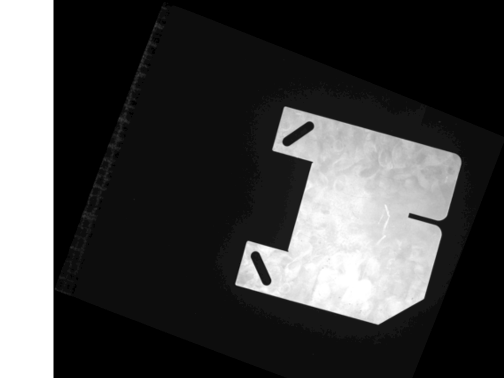
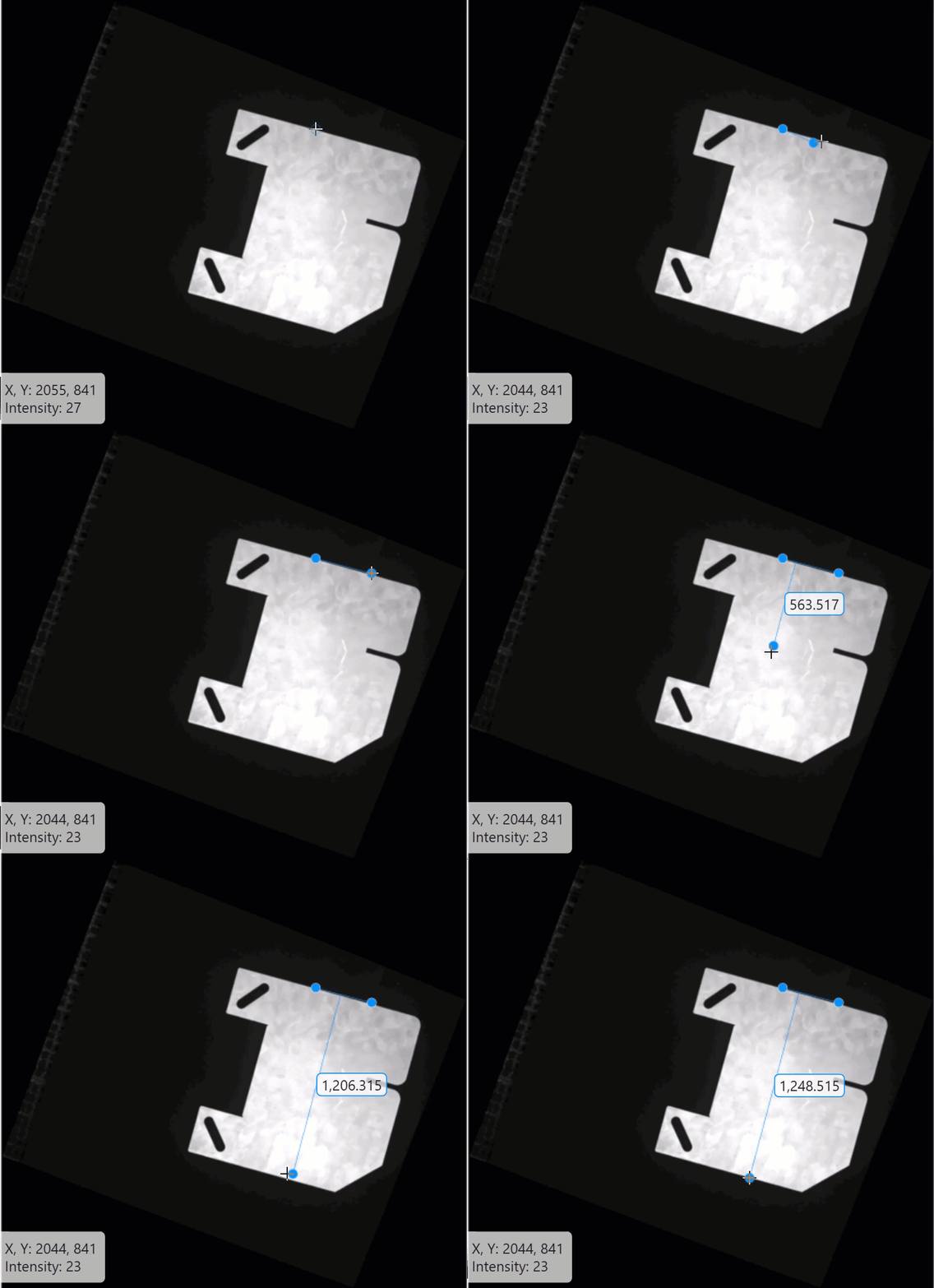
To interactively measure a distance perpendicular to an edge of the plate, configure the point-to-line measurement tool on the displayed image by using the uitsquare object. Position the tool at two points along the edge, and then drag to another point on the plate to measure the perpendicular distance.
hLine = uitsquare(hIm);
This GIF shows how to perform a measurement using the point-to-line tool.
Version History
Introduced in R2026b
MATLAB Command
You clicked a link that corresponds to this MATLAB command:
Run the command by entering it in the MATLAB Command Window. Web browsers do not support MATLAB commands.
웹사이트 선택
번역된 콘텐츠를 보고 지역별 이벤트와 혜택을 살펴보려면 웹사이트를 선택하십시오. 현재 계신 지역에 따라 다음 웹사이트를 권장합니다:
또한 다음 목록에서 웹사이트를 선택하실 수도 있습니다.
사이트 성능 최적화 방법
최고의 사이트 성능을 위해 중국 사이트(중국어 또는 영어)를 선택하십시오. 현재 계신 지역에서는 다른 국가의 MathWorks 사이트 방문이 최적화되지 않았습니다.
미주
- América Latina (Español)
- Canada (English)
- United States (English)
유럽
- Belgium (English)
- Denmark (English)
- Deutschland (Deutsch)
- España (Español)
- Finland (English)
- France (Français)
- Ireland (English)
- Italia (Italiano)
- Luxembourg (English)
- Netherlands (English)
- Norway (English)
- Österreich (Deutsch)
- Portugal (English)
- Sweden (English)
- Switzerland
- United Kingdom (English)