counTRObjectCounter
Description
Add-On Required: This feature requires the Automated Visual Inspection Library for Computer Vision Toolbox add-on.
The counTRObjectCounter object creates a Counting TRansformer
(CounTR) object counter model for counting the number of objects from arbitrary semantic
categories in an image, without the need for training. Using this object, you
can:
Create a CounTR object counter model using exemplar patches. Exemplar patches are small image patches that contain examples of the objects to be counted. These patches serve as reference examples that help the model identify and count similar objects in the larger input image.
Create a CounTR object counter model using an exemplar image with exemplar bounding box locations from which the model extracts exemplar patches.
After creating the CounTR model using the counTRObjectCounter object,
count the number of objects in an image based on the exemplar patches you specify using the
countObjects
object function. Compute the density map of the object count in the image, based on specified
exemplar patches, using the densityMap object
function.
Note
This functionality requires Deep Learning Toolbox™ and the Automated Visual Inspection Library for Computer Vision Toolbox™. You can install the Automated Visual Inspection Library for Computer Vision Toolbox from Add-On Explorer. For more information about installing add-ons, see Get and Manage Add-Ons.
Creation
Syntax
Description
counter = counTRObjectCounter(exemplarPatches)exemplarPatches.
counter = counTRObjectCounter(exemplarImage,exemplarBBoxes)exemplarImage, at the exemplar bounding box locations, exemplarBBoxes.
Input Arguments
Properties
Object Functions
countObjects | Count objects using CounTR deep learning model |
densityMap | Density map of object count generated using CounTR deep learning model |
Examples
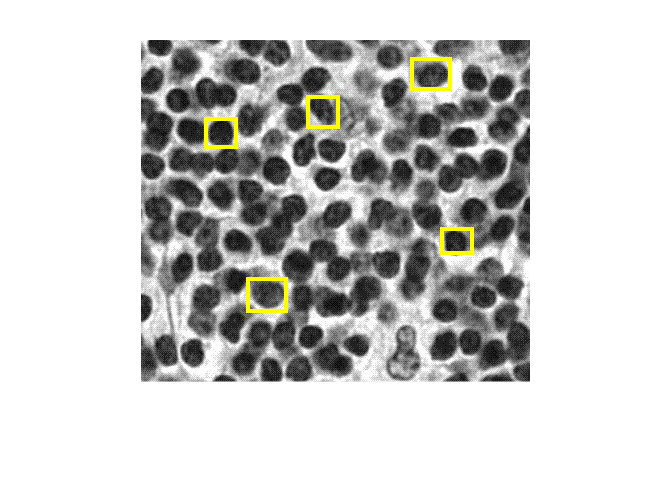
Load an exemplar image that contains objects to count, cell nuclei, into the workspace. The exemplar image and the test image in this example are cropped from an image of lymph node cells (patient_000_node_1.tif) in the CAMELYON-17 data set.
exemplarI = imread("nuclei.png");Define exemplar bounding boxes, which signify the locations of sample cells to count.
exemplarBoxes = ...
         [272   23   38   30
          302  193   30   24
          66   83   30   28
          108  243   38   32
          168   61   30   30];
Display the exemplar image together and the exemplar bounding boxes using the insertShape function.
annotatedImage = insertShape(exemplarI,"rectangle",exemplarBoxes,"LineWidth",4);
imshow(annotatedImage)
Create CounTR Model
Create a CounTR object counter model using the exemplar image and exemplar bounding boxes.
counter = counTRObjectCounter(exemplarI,exemplarBoxes);
Count Objects in Test Image
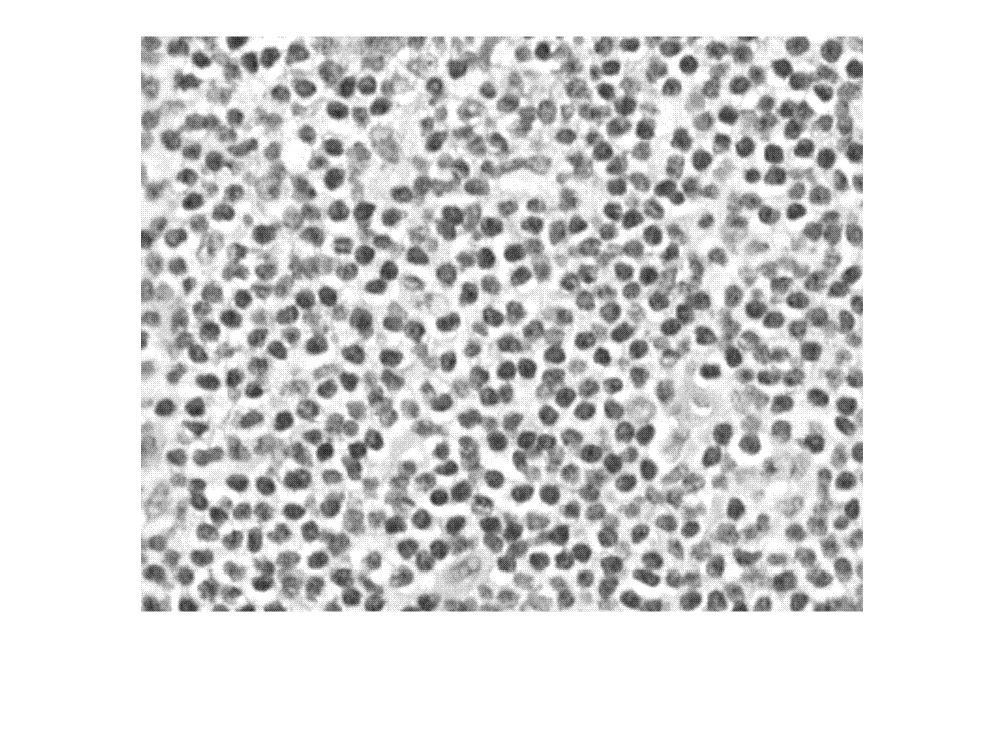
Load a test image containing more cell nuclei into the workspace.
I = imread("nucleiTest.png");Display the test timage in which to count objects.
imshow(I)
Compute the number of objects in the test image using the countObjects object function.
count = countObjects(counter,I);
count
count = single

498.1617
Create Density Map of Object Count
Compute the density map of the object count in the test image using the densityMap object function.
densMap = densityMap(counter,I);
Display the object count density map overlaid over the test image using the anomalyMapOverlay function. Display the approximate object count on the overlaid image using the insertText function.
densityOverlayImage = anomalyMapOverlay(I,densMap,"Blend","equal");
fontSize = min(floor(size(densityOverlayImage,2)/30),200);
gutterWidth = fontSize*9;
densityOverlayImageWText = insertText(densityOverlayImage,[size(densityOverlayImage,2)-gutterWidth 5],...
sprintf("count=%0.2f",count),FontSize=fontSize);
imshow(densityOverlayImageWText)

Tips
To select exemplar patches from many images for the CountTR model creation, specify the patches to the
exemplarPatchesinput argument. To select exemplar patches from a single image, specify the exemplar image and the object bounding boxes it contains to theexemplarImageandexemplarBBoxesinput argument, respectively.To count objects in a datastore of images using the
countObjectsobject function, or compute a count density map using thedensityMapobject function, use exemplars in the form of patches or images and bounding boxes. For best model performance, specify exemplars to thecounTRObjectCounterobject that are general enough to apply to the series of images in a datastore.For best model performance, use images with well-separated, non-overlapping, objects. To improve performance in images that contain overlapping or occluded objects, crop the image to include only the non-overlapping objects of interest before running the CounTR model. This ensures that CounTR counts objects only in this region of interest and provides a more accurate count for your specific target objects.
References
[1] Liu, Chang, Yujie Zhong, Andrew Zisserman, and Weidi Xie. “CounTR: Transformer-Based Generalised Visual Counting.” arXiv, June 2, 2023. https://doi.org/10.48550/arXiv.2208.13721.
[2] grand-challenge.org. “CAMELYON17 - Grand Challenge.” Accessed November 8, 2024. https://camelyon17.grand-challenge.org/Data/.
Version History
Introduced in R2025a

