Validate Migrated Model
R2026bAfter migrating the monolithic model to a service-oriented architecture, validate that the migrated model functionality matches that of the original model. Perform regression testing using the baseline criteria captured in the first step, Generate Baseline Tests.
In this example, a test harness is created from the top level of the migrated model. As an added benefit of refactoring the monolithic model into services, you can also create test harnesses for individual components.
For this example, a test harness was created from the
VCUSoftware.slxmodel that contains the completed behavior models using the Schedule Editor to add a scheduler for function-calls and rates and a Signal Editor block to provide the test scenario input values.Note
The Schedule Editor allows you to easily view and edit the schedule of the function calls. For more information, see Schedule Editor.
To open the test harness, run this command.
open("VCUSoftware_Harness2.slx");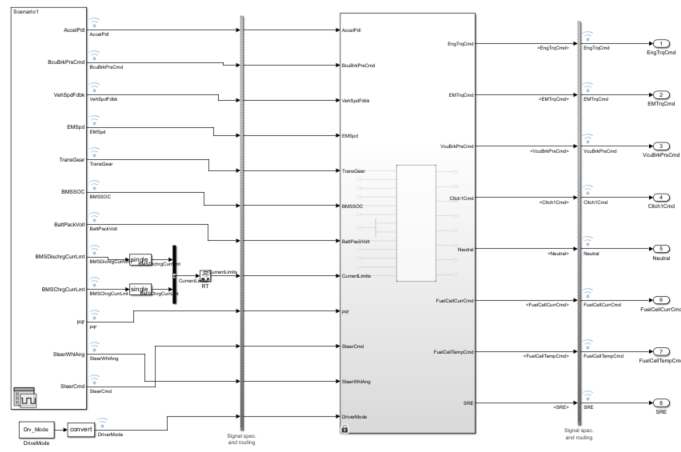
In the Signal Editor block, specify File name using the same file that was used to validate the monolithic model.
For this example, File name is specified as
VCUInputs.mat, which is the file you used in Generate Baseline Tests.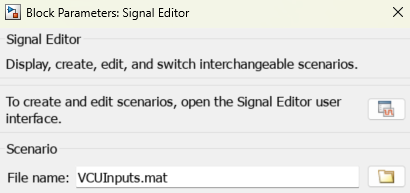
Use the test cases and baseline criteria developed from the monolithic model in a new Simulink test file.
In this example, a tolerance was added to the test cases to account for slight variations in timing between the monolithic model test harness and the service-oriented architecture model test harness created with Schedule Editor.

To view the test cases, run this command.
open("EV2MVCUMiLtestsNew.mldatx");Run the test cases and compare the results against the baseline criteria.
For this example, run the
VCU_2EMEV_Harness_Baselinetest case and compare the baseline results with the simulation output. Repeat this step with theVCU_2EMEV_Harness_HighRegentest case.
To run the test cases and view the results, run these commands.
sltest.testmanager.run;
sltest.testmanager.view;

