Generate Baseline Tests
R2026bBefore starting the migration, generate baseline tests for the monolithic model to capture baseline data. These tests will be rerun on the migrated model in a later step for regression testing. This example uses Simulink® Test™ to generate and run baseline tests. For more information, see Baseline Testing (Simulink Test).
Create a test harness for the model from the top-level of the model.
In this example, a test harness is created from the
VCU_Software.slxmodel, using the Signal Editor block as the source for test scenario inputs. TheVCU_Software.slxmodel implements logic for motor torque arbitration and power management to determine the motor torque and brake pressure commands. The test cases validate these commands for both normal and sport drive modes during a standard drive cycle simulation.To open the test harness, run this command.
open_system("VCU_Software_Harness1.slx");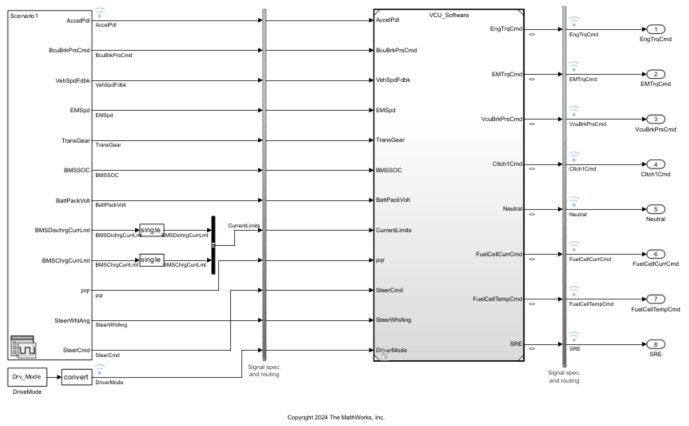
Save test scenario input values to a file, and then select the file in the Signal Editor block.
In this example, the input values are saved to the
VCUInputs.matfile. The input values represent a vehicle running a standard drive cycle.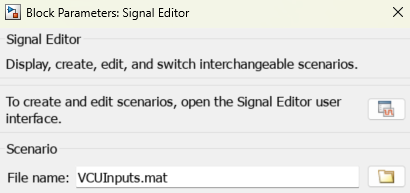
Set up test cases and specify the file where the baseline criteria will be saved.
In this example, these test cases validate the torque and brake pressure commands during normal and sport drive modes.
Test Case Baseline Criteria Description VCU_2EMEV_Harness_BaselineFullVCUNormalMode.matValidates the torque and brake pressure command output during normal drive mode
VCU_2EMEV_Harness_HighRegenFullVCUSportMode.matValidates the torque and brake pressure command output during sport drive mode
To view the test cases for this example, run this command.
open("BaselineMILTests.mldatx");Run the test cases to capture the baseline data.
In this example, the baseline data has already been captured. You can run the existing test cases and compare the baseline data with the simulation output.

To run the test cases and view the results, run these commands.
sltest.testmanager.run;
sltest.testmanager.view;
Next, refactor the software application into standalone components.
See Also
Topics
- Test Authoring (Simulink Test)
- Create a Test Harness (Simulink Test)
- Simulink Test Manager (Simulink Test)

