룩업 테이블을 사용하여 비선형성 모델링하기
R2026b과학 문제와 엔지니어링 문제를 풀 때 입력의 변화에 따라 출력이 비례적으로 변하지 않아 안정성과 평형 조건이 달라지는 비선형성을 모델링해야 하는 경우가 종종 있습니다. Simulink®는 비선형성을 효율적으로 모델링하는 데 사용할 수 있는 Lookup Table 블록, 객체, 툴을 포괄적으로 제공합니다. 룩업 테이블은 시스템의 입력값을 해당 출력값에 매핑하고 매핑된 데이터를 테이블에 저장합니다. 실시간 계산 동안 룩업 테이블은 저장된 데이터를 사용하여 시스템의 서로 다른 입력값에 대응되는 출력값을 찾습니다.
이러한 Lookup Table 블록, 객체, 툴을 사용하여 다음을 수행할 수 있습니다.
룩업 테이블을 통해 수학 함수 또는 실험 데이터를 근사함으로써 상태가 없는(stateless) 비선형 시스템을 모델링합니다.
모델 기반 설계 워크플로 내에서 룩업 테이블을 시뮬레이션, 분석 및 조정합니다.
메모리 사용량, 실행 성능 및 수치적 정확도 간의 균형을 맞추기 위해 룩업 테이블을 최적화합니다.
산업 표준 인터페이스를 갖춘 지원되는 타깃 언어에 대해 프로덕션 수준의 코드를 생성합니다.
자세한 내용은 Lookup Table Overview 항목을 참조하십시오.
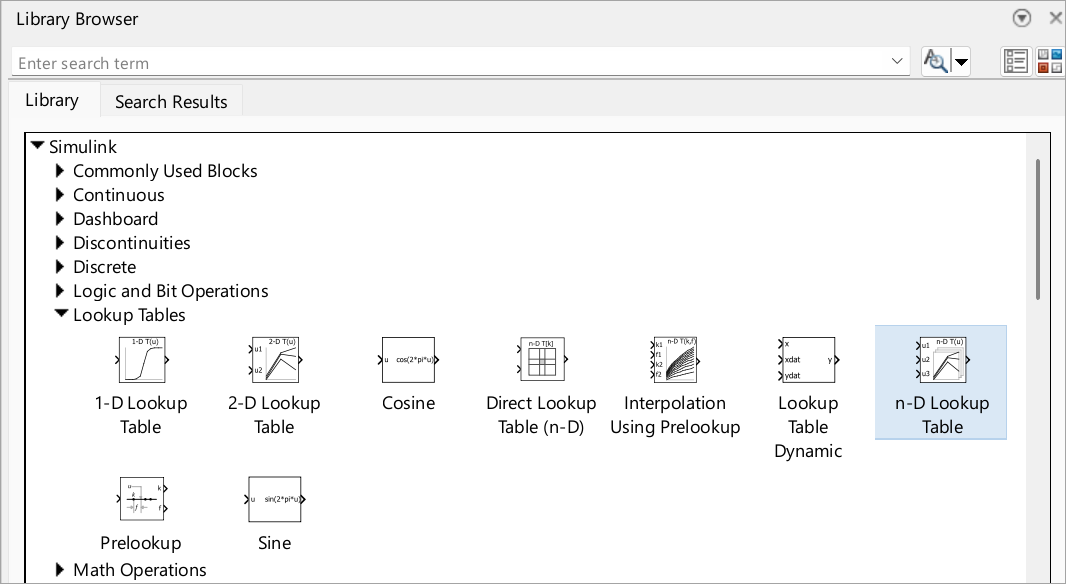
블록
 | 1-D Lookup Table | Approximate one-dimensional function |
 | 2-D Lookup Table | Approximate two-dimensional function |
 | n-D Lookup Table | Approximate n-dimensional function |
 | Direct Lookup Table (n-D) | Index into n-dimensional table to retrieve element, vector, or 2-D matrix |
 | Interpolation Using Prelookup | Use precalculated index and fraction values to accelerate approximation of N-dimensional function |
 | Prelookup | Compute index and fraction for Interpolation Using Prelookup block |
 | Sine, Cosine | Implement fixed-point sine or cosine wave using lookup table approach that exploits quarter wave symmetry |
객체
Simulink.LookupTable | Store and share lookup table and breakpoint data, and configure data for ASAP2 and AUTOSAR code generation |
Simulink.Breakpoint | Store and share data for breakpoint set, and configure the data for ASAP2 and AUTOSAR code generation |
Simulink.lookuptable.Evenspacing | Configure evenly spaced breakpoint set for lookup table object |
Simulink.lookuptable.Table | Configure table data for lookup table object |
Simulink.lookuptable.Breakpoint | Configure breakpoint set data for lookup table object |
Simulink.lookuptable.StructTypeInfo | Configure settings for structure type that lookup table object uses in generated code |
툴
| 룩업 테이블 편집기 | Create, edit, and manage lookup tables in models (R2022a 이후) |
도움말 항목
룩업 테이블 이해하기
- Lookup Table Overview
Learn about the anatomy and characteristics of Lookup Table blocks, objects, and tools. - Configure Lookup Table Block for Logarithmic Operation
Configure an n-D Lookup Table block for logarithmic operation with the common logarithmic base (base 10).
룩업 테이블을 사용하여 비선형 시스템 근사하기
- Choose Lookup Table Blocks Based on Input, Breakpoint and Output Data
Select the Lookup Table block best suited for your application. - Enter Breakpoints and Table Data
Specify breakpoint vectors and table data for a lookup table. - Specify Breakpoint and Table Data with Variable Size and Symbolic Dimensions
Specify breakpoint and table data that changes size during model simulation or represented by symbolic dimensions. - Import Data to Lookup Table
Import table and breakpoint data from MATLAB® workspace and Excel® spreadsheets. - Choose Numerical Methods to Approximate Function Values
Set the method by which Lookup Table blocks approximate function values. - Optimize Lookup Tables for Memory-Efficiency (Fixed-Point Designer)
Optimize Lookup Tables using the Lookup Table Optimizer. - Use Row-Major Algorithms for Lookup Table Blocks
Use row-major algorithms for C/C++ code generation from models containing Lookup Table blocks. - Optimize Generated Code for Lookup Table Blocks
Optimize code for Lookup Table blocks.
룩업 테이블 편집 및 시각화하기
- Edit and Visualize Lookup Table Data
View, add, delete, or update lookup table data.
이전 릴리스의 룩업 테이블 업데이트하기
- Update Lookup Table Blocks to New Versions
Update existing models to use current versions of lookup table blocks.
추천 예제
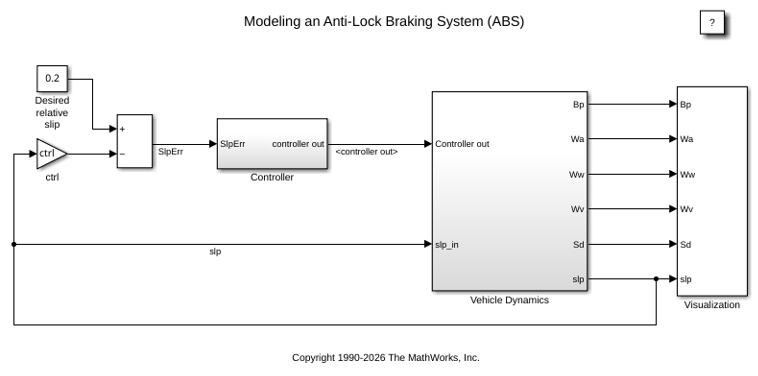
잠금 방지 제동 시스템 모델링하기
이 예제에서는 간단한 ABS(잠금 방지 제동 시스템)를 모델링하는 방법을 보여줍니다. 이 모델은 이동체가 급제동하는 조건에서의 동적 동작을 시뮬레이션합니다. 이 모델은 바퀴 하나를 표현하며, 이 모델을 여러 번 복제하여 바퀴가 여러 개인 이동체 모델을 만들 수 있습니다.
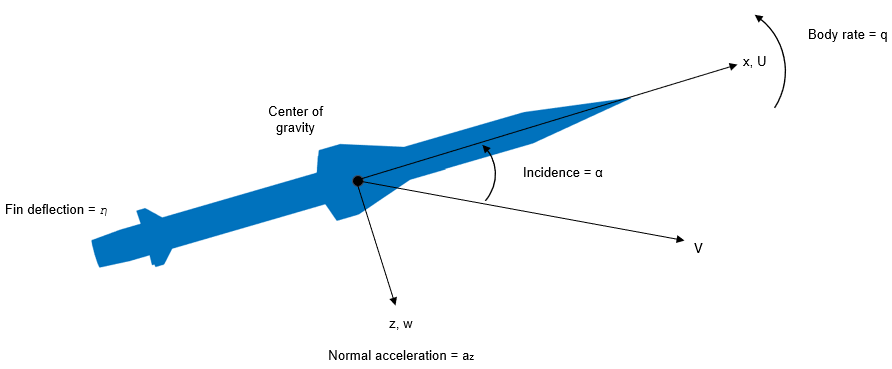
MATLAB 및 Simulink에서 유도 시스템 설계하기
이 예제에서는 미사일 오토파일럿 설계에 적용되는 고급 제어 방법의 활용에 관해 발표된 여러 논문에 제시된 미사일 기체 모델을 사용하는 방법을 보여줍니다. [1], [2], [3]을 참조하십시오. 이 모델은 10,000ft(3,050m)~60,000ft(18,290m) 사이의 고도에서 마하 2~마하 4 사이의 속도로 이동하며, 일반적인 받음각(angle of attack)이 +/-20도 사이인 꼬리 제어 미사일을 나타냅니다.
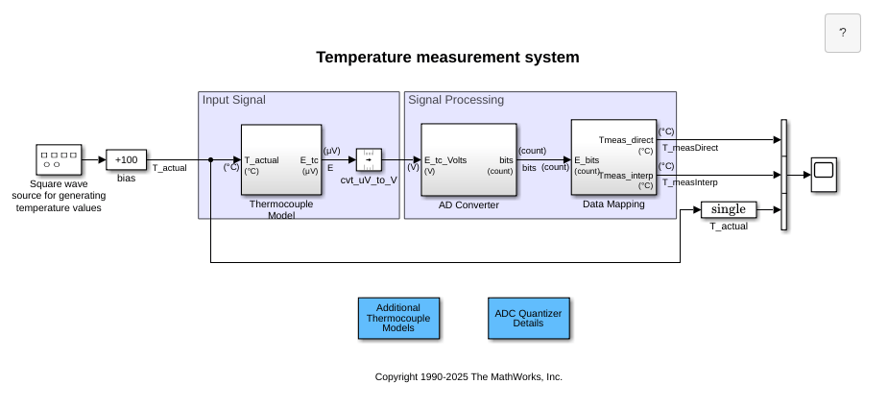
Temperature Measurement System Using Nonlinear Behavioral Data of Type S Thermocouple
Build and simulate a temperature measurement system that uses a nonlinear dataset describing the behavior of a type S thermocouple.
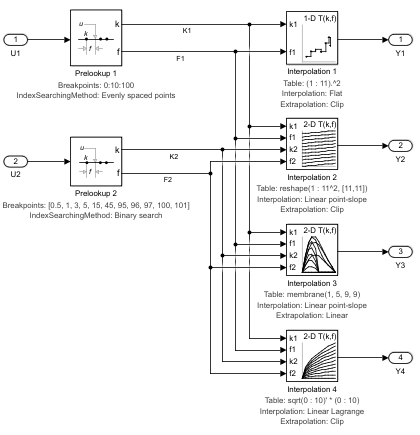
Prelookup 블록 및 Interpolation Using Prelookup 블록 사용하기
이 예제에서는 Prelookup 블록 및 Interpolation Using Prelookup 블록을 사용하는 방법을 보여줍니다.
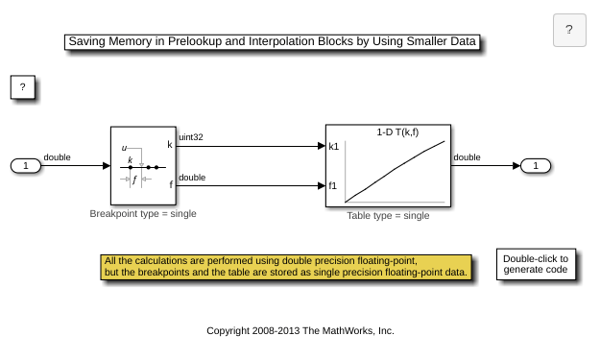
Saving Memory in Prelookup and Interpolation Using Prelookup Blocks by Using Smaller Data
Save memory in Prelookup and Interpolation Using Prelookup blocks. The Prelookup and Interpolation Using Prelookup blocks allow you to explicitly set data type for storing breakpoints and table data, respectively. The Prelookup block allows the breakpoint data to differ from the input data type, and the Interpolation Using Prelookup block allows the table data to differ from the output data type.
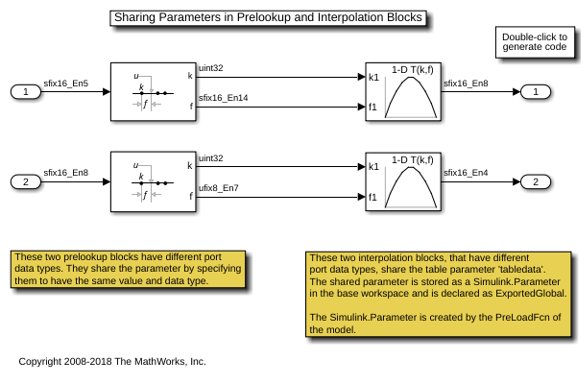
Sharing Parameters in Prelookup and Interpolation Blocks
How Prelookup and Interpolation blocks share their parameter data in generated code.
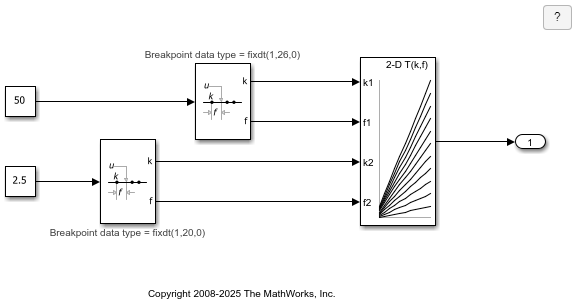
Shared Utility Functions for Prelookup Blocks
How Prelookup blocks share utility functions. The utility functions generated by the Prelookup block are determined by the target data type of the block's inputs, outputs, and breakpoint parameter, as well as the Index search method and Integer rounding mode. Even if the two Prelookup blocks have different input data type, output data type, and breakpoint data type, they use shared utility functions.
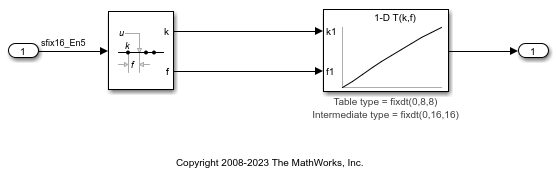
High Precision Calculations in Interpolation Block
Perform high precision calculations in the Interpolation Using Prelookup block using internal rules. The Interpolation block allows the data type for intermediate results to be set.

