Filter Design Assistant
R2026bFilter Design Assistant is a tool that opens when you call the designfilt function with invalid
or incomplete filter design specifications. The assistant helps you design the filter and
displays the corrected MATLAB® code in the command line.
Open Filter Design Assistant from Command Line
Assume that you have a signal sampled at 2 kHz. You want to design a lowpass FIR filter that suppresses frequency components higher than 650 Hz. To design the filter using these specifications, type this code at the MATLAB command line.
Fsamp = 2e3;
Fctff = 650;
dee = designfilt("lowpassfir",CutoffFrequency=Fctff,SampleRate=Fsamp);

In the dialog box that opens, you can see that the design specifications that the are not valid. Click Yes in the dialog box to use the Filter Design Assistant to design the filter.
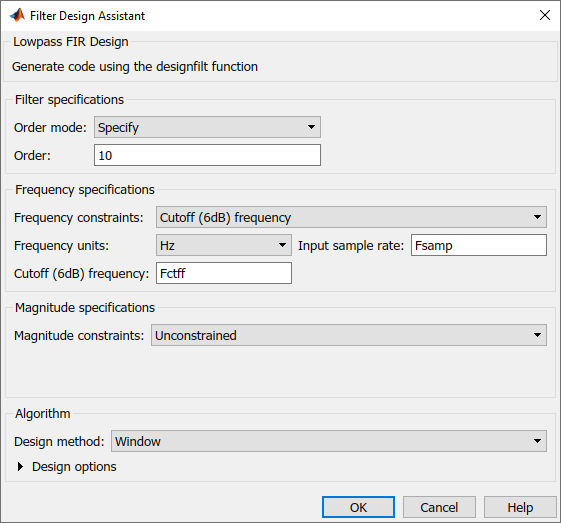
In the dialog box that opens, you can see that the Filter Design Assistant
has applied the Fsamp and Fctff variables that you
created earlier to the corresponding design parameters.
Increase the filter order to 50. Click OK so
that Filter Design Assistant can display this code at the command
line.
designfilt("lowpassfir",FilterOrder=50,CutoffFrequency=Fctff,SampleRate=Fsamp);Call Filter Analyzer to display the magnitude response plot for the designed filter.
filterAnalyzer(dee)
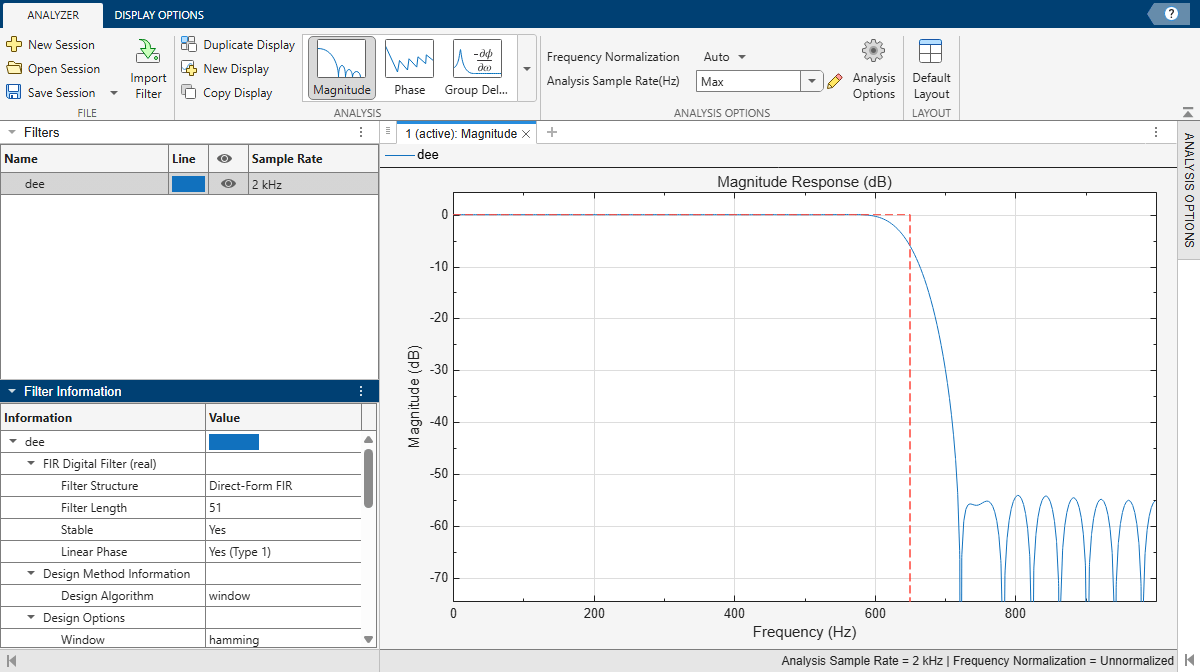
Based on this frequency response, you can choose to keep this filter or to edit it further using the Filter Designer app. For more information on how to edit the filter in Filter Designer, see Design Filters.
Settings
You can enable or disable the Filter Design Assistant using setpref.
Use
setpref("dontshowmeagain",filterDesignAssistant=false)to enable the assistant. You can also use this command to enable the assistant after disabling it.Use
setpref("dontshowmeagain",filterDesignAssistant=true)to disable the assistant permanently. You can also select Do not show this message again in the initial dialog box.
Troubleshooting
The designfilt function does not open the Filter Design
Assistant, even when you provide invalid design specifications, if:
You run a code section by clicking Run Section in the Editor or by pressing Ctrl+Enter on a code section. For more information on code sections, see Divide Your File into Sections.
You execute code from the Live Editor that contains multiple calls to
designfiltand at least one of those calls is incorrect.You run MATLAB from macOS or Linux® system prompt with the
-nodisplayor-nodesktopoptions.You run
designfiltusing MATLAB Online™.

