리포팅 및 데이터베이스 액세스
R2026bDatabase Toolbox™를 사용하여 다양한 데이터베이스와 MATLAB 간에 데이터를 가져오고 내보냅니다. Database Toolbox는 ODBC 또는 JDBC 규격을 준수하는 관계형 데이터베이스를 지원합니다. 또한 Apache® Cassandra®, MongoDB®, Neo4j®에 대한 NoSQL 지원도 제공합니다. MySQL®, PostgreSQL 및 SQLite에 대해서는 네이티브 인터페이스를 제공합니다.
MATLAB Report Generator™ 및 Simulink Report Generator를 사용하여 리포트를 설계하고 PDF, Microsoft® Word, Microsoft PowerPoint® 및 HTML로 생성할 수 있습니다. 사전 구축된 사용자 지정 가능한 템플릿을 사용하거나, 조직의 템플릿 및 표준을 기반으로 리포트를 설계할 수 있습니다.
MATLAB Report Generator를 사용하여 MATLAB 애플리케이션에서 리포트를 설계하고 생성할 수 있습니다. MATLAB 코드에서 각종 결과나 Figure를 동적으로 캡처하여 리포트로 문서화한 다음 조직의 다른 사람들과 공유할 수 있습니다.
Simulink Report Generator를 사용하여 Simulink 모델과 시뮬레이션으로부터 리포트를 생성할 수 있습니다. Simulink 라이선스 없이도 웹 브라우저에서 Simulink 모델을 보고, 탐색하고, 공유할 수 있도록 웹 뷰를 만듭니다. HTML 코드 생성, 요구 사항, 커버리지, 기타 유형의 리포트에 웹 뷰를 포함할 수 있습니다.
리포팅 및 데이터베이스 액세스 관련 제품
Database Toolbox
Interact with relational and NoSQL databases
MATLAB Report Generator
Design and automatically generate reports from MATLAB applications
Simulink Report Generator
Design and automatically generate reports from Simulink models and Stateflow charts
도움말 항목
데이터베이스와 상호 작용하기
- Data Import Using Database Explorer App or Command Line (Database Toolbox)
Learn how to import data from a database into MATLAB. - Create SQL Queries Using Database Explorer App (Database Toolbox)
Create multiple SQL queries in the same database, in different catalogs or schemas, or in different databases. - Analyze Large Data in Database Using Tall Arrays (Database Toolbox)
Find the minimum value in a large data set by using a tall table. - Explore and Import Data from Cassandra Database Table (Database Toolbox)
Access the structure of a Cassandra database and import data from the database with a keyspace, database table, and partition key value using the Apache Cassandra database C++ interface. - Import and Analyze Data from MongoDB Using MongoDB C++ Interface (Database Toolbox)
Import documents from a MongoDB collection into the MATLAB workspace and perform data analysis on the numerical fields.
리포트 설계 및 생성
- Create Microsoft Word Templates (MATLAB Report Generator)
Learn how to create a Word template for a report. - Create HTML and PDF Templates (MATLAB Report Generator)
Learn how to create an HTML or PDF template for a report. - Create Report Generators for Simulink and Stateflow Elements (Simulink Report Generator)
Simplify your report generation script by using Simulink and Stateflow® element finders and reporters. - Create Simulink Report Generator Reports (Simulink Report Generator)
Use the Report API to generate reports for Simulink model simulations. - Create and Use Web Views of Models (Simulink Report Generator)
Export models to web views and navigate the views.
비디오
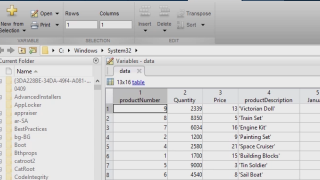
Database Explorer 앱으로 관계형 데이터 액세스 및 탐색
이 비디오는 Database Explorer 앱을 사용하여 관계형/SQL 데이터에 액세스하고 MATLAB에서 이를 분석하는 방법을 보여줍니다.
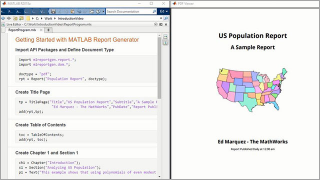
Report API 시작하기
이 비디오는 MATLAB Report Generator를 사용하여 고도로 사용자 지정이 가능한 리포트를 생성하는 방법을 보여줍니다.
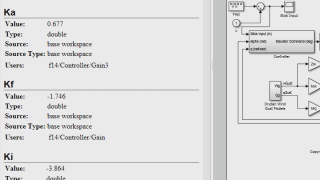
임베디드 웹 뷰
이 비디오는 임베디드 웹 뷰 API를 사용하여 Simulink 모델의 대화형 HTML 리포트를 생성하는 방법을 보여줍니다.

