MATLAB 도움말 센터
Read specific block of blocked image
blockdata = getBlock(bim,blocksub)
blockdata = getBlock(bim,blocksub,Level=L)
[blockdata,blockinfo] = getBlock(___)
blockdata = getBlock(bim,blocksub) returns blockdata, the block specified by the subscripts in blocksub.
blockdata
bim
blocksub
example
blockdata = getBlock(bim,blocksub,Level=L) gets the specified block from the L'th level of the multiresolution blockedImage, bim. By default, L is 1.
L
blockedImage
[blockdata,blockinfo] = getBlock(___) also returns block metadata in blockinfo.
blockinfo
collapse all
Create a blocked image and display it.
bim = blockedImage("tumor_091R.tif"); bigimageshow(bim, ... GridVisible="on",GridLevel=1, ... GridLineWidth=2,GridColor="k",GridAlpha=0.3)
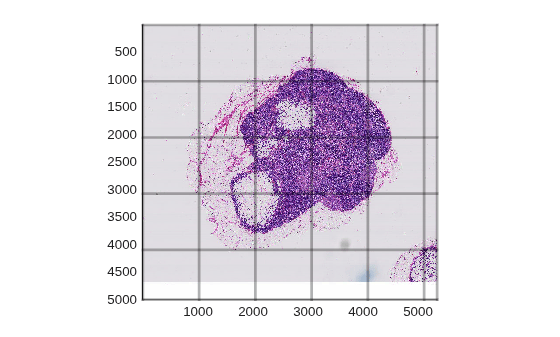
Display the value of the SizeInBlocks property.
SizeInBlocks
disp(bim.SizeInBlocks)
5 6 1 2 2 1 1 1 1
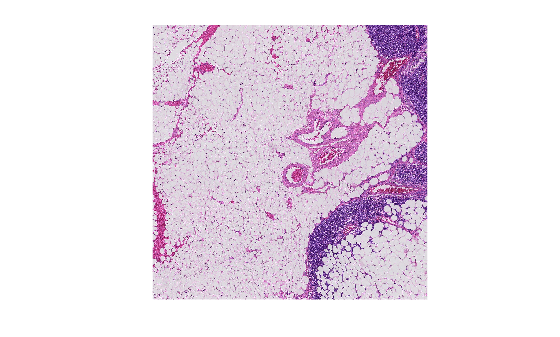
Specify the block you want to read.
block = getBlock(bim, [3, 2, 1]);
Display the block.
imshow(block)
Blocked image, specified as a blockedImage object.
Block subscript vector, specified as a 1-by-N integer-valued vector. Valid elements range from 1 to the corresponding element in the SizeInBlocks property.
Example: [3, 2, 1]
[3, 2, 1]
Block of pixels from blocked image, returned as a numeric array. Partial blocks around the edges can be smaller than the BlockSize property.
BlockSize
struct
Metadata of block of pixels, returned as a scalar struct. The blockinfo struct contains these fields.
Start
End
Level
Introduced in R2021a
blockedImage | setBlock
setBlock
You clicked a link that corresponds to this MATLAB command:
Run the command by entering it in the MATLAB Command Window. Web browsers do not support MATLAB commands.
웹사이트 선택
번역된 콘텐츠를 보고 지역별 이벤트와 혜택을 살펴보려면 웹사이트를 선택하십시오. 현재 계신 지역에 따라 다음 웹사이트를 권장합니다:
또한 다음 목록에서 웹사이트를 선택하실 수도 있습니다.
사이트 성능 최적화 방법
최고의 사이트 성능을 위해 중국 사이트(중국어 또는 영어)를 선택하십시오. 현재 계신 지역에서는 다른 국가의 MathWorks 사이트 방문이 최적화되지 않았습니다.
미주
유럽
아시아 태평양
지역별 지사에 문의