이 제출물을 팔로우합니다
- 팔로우하는 게시물 피드에서 업데이트를 확인할 수 있습니다
- 정보 수신 기본 설정에 따라 이메일을 받을 수 있습니다
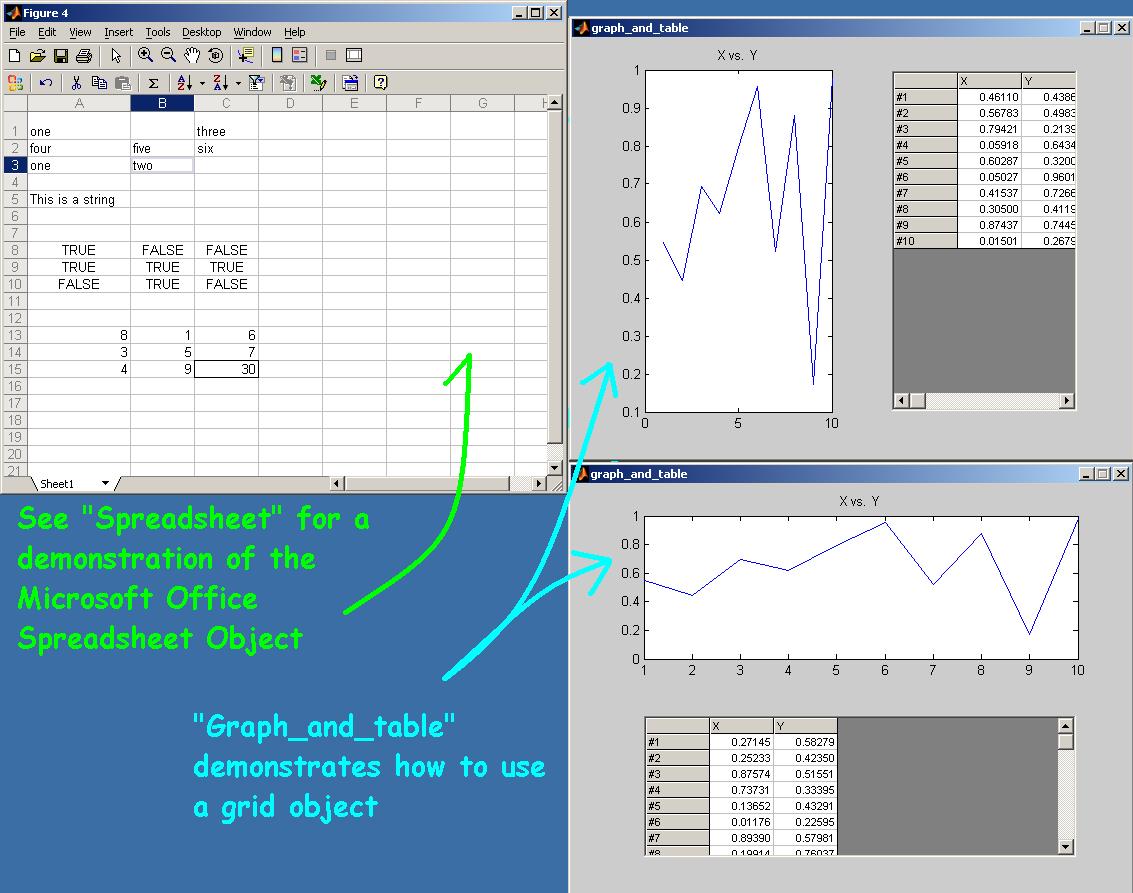
SPREADSHEET is an example of how to use the Microsoft Office Spreadsheet Object.
This example, in response to the CSSM thread "ActiveX (Microsoft Office Spreadsheet)," demonstrates how to use the MS Office Spreadsheet object to display cell, character, logical and numeric matricies. It also demonstrates how to use an enumerated class workaround and how to
get the active cell, sheet, row and column from the spreadsheet. Various other methods and properties are explored and demonstrated. Much has been lifted from ML examples.
The Microsoft Office Spreadsheet object allows inputs and calcuations.
NOTE: TO SEE AN EXAMPLE OF HOW TO USE GRID OBJECTS WHICH HAVE SOME ADVANTAGES OVER THE MICROSOFT SPREADSHEET OBJECT,SEE MY EXAMPLE CALLED "GRAPH_AND_TABLE" WHICH IS AVAILABLE ON THE MATHWORKS FILE EXCHANGE:
http://www.mathworks.com/matlabcentral/fileexchange/loadFile.do?objectId=3477&objectType=file
NOTE: If you cannot instantiate the control, try changing 'OWC11.Spreadsheet.11' to 'OWC10.Spreadsheet.10' or even 'OWC9.Spreadsheet.9'
See Also: Grid_and_Table at the MATLAB File Exchange
http://www.mathworks.com/matlabcentral/fileexchange
Keywords: grid spreadsheet ActiveX Active-X Active X GUI Table graph_and_table plot graph table grid object flexgrid msflexgrid ocx tabular
Thanks: TMW, Max Chtangeev, useActiveXControl, Brett Shoelson
IT'S NOT FANCY, BUT IT WORKS
인용 양식
Michael Robbins (2026). Spreadsheet (https://kr.mathworks.com/matlabcentral/fileexchange/6889-spreadsheet), MATLAB Central File Exchange. 검색 날짜: .
| 버전 | 퍼블리시됨 | 릴리스 정보 | Action |
|---|---|---|---|
| 1.0.0.0 | List of many properties, methods and events added. Also references to new m-files that demonstrate the Microsoft Office Spreadsheet Object 11. |
