이 제출물을 팔로우합니다
- 팔로우하는 게시물 피드에서 업데이트를 확인할 수 있습니다
- 정보 수신 기본 설정에 따라 이메일을 받을 수 있습니다
You need to enable signal logging in your model (Configuration Parameters > Data Import/Export > Signal logging) and enable logging also for signals you need. For more information on signal logging, see;
http://www.mathworks.com/help/toolbox/simulink/ug/bsxca4i-1.html#bsxca4i-3
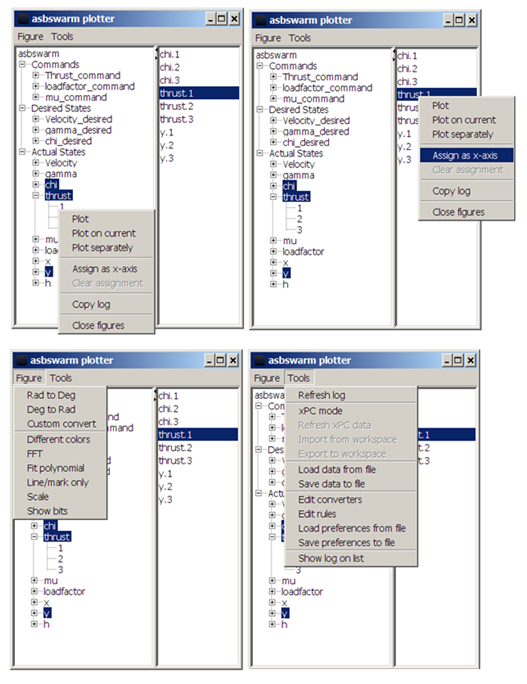
After running the simulation you will see the output log variable in your workspace. This tool digs in that variable, finds all the signals you logged and lays out nicely on a GUI.
인용 양식
Arda Aksu (2026). simPlotter - plot tool for Simulink log outputs (https://kr.mathworks.com/matlabcentral/fileexchange/35827-simplotter-plot-tool-for-simulink-log-outputs), MATLAB Central File Exchange. 검색 날짜: .
| 버전 | 퍼블리시됨 | 릴리스 정보 | Action |
|---|---|---|---|
| 1.0.0.0 |