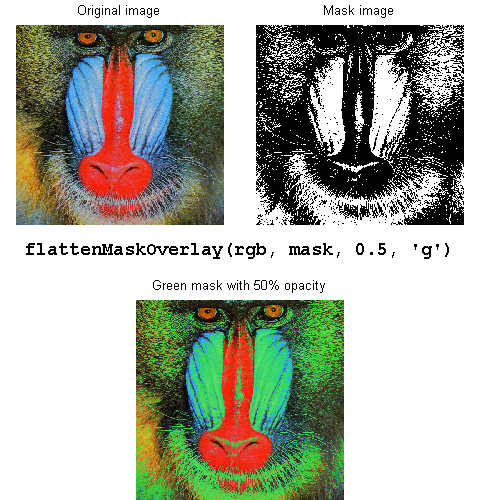
This function overlays a logical mask on top of an image (with user-defined color and opacity) and creates a flattened image without an alpha channel. The resulting output can be treated as another image data. Interactive explorations, such as zooming, panning, and data tips, are faster, because the image does not contain an alpha channel.
Syntax:
flattenMaskOverlay(img, mask, opacity, color);
See the published example for more information.
인용 양식
Jiro Doke (2026). flattenMaskOverlay (https://kr.mathworks.com/matlabcentral/fileexchange/33986-flattenmaskoverlay), MATLAB Central File Exchange. 검색 날짜: .
MATLAB 릴리스 호환 정보
개발 환경:
R2011b
모든 릴리스와 호환
플랫폼 호환성
Windows macOS Linux카테고리
- MATLAB > Graphics > Labels and Styling > Interactions, Camera Views, and Lighting > Lighting, Transparency, and Shading >
Help Center 및 MATLAB Answers에서 Lighting, Transparency, and Shading에 대해 자세히 알아보기
태그
도움
도움 받은 파일: Image overlay, showMaskAsOverlay