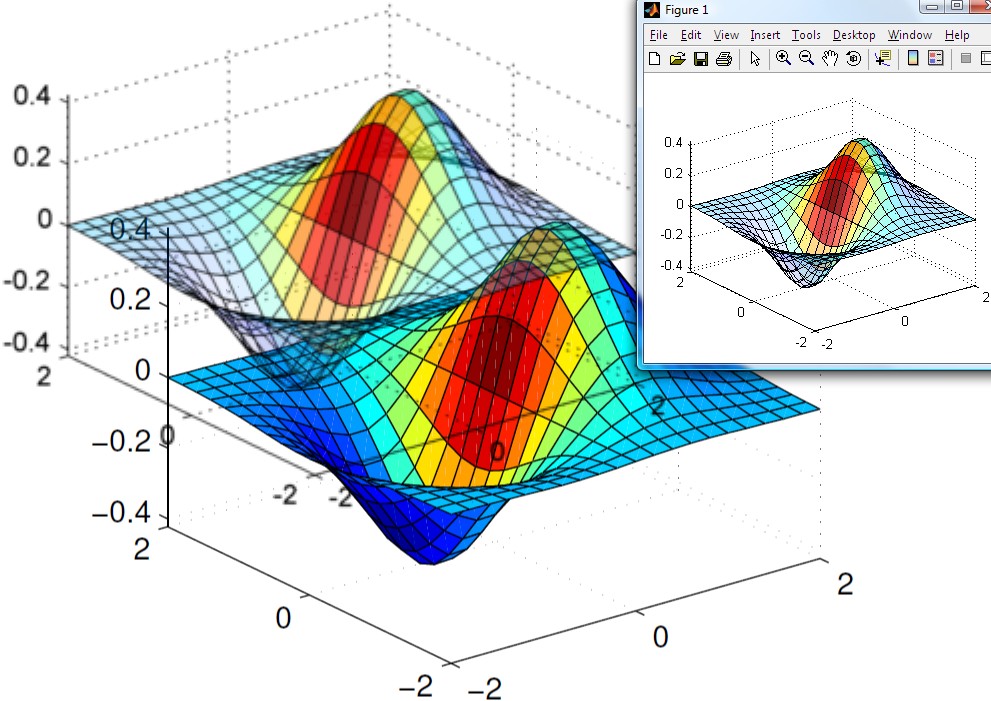
export_fig
A MATLAB toolbox for exporting publication quality figures

이 제출물을 팔로우합니다
- 팔로우하는 게시물 피드에서 업데이트를 확인할 수 있습니다
- 정보 수신 기본 설정에 따라 이메일을 받을 수 있습니다
인용 양식
Yair Altman (2026). export_fig (https://github.com/altmany/export_fig/releases/tag/v3.58), GitHub. 검색 날짜: .
도움
도움 준 파일: MakeMovie, DT QP Project, Constitutive model of shape memory alloys, surface2tikz(fighandle,filename,varargin), Spectral stochastic finite element method: 1D Euler-Bernoulli beam example, expandaxes, Crack Monitor, LaTeX Output Classes for MatLab, fig2img, copyUIAxes, ExportPngInkscape(filename,dpi,handle), Mosaicator, Antarctic flight planning tools, WITio, Online portfolio selection with transaction costs including market impact costs, imageslices, PM Architectures Project, Semismooth* Newton method for contact friction problems, Simulation of von Kármán viscoelastic plates, Tight subplot with units in centimeter, efigure, matlab-save-figure, polarG(start_complex,end_complex,arrow_length,arrow_angle,colour_code,line_width), Microscopy Image Browser (MIB), ff, Microscopy Image Browser 2 (MIB2), alexludwigklein/MATLAB-Videos, Plot multiple surfaces multisurf(x,y,z,color), Matlab Icon for Linux (with Transparency), MAGIC - MATLAB Generic Imaging Component, append_pdfs, Google Earth Overlay, Multiple Colormaps, EPS Utility Toolbox, Export figure to 3D interactive PDF, Co-Blade: Software for Analysis and Design of Composite Blades, Color Checker Chart, Save figure to file, choose the dimensions and crop figure, jrichter24/toPPT, Simulation of Random Walk, Multiple Page PDF, JCDstatusPlot, XivelyRead, imsavecircles, PlotPub - Publication Quality Graphs in MATLAB, Laser, Filters and CMOS-Imager Calibration, Philips Hue Lamp Controller, HCPARULA: High Contrast Parula-like Colormap Generator, bibget, Export Figure Widget (efw), export_tex

| 버전 | 퍼블리시됨 | 릴리스 정보 | Action |
|---|---|---|---|
| 3.58.0 | See release notes for this release on GitHub: https://github.com/altmany/export_fig/releases/tag/v3.58 |
||
| 3.57.0 | See release notes for this release on GitHub: https://github.com/altmany/export_fig/releases/tag/v3.57 |
||
| 3.56.0 | See release notes for this release on GitHub: https://github.com/altmany/export_fig/releases/tag/v3.56 |
||
| 3.55.0 | See release notes for this release on GitHub: https://github.com/altmany/export_fig/releases/tag/v3.55 |
||
| 3.54.0 | See release notes for this release on GitHub: https://github.com/altmany/export_fig/releases/tag/v3.54 |
||
| 3.53.0 | See release notes for this release on GitHub: https://github.com/altmany/export_fig/releases/tag/v3.53 |
||
| 3.52.0 | See release notes for this release on GitHub: https://github.com/altmany/export_fig/releases/tag/v3.52 |
||
| 3.50.0 | See release notes for this release on GitHub: https://github.com/altmany/export_fig/releases/tag/v3.50 |
||
| 3.49.0 | See release notes for this release on GitHub: https://github.com/altmany/export_fig/releases/tag/v3.49 |
||
| 3.48.0 | See release notes for this release on GitHub: https://github.com/altmany/export_fig/releases/tag/v3.48 |
||
| 3.47.0 | See release notes for this release on GitHub: https://github.com/altmany/export_fig/releases/tag/v3.47 |
||
| 3.46.0 | See release notes for this release on GitHub: https://github.com/altmany/export_fig/releases/tag/v3.46 |
||
| 3.45.0 | See release notes for this release on GitHub: https://github.com/altmany/export_fig/releases/tag/v3.45 |
||
| 3.44.0 | See release notes for this release on GitHub: https://github.com/altmany/export_fig/releases/tag/v3.44 |
||
| 3.43.0 | See release notes for this release on GitHub: https://github.com/altmany/export_fig/releases/tag/v3.43 |
||
| 3.42.0 | See release notes for this release on GitHub: https://github.com/altmany/export_fig/releases/tag/v3.42 |
||
| 3.41.0 | See release notes for this release on GitHub: https://github.com/altmany/export_fig/releases/tag/v3.41 |
||
| 3.40.0 | See release notes for this release on GitHub: https://github.com/altmany/export_fig/releases/tag/v3.40 |
||
| 3.39.0 | See release notes for this release on GitHub: https://github.com/altmany/export_fig/releases/tag/v3.39 |
||
| 3.38.0 | See release notes for this release on GitHub: https://github.com/altmany/export_fig/releases/tag/v3.38 |
||
| 3.37.0 | See release notes for this release on GitHub: https://github.com/altmany/export_fig/releases/tag/v3.37 |
||
| 3.36.0 | See release notes for this release on GitHub: https://github.com/altmany/export_fig/releases/tag/v3.36 |
||
| 3.35.0 | See release notes for this release on GitHub: https://github.com/altmany/export_fig/releases/tag/v3.35 |
||
| 3.34.0 | See release notes for this release on GitHub: https://github.com/altmany/export_fig/releases/tag/v3.34 |
||
| 3.33.0 | See release notes for this release on GitHub: https://github.com/altmany/export_fig/releases/tag/v3.33 |
||
| 3.32.0 | See release notes for this release on GitHub: https://github.com/altmany/export_fig/releases/tag/v3.32 |
||
| 3.31.0 | See release notes for this release on GitHub: https://github.com/altmany/export_fig/releases/tag/v3.31 |
||
| 3.30.0 | See release notes for this release on GitHub: https://github.com/altmany/export_fig/releases/tag/v3.30 |
||
| 3.29.0 | See release notes for this release on GitHub: https://github.com/altmany/export_fig/releases/tag/v3.29 |
||
| 3.28.0 | See release notes for this release on GitHub: https://github.com/altmany/export_fig/releases/tag/v3.28 |
||
| 3.27.0 | See release notes for this release on GitHub: https://github.com/altmany/export_fig/releases/tag/v3.27 |
||
| 3.26.0 | See release notes for this release on GitHub: https://github.com/altmany/export_fig/releases/tag/v3.26 |
||
| 3.25.0 | See release notes for this release on GitHub: https://github.com/altmany/export_fig/releases/tag/v3.25 |
||
| 3.24.0 | See release notes for this release on GitHub: https://github.com/altmany/export_fig/releases/tag/v3.24 |
||
| 3.23.0 | See release notes for this release on GitHub: https://github.com/altmany/export_fig/releases/tag/v3.23 |
||
| 3.22.0 | See release notes for this release on GitHub: https://github.com/altmany/export_fig/releases/tag/v3.22 |
||
| 3.21.0 | See release notes for this release on GitHub: https://github.com/altmany/export_fig/releases/tag/v3.21 |
||
| 3.20.0 | See release notes for this release on GitHub: https://github.com/altmany/export_fig/releases/tag/v3.20 |
||
| 3.19.0 | See release notes for this release on GitHub: https://github.com/altmany/export_fig/releases/tag/v3.19 |
||
| 3.18.0 | See release notes for this release on GitHub: https://github.com/altmany/export_fig/releases/tag/v3.18 |
||
| 3.17.0 | See release notes for this release on GitHub: https://github.com/altmany/export_fig/releases/tag/v3.17 |
||
| 3.16.0 | See release notes for this release on GitHub: https://github.com/altmany/export_fig/releases/tag/v3.16 |
||
| 3.15.0 | See release notes for this release on GitHub: https://github.com/altmany/export_fig/releases/tag/v3.15 |
||
| 3.14.0 | See release notes for this release on GitHub: https://github.com/altmany/export_fig/releases/tag/v3.14 |
||
| 3.13.0 | See release notes for this release on GitHub: https://github.com/altmany/export_fig/releases/tag/v3.13 |
||
| 3.12.0 | See release notes for this release on GitHub: https://github.com/altmany/export_fig/releases/tag/v3.12 |
||
| 3.11.0 | See release notes for this release on GitHub: https://github.com/altmany/export_fig/releases/tag/v3.11 |
||
| 3.10.0 | See release notes for this release on GitHub: https://github.com/altmany/export_fig/releases/tag/v3.10 |
||
| 3.9.0 | See release notes for this release on GitHub: https://github.com/altmany/export_fig/releases/tag/v3.09 |
||
| 3.7.0 | See release notes for this release on GitHub: https://github.com/altmany/export_fig/releases/tag/v3.07 |
||
| 3.6.0 | See release notes for this release on GitHub: https://github.com/altmany/export_fig/releases/tag/v3.06 |
||
| 3.5.0 | See release notes for this release on GitHub: https://github.com/altmany/export_fig/releases/tag/v3.05 |
||
| 3.4.0 | See release notes for this release on GitHub: https://github.com/altmany/export_fig/releases/tag/v3.04 |
||
| 3.3.0 | See release notes for this release on GitHub: https://github.com/altmany/export_fig/releases/tag/v3.03 |
||
| 3.1.0 | See release notes for this release on GitHub: https://github.com/altmany/export_fig/releases/tag/v3.01 |
||
| 3.0.0 | See release notes for this release on GitHub: https://github.com/altmany/export_fig/releases/tag/v3.0 |
||
| 1.85.0 | Fix bug in isolate axes; thanks to Remington Reid for bringing the issue to my attention. |
||
| 1.84.0 | Allow setting of resolution for vector formats (thanks to Jan Jaap Meijer for suggesting this). Fix bug in isolate_axes (thanks to Will Grant for this). |
||
| 1.83.0 | Fixed a font swapping bug and a MATLAB bug affecting the export of white lines to EPS. Thanks to George and Sebastian for reporting the issues. |
||
| 1.81.0 | Fixed a font swapping bug and a MATLAB bug affecting the export of white lines to EPS. Thanks to George and Sebastian for reporting the issues. |
||
| 1.80.0 | Fixed bug with calling ghoscript 9.07 in Linux. Many thanks to Jannik for the fix. |
||
| 1.79.0 | Access user strings in text, not binary mode, to avoid errors. Now swap fonts in axes labels when exporting in vector format. Thanks to Christian and Rasmus Ischebeck for pointing out these respective errors. |
||
| 1.78.0 | Allow export of uipanel objects, and improve finding Ghostscript on Windows. Thanks to michael and Ratish Punnoose for highlighting these issues. |
||
| 1.77.0 | Bug fix to font swapping in vector formats, fixed paper orientation bug and removed conflict with the path function. Many thanks to Malcolm Hudson, Michael Watts and Michel Slivitzky for reporting those issues respectively. |
||
| 1.45.0 | Fix to bug introduced by R2012b |
||
| 1.44.0 | Add ability to add bookmarks based on figure names into PDFs - thanks to Petr Nechaev for this. Keep tick marks fixed - thanks to Arcelia Arrieta for this. |
||
| 1.43.0 | Make font swapping case insensitive. Fix bug affecting export to bitmap using painters in r2012a (thanks to Andy Matthews for reporting it). |
||
| 1.42.0 | Fixed a bug to do with copyfig not being available to export_fig. Thanks to Bob Fratantonio for pointing it out. |
||
| 1.41.0 | A bug fix to the previous change, ensuring that axes limits are correctly set. Thanks to Tobias Lamour for reporting the issue. |
||
| 1.40.0 | Ensure axes limits are the same on screen and printed. |
||
| 1.39.0 | Fix bug when exporting tall figures to bitmap using the painters renderer. Thanks to Ken Campbell for reporting it. |
||
| 1.38.0 | Improve font swapping behaviour. Thanks to Anna Rafferty and Adam Jackson for reporting issues. |
||
| 1.37.0 | Fix bug affecting export using -painters with spaces in font names. Thanks to David Szwer for reporting the issue. |
||
| 1.36.0 | More reliable export of non-standard fonts using painters renderer. |
||
| 1.35.0 | Allow use of arbitrary fonts with the painters renderer, e.g. in eps and pdf files. |
||
| 1.34.0 | Various bug fixes - thanks to Phil Trinh, Mathieu Morlighem and Meelis Lootus for reporting the issues. Also added new -transparent option, and set default anti-aliasing down to -a3. |
||
| 1.33.0 | Fix to bug in print2array causing an error when exporting using painters with a white background. Thanks to Tobiar Lamour for reporting it. |
||
| 1.32.0 | Fix bitmap cropping with painters renderer. Make bitmap outputs exactly the right size. Suppress warnings by setting EraseModes to normal when using opengl or zbuffer renderers (thanks to Pawel Kocieniewski for reporting the issue). |
||
| 1.31.0 | Bug fix to ghostscript.m mostly affecting Linux (thanks to Paul Durack for reporting it). |
||
| 1.30.0 | Find 64-bit Ghostscript on Windows (thanks to Paul Durack and Shaun Kline for both reporting this issue). Fix bug in isolate_axes (thanks to Rosella Blatt for reproting this). |
||
| 1.28.0 | Save user specific paths in a single, hidden directory. Put isolate_axes code in a separate function. |
||
| 1.27.0 | Enable exporting of multiple axes (when a subset of all axes). Don't save user specific paths in .m files that may be version controlled (thanks to Jonas Dorn for the suggestion). Minor bug fixes. |
||
| 1.26.0 | Faster bitmap export using hardcopy. Better error checking for when exporting to non-existent directories (thanks to Aldebaro Klautau for reporting this). |
||
| 1.25.0 | Isolate axes better in presence of gui objects (thanks to Tammy Threadgill for reporting the issue). Maintain resolution of very small images in vector formats when using lossless compression (thanks to Scott for reporting the issue). |
||
| 1.24.0 | Added ability to append to tiff. Added link to usage examples web page (thanks to Brett Shoelson for the suggestion). |
||
| 1.23.0 | Fixed bug which caused bitmaps to be poorly rendered when using the painters renderer on figures with many patches in. Also added fix to bug reported by Andrew Matthews (thanks!) affecting export in -nodisplay mode. |
||
| 1.22.0 | Fix to bug which caused an error when exporting to transparent bitmap with no colorbar present (introduced 8th April 2010). Thanks to Gracee for reporting it. |
||
| 1.21.0 | Fix for R2006b (possibly even R2007a) and earlier: move embedded fonts after bounding box information. Thanks to Sylvain Fa for reporting the problem. |
||
| 1.20.0 | Fix to colorbar axes color bug with transparent bitmap export (thanks to Roland Martin for reporting it). Look for ghostcript in default location on 64 bit Windows (thanks to suggestion by Nathan Childress). |
||
| 1.19.0 | Added ability to vary quality/compression level for jpg, pdf & eps output. Thank you to Fabio Viola for pointing out compression artifacts using the default settings. |
||
| 1.18.0 | Improved accuracy of native resolution feature in some circumstances. |
||
| 1.17.0 | Added -native option for exporting to bitmap at native resolution of an image. Fixed uigetdir title problem on MAC OS X (thanks to Jonas for the bug report). |
||
| 1.16.0 | Improved rendering of dashed and dotted lines for bitmap outputs using the -painters algorithm. This overcomes the "shrinking dash" problem mentioned by Yvonne Haesevoets (thanks!). |
||
| 1.15.0 | No change to the file, just a correction - I thank Paul Soderlind for suggesting the grayscale output option, not Bob Sica (apologies to you both). |
||
| 1.14.0 | Bug fix (thanks, Andreas Offenhaeuser). Added grayscale option (suggestion thanks to Bob Sica). Added correct resolution for tiff & png (sugestion thanks to Yvonne Haesevoets). |
||
| 1.13.0 | Fixed bug that meant -tif lead to jpeg being output instead. |
||
| 1.12.0 | Appending to end of pdf files is now off by default, and enabled by the -append option. Suggested by Clark Richards. |
||
| 1.11.0 | Added ability to export at any resolution (bitmap outputs only) and also in CMYK colorspace (tiff, pdf, eps only). |
||
| 1.10.0 | Added option to use zbuffer renderer for bitmaps. This avoids some errors caused by bugs in the opengl renderer.
|
||
| 1.9.0 | Added options to disable cropping and set level of anti-aliasing. Added a fix to get round a rendering bug in print (thanks to Johannes Korsawe for pointing it out). |
||
| 1.8.0 | Export colorbars associated with subplots when in a uipanel. Thanks to Johannes Korsawe for pointing out the bug. |
||
| 1.7.0 | Fixed bug to allow exporting of axes that are children of uipanels. Thanks to Stefan for pointing out the bug. |
||
| 1.6.0 | Added ability to compute transparency of patch objects when outputting to png and exporting to workspace. |
||
| 1.3.0 | Incorporated Christian Dorion's patch for updating ghostscript (and also pdftops) path. Fixed bug that didn't correctly detect if pdftops path was valid (due to a MATLAB/Windows bug). |
||
| 1.2.0 | Added ability to append to pdf files, as suggested by Matt C. Corrected some help text. |
||
| 1.1.0 | Added ability to export rasterized figure straight to the workspace. |
||
| 1.0.0 |

