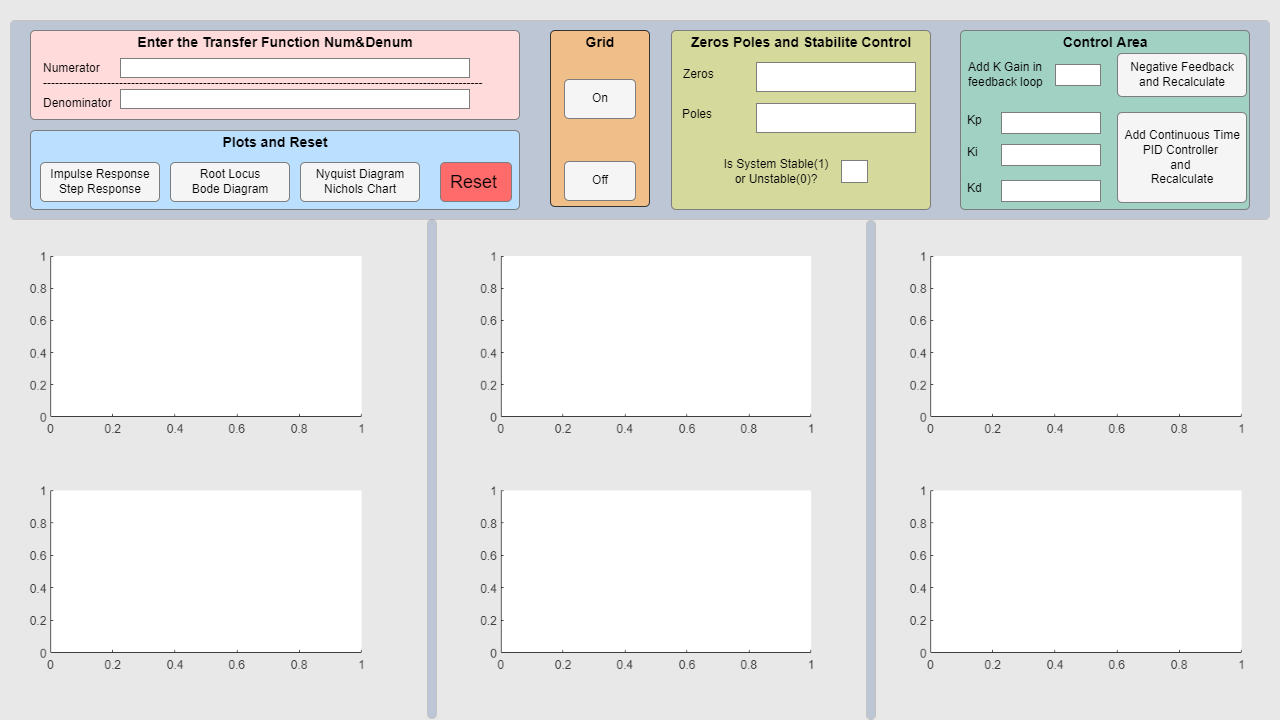
- This application needs the numerators and denominators of the transfer function as input. You can enter 1,2,3 into the Numerator and Denominator fields. For example; Numerator 1,2 Denominator 2,1,2
- You can then analyze the system's answers by clicking on the relevant buttons in the bottom pane.
- There are buttons to turn the grid on and off.
- The zeros and poles of the system are calculated and written in the relevant places. The transfer function is checked whether the system entered is stable or not and produces unstable (0) or stable (1) output.
- To add a negative feedback loop to your system, you must enter the K feedback gain value, otherwise you will receive an error. For positive K values, negative feedback is calculated and the relevant graphs are updated.
- You can add PID control by entering Kp, Ki, Kd coefficients. For example, for PI control only, you must enter Kp=1, Ki=1, Kd=0, otherwise you will receive an error.
- Enjoy your work!
All your question please make contact.
Personal Mail: koray273@gmail.com
인용 양식
Ismail Koray (2026). Transfer Function Analyzer (https://kr.mathworks.com/matlabcentral/fileexchange/160311-transfer-function-analyzer), MATLAB Central File Exchange. 검색 날짜: .
MATLAB 릴리스 호환 정보
개발 환경:
R2023b
R2023b에서 R2024a까지의 릴리스와 호환
플랫폼 호환성
Windows macOS Linux태그
| 버전 | 게시됨 | 릴리스 정보 | |
|---|---|---|---|
| 1.0.0 |
