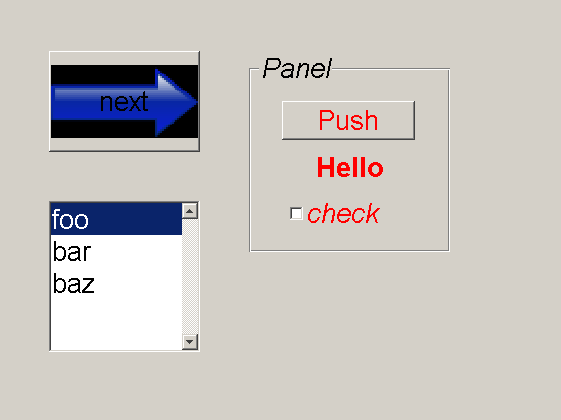
Matlab CSS (MSS)
With MSS, you have easy control over the appearance of all your GUI's through a simple CSS file.
What can be styled with MSS?
The primary target for MSS are GUIs designed with GUIDE. But in fact, you could use it for plain figures or even any type of handle-enabled object.
What styles can be applied?
Any field of a handle-object can be set with MSS. Everywhere you would normally use set(handle,'myproperty',myvalue), you could use the MSS equivalent handle {myproperty: myvalue}.
Getting started
Download the project files and put them somewhere were matlab can find them: add the path with addpath('fill in the dir') and optionally save the path with savepath. Run classpath. To test things out, navigate to the 'sample' subdirectory and try styling the sample GUI with tylefig('sample.fig','default.css') or by running the m-file run.
more info: http://student.kuleuven.be/~s0170633/projects/MSS
인용 양식
Joris Gillis (2026). Matlab CSS (MSS) (https://kr.mathworks.com/matlabcentral/fileexchange/13546-matlab-css-mss), MATLAB Central File Exchange. 검색 날짜: .
MATLAB 릴리스 호환 정보
플랫폼 호환성
Windows macOS Linux카테고리
태그
도움
도움 준 파일: SimCSS
sample/
| 버전 | 게시됨 | 릴리스 정보 | |
|---|---|---|---|
| 1.0.0.0 | getting started instructions missing |
