Segmenting boxes in an image
이전 댓글 표시
I'm here to get an advice from all on how to segment boxes in an image.
I have tried using threshold, contour, and watershed algorithm but the result only segments the whole image.
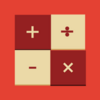
Here is the image that I want to segment. The first box represents a symbol, second box represents a digit, and the third box represents a letter. Why do I need segmentation? I need this segmentation in order to split the boxes according to their representative.
Can anyone advise me?

This is my code
img_o = "/MATLAB Drive/2.png";
% Image loading
img = imread(img_o);
% Create a figure with subplots
figure('units', 'normalized', 'outerposition', [0 0 1 1]);
% Show original image
subplot(2, 3, 1);
imshow(img);
axis off;
title('Original Image');
% Image grayscale conversion
gray = rgb2gray(img);
% Adaptive thresholding
threshold = adaptthresh(gray, 'NeighborhoodSize', 11, 'Statistic', 'Gaussian', 'ForegroundPolarity', 'dark');
binary_img = imbinarize(gray, threshold);
% Show thresholded image
subplot(2, 3, 2);
imshow(binary_img);
axis off;
title('Thresholded Image');
% Perform morphological operations to remove noise
se = strel('square', 3);
opening = imopen(binary_img, se);
% Show opened image
subplot(2, 3, 3);
imshow(opening);
axis off;
title('Opened Image');
% Perform distance transform
dist_transform = bwdist(~opening);
sure_fg = imregionalmax(dist_transform);
% Show sure foreground image
subplot(2, 3, 4);
imshow(sure_fg);
axis off;
title('Sure Foreground Image');
% Perform watershed algorithm
markers = watershed(-dist_transform);
img_copy = img;
img_copy(markers == 0) = 255;
% Show the segmented image
subplot(2, 3, 5);
imshow(img_copy);
axis off;
title('Segmented Image');
% Print the number of segmented objects
num_objects = max(markers(:)) - 1;
subplot(2, 3, 6);
text(0.5, 0.5, ['Number of Segmented Objects: ', num2str(num_objects)], 'HorizontalAlignment', 'center', 'VerticalAlignment', 'middle', 'FontSize', 12);
axis off;
sgtitle('Image Segmentation');
채택된 답변
Angelo Yeo
2023년 6월 19일
clear; close all; clc;
I = imread('https://www.mathworks.com/matlabcentral/answers/uploaded_files/1414384/image.png');
Ibw = ~im2bw(I,graythresh(I));
% getting rid of contents
comp_obj = bwconncomp(Ibw, 4);
for i = 2:comp_obj.NumObjects
Ibw(comp_obj.PixelIdxList{i}) = 0;
end
% get the squares inside the rects
comp_obj = bwconncomp(~Ibw, 4);
figure;
imshow(I)
hold on;
[r,c]= ind2sub(size(Ibw), comp_obj.PixelIdxList{2});
scatter(c, r,5,'red','filled','s','MarkerFaceAlpha',0.1)
[r,c]= ind2sub(size(Ibw), comp_obj.PixelIdxList{3});
scatter(c, r,5,'blue','filled','s','MarkerFaceAlpha',0.1)
[r,c]= ind2sub(size(Ibw), comp_obj.PixelIdxList{4});
scatter(c, r,5,'yellow','filled','s','MarkerFaceAlpha',0.1)

댓글 수: 2

Muhammad Syukri
2023년 6월 20일
Angelo Yeo
2023년 6월 20일
It's nothing but applying morphology 😛 `bwconncomp` detects connected blobs and sorts them by their size.
추가 답변 (1개)

Image Analyst
2023년 6월 20일
편집: Image Analyst
2023년 6월 20일
You can get all three square masks doing this:
mask = grayImage > 128; % Or whatever works.
% Get rid of white surround touching the border.
mask = imclearborder(mask);
% Fill holes.
mask = imfill(mask, 'holes');
% Take the 3 largest blobs.
mask = bwareafilt(mask, 3);
%--------------------------------------------------------------------------------------------------------
% Get the 3 individual masks and display them.
labeledImage = bwlabel(mask); % Give an ID label to each square.
for k = 1 : 3
% Get mask 1
separateMasks{k} = ismember(labeledImage, k);
subplot(2, 3, 3+k);
imshow(separateMasks{k});
impixelinfo;
axis('on', 'image');
caption = sprintf('Mask #%d', k);
title(caption, 'FontSize', fontSize, 'Interpreter', 'None');
end
Full code is in the attached m-file,

카테고리
도움말 센터 및 File Exchange에서 Color Segmentation에 대해 자세히 알아보기
Community Treasure Hunt
Find the treasures in MATLAB Central and discover how the community can help you!
Start Hunting!
Translated by 

