아키텍처 및 아티팩트 정리 및 공유
R2026bSystem Composer™에서 Simulink® 프로젝트를 사용하여 대규모 아키텍처 모델링 프로젝트를 체계적으로 관리합니다. 프로젝트를 활용하면 필요한 파일을 찾고, 파일과 설정을 관리 및 공유하며, 소스 컨트롤과 연동할 수 있습니다. 아키텍처 모델과 데이터 딕셔너리, 요구사항, 할당 정보, 프로파일, 동작 모델, 테스트 파일, 스크립트 등의 관련 아티팩트를 프로젝트에 저장합니다. System Composer 비교 툴 및 System Composer 3방향 병합 툴을 사용하여 System Composer 아키텍처 모델을 비교하고, 변경 사항을 검토, 병합 및 저장할 수 있습니다.
프로젝트를 처음 사용하는 경우, MATLAB® 문서의 프로젝트 항목을 참고하십시오. Simulink에 대한 구체적인 지침은 What Are MATLAB Projects in Simulink? 및 Simulink에서 MATLAB 프로젝트 사용하기 항목을 참조하십시오.
System Composer를 통해 SysML® v2를 준수하는 원격 리포지토리에 프로그래밍 방식으로 액세스할 수 있습니다. SysML v2 리포지토리 API는 원격 리포지토리에서 반환된 SysML v2 요소에 대한 클래스 기반 내부 검사를 포함합니다. 이 API에는 SysML v2 메타 모델을 그대로 반영한 MATLAB 클래스 계층 구조가 포함되어 있어, 대화형 방식 탐색과 유형 기반 로직을 지원합니다. 이제 isa, class, properties 같은 메타 프로그래밍 함수를 사용하여 SysML v2 요소 유형을 검사하고, 사용 가능한 속성을 MATLAB에서 직접 검색할 수 있습니다. 또한 MATLAB 프로젝트를 systemcomposer.sysml.exportFromMLProject를 사용하여 SysML v2 텍스트 파일로 내보낼 수도 있습니다.
클래스
함수
툴
| 인터페이스 편집기 | 로컬 및 공유 데이터 딕셔너리에 인터페이스 생성 및 작성 |
| 프로파일 편집기 | Create and manage profiles with stereotypes and properties |
| System Composer 비교 툴 | Diff and merge changes between System Composer architecture models (R2022a 이후) |
| System Composer 3방향 병합 툴 | Resolve conflicts in System Composer architecture models (R2023b 이후) |
도움말 항목
- Choose Architecture Template for System Design
Select an architecture template based on domain-specific extensions.
- Organize System Composer Files in Projects
Use projects to organize your work, manage files and settings, and interact with source control.
- Manage Interfaces with Data Dictionaries
Save, link, and delete interfaces.
- Establish Traceability Between Architectures and Requirements
Link between architectures and requirements to show traceability.
- Best Practices for Profile Design
Learn about using profiles in systems engineering design, extending stereotypes, and specifying profile usages.
- Compare and Merge System Composer Architecture Models
Use the Comparison Tool to compare and merge System Composer architecture models and their artifacts. (R2022a 이후)
- Resolve Conflicts in Architecture Models Using Three-Way Merge
Use the Three-Way Merge Tool to investigate and resolve conflicts in System Composer architecture models.
- Best Practices for Large-Scale Architecture Modeling
Build models using guidelines for best performance.
관련 정보
추천 예제
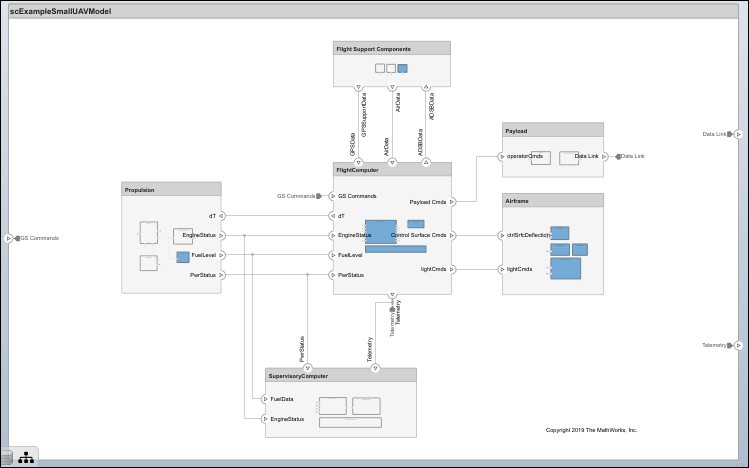
소형 UAV의 시스템 아키텍처 모델링
소형 무인 항공기의 아키텍처를 설정하고 미세 조정합니다.
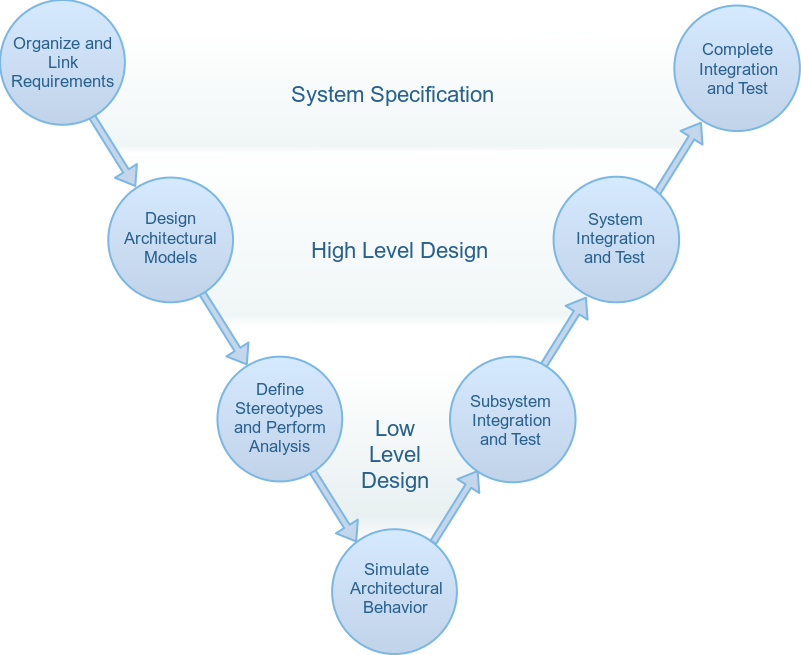
System Composer 워크플로를 사용하여 이동 로봇 시뮬레이션하기
시스템 공학 워크플로를 사용하여 이동 로봇 아키텍처를 시뮬레이션합니다.
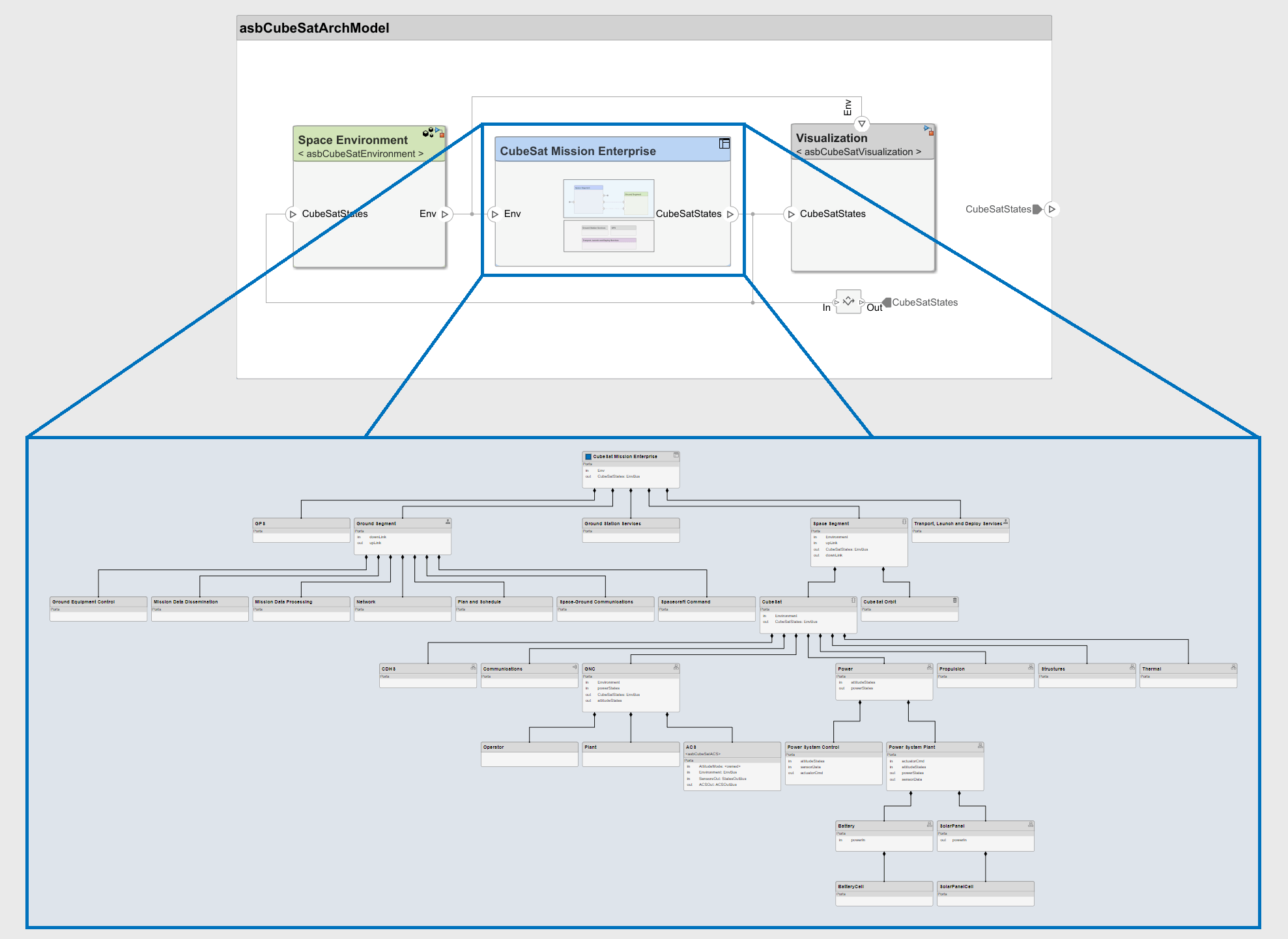
Model-Based Systems Engineering for Space-Based Applications
Explore the CubeSat model-based systems engineering project template.
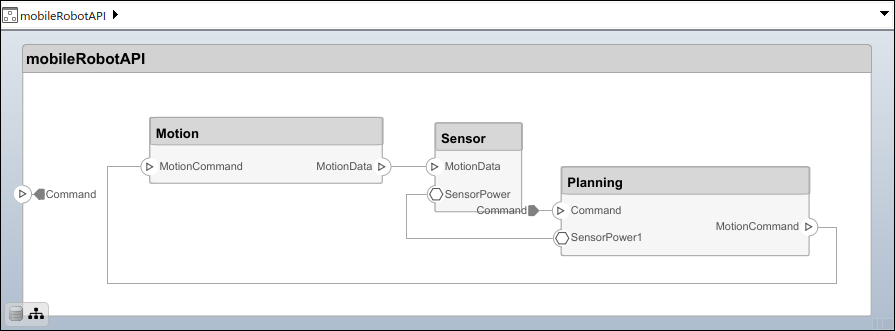
Build Architecture Models Programmatically
Programmatically build an architecture model.

