주요 콘텐츠

Transmission Line (Three-Phase)

Three-phase transmission line using lumped-parameter pi-section line model
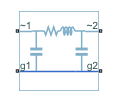
  • Transmission Line (Three-Phase) block

Libraries:
Simscape / Electrical / Passive / Lines

Description

The Transmission Line (Three-Phase) block models a three-phase transmission line using the lumped-parameter pi-line model. This model takes into account phase resistance, phase self-inductance, line-line mutual inductance and resistance, line-line capacitance, and line-ground capacitance.

To simplify the block-defining equations, Clarke’s transformation is used. The resulting equations are:

V1V2=[R+2RmRRmRRm]I1+[L+2MLMLM]dI1dt

I1+I2=[CgCg+3ClCg+3Cl]dV2dt

I1=TI1

I2=TI2

V1=TV1

V2=TV2

T=13[1201123211232]

where:

  • R is the line resistance for the segment.

  • Rm is the mutual resistance for the segment.

  • L is the line inductance for the segment.

  • M is the value of the Mutual inductance parameter.

  • Cg is the line-ground capacitance for the segment.

  • Cl is the line-line capacitance for the segment.

  • T is the Clarke’s transformation matrix.

  • I1 is the three-phase current flowing into the ~1 port.

  • I2 is the three-phase current flowing into the ~2 port.

  • V1 is the three-phase voltage at the ~1 port.

  • V2 is the three-phase voltage at the ~2 port.

The positive and zero-sequence parameters are defined by the diagonal terms in the transformed equations:

R0=R+2Rm

R1=RRm

L0=L+2M

L1=LM

C0=Cg

C1=Cg+3Cl

Rearranging these equations gives the physical line quantities in terms of positive and zero-sequence parameters:

R=2R1+R03

Rm=R0R13

L=2L1+L03

M=L0L13

Cl=C1C03

Cg=C0

Alternatively, you can specify the positive-sequence and zero-sequence parameters directly by setting the Parameterization parameter to By positive and zero-sequence parameters. (since R2026a)

The figure shows the equivalent electrical circuit for a single-segment pi-line model using Clarke’s transformation.

To increase fidelity, you can use the Number of segments parameter to repeat the pi-section N times, resulting in an N-segment transmission line model. More segments significantly slows down your simulation.

To improve numerical performance, you can add parasitic resistance and conductance components. Choosing large values for these components improves simulation speed but decreases simulation accuracy.

Propagation Speeds

The Transmission Line (Three-Phase) calculates the positive-sequence propagation speeds by using these equations:

  • Z1=R1+jωL1 is the series impedance, in Ω/Km.

  • Y1=jωC1 is the shunt admittance, in s/Km.

  • γ1=Z1Y1 is the propagation constant.

  • ν1=ωImag(γ1) is the propagation speed, in Km/s, where ω=2πf.

For zero-sequence propagation speed, the equations are the same but R1, L1, C1, Z1, Y1, γ1, and ν1 are R0, L0, C0, Z0, Y0, γ0, and ν0.

Faults

To model a fault in the Transmission Line (Three-Phase) block, in the Faults section, click Add fault next to the fault that you want to model. For more information about fault modeling, see Fault Behavior Modeling and Fault Triggering.

The Transmission Line (Three-Phase) block allows you to model these types of faults:

  • Single-phase-to-ground fault (a-g, b-g, or c-g)

  • Two-phase fault (a-b, b-c, or c-a)

  • Two-phase-to-ground fault (a-b-g, b-c-g, or c-a-g)

  • Three-phase fault (a-b-c)

  • Three-phase-to-ground fault (a-b-c-g)

You can model a fault at one of the two three-phase connection ports, at both connection ports at the same time, or at a specific position along the transmission line.

Fault Triggers

You specify how and when faults occur by using the Trigger type parameter.

If you set the Trigger type to Timed, the Transmission Line (Three-Phase) block triggers faults when the simulation time reaches the value you specify for the Trigger fault at time parameter.

If you set the Trigger type to Conditional, you can choose whether faults in the Transmission Line (Three-Phase) block are reversible. To model irreversible faults, click Open fault properties to open the Property Inspector and select the Trigger stays on once activated parameter. The block enters the faulted state when the trigger condition becomes true for the first time and remains in the faulted state for the rest of the simulation. To model reversible faults, clear the Trigger stays on once activated parameter. The block enters the faulted state when the trigger condition is true and enters the unfaulted state when the trigger condition is false.

For more information about adding faults to blocks and specifying fault triggers, see Introduction to Simscape Faults.

Examples

Ports

Conserving

expand all

Expandable three-phase electrical conserving port associated with the first port of the transmission line.

Dependencies

To enable this port, set Electrical connection to Composite three-phase ports.

Expandable three-phase electrical conserving port associated with the second port of the transmission line.

Dependencies

To enable this port, set Electrical connection to Composite three-phase ports.

Electrical conserving port associated with the phase a of port 1.

Dependencies

To enable this port, set Electrical connection to Expanded three-phase ports.

Electrical conserving port associated with the phase a of port 2.

Dependencies

To enable this port, set Electrical connection to Expanded three-phase ports.

Electrical conserving port associated with the phase b of port 1.

Dependencies

To enable this port, set Electrical connection to Expanded three-phase ports.

Electrical conserving port associated with the phase b of port 2.

Dependencies

To enable this port, set Electrical connection to Expanded three-phase ports.

Electrical conserving port associated with the phase c of port 1.

Dependencies

To enable this port, set Electrical connection to Expanded three-phase ports.

Electrical conserving port associated with the phase c of port 2.

Dependencies

To enable this port, set Electrical connection to Expanded three-phase ports.

Electrical conserving port corresponding to ground connection at the ~1 end of the transmission line.

Electrical conserving port corresponding to ground connection at the ~2 end of the transmission line.

Electrical conserving port corresponding to ground connection at fault position 1.

Dependencies

To enable this port, set Accessible ground connections at section interface to Yes.

Electrical conserving port corresponding to ground connection at fault position 2.

Dependencies

To enable this port, set Accessible ground connections at section interface to Yes.

Parameters

expand all

Main

Since R2026a

Whether to model composite or expanded three-phase ports.

Composite three-phase ports represent three individual electrical conserving ports with a single block port. You can use composite three-phase ports to build models that correspond to single-line diagrams of three-phase electrical systems.

Expanded three-phase ports represent the individual phases of a three-phase system using three separate electrical conserving ports.

Programmatic Use

To set the block parameter value programmatically, use the set_param function.

Parameter: port_option
Values: "ee.enum.threePhasePort.composite" (default) | "ee.enum.threePhasePort.expanded"

Length of the transmission line.

Frequency used for the R, L, C, G specification, where:

  • R is line resistance per unit length.

  • L is the line inductance per unit length.

  • C is the line capacitance per unit length.

  • G is the line conductance per unit length.

Since R2026a

Option to parameterize the block by using physical line parameters or positive and zero-sequence parameters.

Resistance of the transmission line per phase per-unit length.

Dependencies

To enable this parameter, set Parameterization to By physical line parameters. (since R2026a)

Line-line mutual resistance per unit length. The value of this parameter must be less than the value of the Resistance parameter.

Dependencies

To enable this parameter, set Parameterization to By physical line parameters. (since R2026a)

Self-inductance of the transmission line per phase per-unit length.

Dependencies

To enable this parameter, set Parameterization to By physical line parameters. (since R2026a)

Line-line mutual inductance per-unit length. Set this to 0 to remove mutual inductance. The value of this parameter must be less than the value of the Inductance parameter.

Dependencies

To enable this parameter, set Parameterization to By physical line parameters. (since R2026a)

Line-line capacitance length, in per-unit.

Dependencies

To enable this parameter, set Parameterization to By physical line parameters. (since R2026a)

Line-ground capacitance length, in per-unit.

Dependencies

To enable this parameter, set Parameterization to By physical line parameters. (since R2026a)

Since R2026a

Positive-sequence resistance of the transmission line per-unit length.

Dependencies

To enable this parameter, set Parameterization to By positive and zero-sequence parameters.

Since R2026a

Zero-sequence resistance of the transmission line per-unit length. The value of this parameter must be greater than the value of the Positive-sequence resistance parameter.

Dependencies

To enable this parameter, set Parameterization to By positive and zero-sequence parameters.

Since R2026a

Positive-sequence inductance of the transmission line per-unit length.

Dependencies

To enable this parameter, set Parameterization to By positive and zero-sequence parameters.

Since R2026a

Zero-sequence inductance of the transmission line per-unit length. The value of this parameter must be greater than the value of the Positive-sequence inductance parameter.

Dependencies

To enable this parameter, set Parameterization to By positive and zero-sequence parameters.

Since R2026a

Positive-sequence capacitance of the transmission line per-unit length.

Dependencies

To enable this parameter, set Parameterization to By positive and zero-sequence parameters.

Since R2026a

Zero-sequence capacitance of the transmission line per-unit length. The value of this parameter must be less than the value of the Positive-sequence capacitance parameter.

Dependencies

To enable this parameter, set Parameterization to By positive and zero-sequence parameters.

Option to model the transmission line as two sections. You must enable this parameter to add a non-intrusive fault in the Transmission Line (Three-Phase) block.

Number of segments in the pi-line model.

Dependencies

To enable this parameter, set Model two line sections to No.

Position of the interface in the pi-line model. If you add a non-intrusive fault, this parameter represents the position of the fault in the pi-line model. The value of this parameter must be less than the value of the Line length parameter.

Dependencies

To enable this parameter, set Model two line sections to Yes.

Number of segments in the first section of the pi-line model. If you add a non-intrusive fault, this parameter represents the number of segments before the fault occurs.

Dependencies

To enable this parameter, set Model two line sections to Yes.

Number of segments in the second section of the pi-line model. If you add a non-intrusive fault, this parameter represents the number of segments after the fault occurs.

Dependencies

To enable this parameter, set Model two line sections to Yes.

Option to access the ground connections at the fault position. If you set this parameter to No, the block internally connects the ground connections at the fault position to the electrical reference.

Dependencies

To enable this parameter set Model two line sections to Yes.

Parasitics

Resistance value, divided by the number of segments, that is added in series with every capacitor in the model.

Conductance value, divided by the number of segments, that is added in parallel with every series resistor and inductor in the model.

Faults

Since R2026a

Option to add a fault to the three-phase connection port ~1 of the block.

To add a fault, click the Add fault hyperlink.

Since R2026a

Type of fault to model for the port ~1 connection fault, specified as one of these options:

  • Single-phase to ground (a-g)

  • Single-phase to ground (b-g)

  • Single-phase to ground (c-g)

  • Two-phase (a-b)

  • Two-phase (b-c)

  • Two-phase (c-a)

  • Two-phase to ground (a-b-g)

  • Two-phase to ground (b-c-g)

  • Two-phase to ground (c-a-g)

  • Three-phase (a-b-c)

  • Three-phase to ground (a-b-c-g)

The visibility of related parameters depends on the fault model.

Dependencies

To enable this parameter, click the Add fault hyperlink for the Port 1 connection fault parameter.

Since R2026a

Resistance between the phase connection and the neutral point when the fault is active for the port ~1 connection fault.

Dependencies

To enable this parameter, click the Add fault hyperlink for the Port 1 connection fault parameter and set the Fault type parameter to:

  • Single-phase to ground (a-g)

  • Single-phase to ground (b-g)

  • Single-phase to ground (c-g)

  • Two-phase (a-b)

  • Two-phase (b-c)

  • Two-phase (c-a)

  • Two-phase to ground (a-b-g)

  • Two-phase to ground (b-c-g)

  • Two-phase to ground (c-a-g)

  • Three-phase (a-b-c)

  • Three-phase to ground (a-b-c-g)

Since R2026a

Resistance between the neutral point and the electrical reference when fault is active for the port ~1 connection fault.

Dependencies

To enable this parameter, click the Add fault hyperlink for the Port 1 connection fault parameter and set the Fault type parameter to:

  • Single-phase to ground (a-g)

  • Single-phase to ground (b-g)

  • Single-phase to ground (c-g)

  • Two-phase to ground (a-b-g)

  • Two-phase to ground (b-c-g)

  • Two-phase to ground (c-a-g)

  • Three-phase to ground (a-b-c-g)

Since R2026a

Conductance between the phase connection and the neutral point when the fault is not active for the port ~1 connection fault.

Dependencies

To enable this parameter, click the Add fault hyperlink for the Port 1 connection fault parameter and set the Fault type parameter to:

  • Single-phase to ground (a-g)

  • Single-phase to ground (b-g)

  • Single-phase to ground (c-g)

  • Two-phase (a-b)

  • Two-phase (b-c)

  • Two-phase (c-a)

  • Two-phase to ground (a-b-g)

  • Two-phase to ground (b-c-g)

  • Two-phase to ground (c-a-g)

  • Three-phase (a-b-c)

  • Three-phase to ground (a-b-c-g)

Since R2026a

Trigger type, specified as one of these options:

  • Always On — The fault injects at the start of the simulation.

  • Timed — The fault injects when the simulation time reaches the value you specify for the Trigger fault at time parameter.

  • Additional triggers — The fault injects as a result of additional triggers not available in the block dialog box. Select this option and click the Open fault properties hyperlink to set the Trigger type to one of these values in the Property Inspector:

    • Conditional — The fault injects as a result of a condition that reflects a behavior associated with a signal. Conditionals evaluate the Boolean expression in the Condition parameter at each time step. To learn more, see Create and Manage Conditionals.

    • Manual — The fault injects or clears when you toggle the status in the Fault Dashboard pane. To learn more, see Manually Trigger Faults in Models.

Dependencies

To enable this parameter, click the Add fault hyperlink for the Port 1 connection fault parameter.

Since R2026a

Simulation time at which the block enters the faulted state.

Dependencies

To enable this parameter, click the Add fault hyperlink for the Port 1 connection fault parameter and set Trigger type to Timed.

Since R2026a

Option to enable additional trigger types not available in the block dialog box. To set the Trigger type parameter to Conditional or Manual, click the Open fault properties hyperlink and set the Trigger type in the Property Inspector.

Dependencies

To enable this parameter, click the Add fault hyperlink for the Port 1 connection fault parameter and set Trigger type to Additional triggers.

Since R2026a

Option to add a fault to the three-phase connection port ~2 of the block.

To add a fault, click the Add fault hyperlink.

Since R2026a

Type of fault to model for the port ~2 connection fault, specified as one of these options:

  • Single-phase to ground (a-g)

  • Single-phase to ground (b-g)

  • Single-phase to ground (c-g)

  • Two-phase (a-b)

  • Two-phase (b-c)

  • Two-phase (c-a)

  • Two-phase to ground (a-b-g)

  • Two-phase to ground (b-c-g)

  • Two-phase to ground (c-a-g)

  • Three-phase (a-b-c)

  • Three-phase to ground (a-b-c-g)

The visibility of related parameters depends on the fault model.

Dependencies

To enable this parameter, click the Add fault hyperlink for the Port 2 connection fault parameter.

Since R2026a

Resistance between the phase connection and the neutral point when the fault is active for the port ~2 connection fault.

Dependencies

To enable this parameter, click the Add fault hyperlink for the Port 2 connection fault parameter and set the Fault type parameter to:

  • Single-phase to ground (a-g)

  • Single-phase to ground (b-g)

  • Single-phase to ground (c-g)

  • Two-phase (a-b)

  • Two-phase (b-c)

  • Two-phase (c-a)

  • Two-phase to ground (a-b-g)

  • Two-phase to ground (b-c-g)

  • Two-phase to ground (c-a-g)

  • Three-phase (a-b-c)

  • Three-phase to ground (a-b-c-g)

Since R2026a

Resistance between the neutral point and the electrical reference when fault is active for the port ~2 connection fault.

Dependencies

To enable this parameter, click the Add fault hyperlink for the Port 2 connection fault parameter and set the Fault type parameter to:

  • Single-phase to ground (a-g)

  • Single-phase to ground (b-g)

  • Single-phase to ground (c-g)

  • Two-phase to ground (a-b-g)

  • Two-phase to ground (b-c-g)

  • Two-phase to ground (c-a-g)

  • Three-phase to ground (a-b-c-g)

Since R2026a

Conductance between the phase connection and the neutral point when the fault is not active for the port ~2 connection fault.

Dependencies

To enable this parameter, click the Add fault hyperlink for the Port 2 connection fault parameter and set the Fault type parameter to:

  • Single-phase to ground (a-g)

  • Single-phase to ground (b-g)

  • Single-phase to ground (c-g)

  • Two-phase (a-b)

  • Two-phase (b-c)

  • Two-phase (c-a)

  • Two-phase to ground (a-b-g)

  • Two-phase to ground (b-c-g)

  • Two-phase to ground (c-a-g)

  • Three-phase (a-b-c)

  • Three-phase to ground (a-b-c-g)

Since R2026a

Trigger type, specified as one of these options:

  • Always On — The fault injects at the start of the simulation.

  • Timed — The fault injects when the simulation time reaches the value you specify for the Trigger fault at time parameter.

  • Additional triggers — The fault injects as a result of additional triggers not available in the block dialog box. Select this option and click the Open fault properties hyperlink to set the Trigger type to one of these values in the Property Inspector:

    • Conditional — The fault injects as a result of a condition that reflects a behavior associated with a signal. Conditionals evaluate the Boolean expression in the Condition parameter at each time step. To learn more, see Create and Manage Conditionals.

    • Manual — The fault injects or clears when you toggle the status in the Fault Dashboard pane. To learn more, see Manually Trigger Faults in Models.

Dependencies

To enable this parameter, click the Add fault hyperlink for the Port 2 connection fault parameter.

Since R2026a

Simulation time at which the block enters the faulted state.

Dependencies

To enable this parameter, click the Add fault hyperlink for the Port 2 connection fault parameter and set Trigger type to Timed.

Since R2026a

Option to enable additional trigger types not available in the block dialog box. To set the Trigger type parameter to Conditional or Manual, click the Open fault properties hyperlink and set the Trigger type in the Property Inspector.

Dependencies

To enable this parameter, click the Add fault hyperlink for the Port 2 connection fault parameter and set Trigger type to Additional triggers.

Option to add a fault to the section interface of the pi-line model.

To add a fault, click the Add fault hyperlink.

Dependencies

To enable this parameter, set Model two line sections to Yes.

Type of fault to model for the section interface fault, specified as one of these options:

  • Single-phase to ground (a-g)

  • Single-phase to ground (b-g)

  • Single-phase to ground (c-g)

  • Two-phase (a-b)

  • Two-phase (b-c)

  • Two-phase (c-a)

  • Two-phase to ground (a-b-g)

  • Two-phase to ground (b-c-g)

  • Two-phase to ground (c-a-g)

  • Three-phase (a-b-c)

  • Three-phase to ground (a-b-c-g)

Dependencies

To enable this parameter:

  • In the Main settings, set Model two line sections to Yes.

  • Click the Add fault hyperlink for the Section interface fault parameter.

Resistance between the phase connection and the neutral point when the fault is active for the section interface fault.

Dependencies

To enable this parameter:

  • In the Main settings, set Model two line sections to Yes.

  • Click the Add fault hyperlink for the Section interface fault parameter.

  • Set Fault type to one of these options:

    • Single-phase to ground (a-g)

    • Single-phase to ground (b-g)

    • Single-phase to ground (c-g)

    • Two-phase (a-b)

    • Two-phase (b-c)

    • Two-phase (c-a)

    • Two-phase to ground (a-b-g)

    • Two-phase to ground (b-c-g)

    • Two-phase to ground (c-a-g)

    • Three-phase (a-b-c)

    • Three-phase to ground (a-b-c-g)

Resistance between the neutral point and the electrical reference when fault is active for the section interface fault.

Dependencies

To enable this parameter:

  • In the Main settings, set Model two line sections to Yes.

  • Click the Add fault hyperlink for the Section interface fault parameter.

  • Set Fault type to one of these options:

    • Single-phase to ground (a-g)

    • Single-phase to ground (b-g)

    • Single-phase to ground (c-g)

    • Two-phase to ground (a-b-g)

    • Two-phase to ground (b-c-g)

    • Two-phase to ground (c-a-g)

    • Three-phase to ground (a-b-c-g)

Conductance between the phase connection and the neutral point when the fault is not active for the section interface fault.

Dependencies

To enable this parameter:

  • In the Main settings, set Model two line sections to Yes.

  • Click the Add fault hyperlink for the Section interface fault parameter.

  • Set Fault type to one of these options:

    • Single-phase to ground (a-g)

    • Single-phase to ground (b-g)

    • Single-phase to ground (c-g)

    • Two-phase (a-b)

    • Two-phase (b-c)

    • Two-phase (c-a)

    • Two-phase to ground (a-b-g)

    • Two-phase to ground (b-c-g)

    • Two-phase to ground (c-a-g)

    • Three-phase (a-b-c)

    • Three-phase to ground (a-b-c-g)

Trigger type, specified as one of these options:

  • Always On — The fault injects at the start of the simulation.

  • Timed — The fault injects when the simulation time reaches the value you specify for the Trigger fault at time parameter.

  • Additional triggers — The fault injects as a result of additional triggers not available in the block dialog box. Select this option and click the Open fault properties hyperlink to set the Trigger type to one of these values in the Property Inspector:

    • Conditional — The fault injects as a result of a condition that reflects a behavior associated with a signal. Conditionals evaluate the Boolean expression in the Condition parameter at each time step. To learn more, see Create and Manage Conditionals.

    • Manual — The fault injects or clears when you toggle the status in the Fault Dashboard pane. To learn more, see Manually Trigger Faults in Models.

Dependencies

To enable this parameter:

  • In the Main settings, set Model two line sections to Yes.

  • Click the Add fault hyperlink for the Section interface fault parameter.

Simulation time at which the block enters the faulted state.

Dependencies

To enable this parameter:

  • In the Main settings, set Model two line sections to Yes.

  • Click the Add fault hyperlink for the Section interface fault parameter.

  • Set Trigger type to Timed.

Option to enable additional trigger types not available in the block dialog box. To set the Trigger type parameter to Conditional or Manual, click the Open fault properties hyperlink and set the Trigger type in the Property Inspector.

Dependencies

To enable this parameter:

  • In the Main settings, set Model two line sections to Yes.

  • Click the Add fault hyperlink for the Section interface fault parameter.

  • Set Trigger type to Additional triggers.

Extended Capabilities

expand all

C/C++ Code Generation
Generate C and C++ code using Simulink® Coder™.

Version History

Introduced in R2013b

expand all