이 번역 페이지는 최신 내용을 담고 있지 않습니다. 최신 내용을 영문으로 보려면 여기를 클릭하십시오.
Variant 계층적 컴포넌트
R2026a계층적 Variant 블록을 사용하면 시스템의 모든 설계 대안을 하나의 모델로 나타낼 수 있습니다. 각 설계의 선택은 개별 계층 구조의 Variant 선택지로 모델에 포함됩니다. 이러한 모델은 고정된 공통 구조와 유한한 세트의 가변 컴포넌트를 가지며, 가변 컴포넌트는 Variant 제어에 따라 활성화되거나 비활성화됩니다.
예를 들어, 다음과 같은 세 가지 엔진 구성이 가능한 차량을 나타내는 모델을 시뮬레이션한다고 가정하겠습니다. 4-실린더 가스, 6-실린더 가스, 8-실린더 가스. Variant Subsystem 블록 내에 각 엔진 모델을 별도의 서브시스템으로 구현한 다음 사용자가 선택한 Variant 제어에 따라 서브시스템 간에 전환할 수 있습니다. 자세한 내용은 Introduction to Variant Controls 항목을 참조하십시오.
계층적 Variant 블록에 대해 생성한 코드에는 시스템의 모든 Variant 선택지가 포함될 수 있습니다. Activate Variant During Different Stages of Simulation and Code Generation Workflow 항목에 설명된 대로 코드를 컴파일하기 전이나 모델을 시작할 때 선택지 간에 전환할 수 있습니다. 계층적 Variant 블록으로 코드를 생성하는 방법에 관한 자세한 내용은 Variant 구조 (Simulink Coder) 항목을 참조하십시오.
블록
 | Variant Subsystem | Template subsystem containing Subsystem blocks as variant choices |
클래스
Simulink.VariantUtils | Utility methods to work with variant elements (R2023b 이후) |
함수
enumeration | 클래스의 열거형 멤버와 이름 |
객체
struct | 구조체형 배열 |
Simulink.Parameter | 파라미터 값 저장, 공유, 구성 |
Simulink.VariantControl | Create variant control variable object |
Simulink.VariantExpression | Specify conditions that control variant selection |
도움말 항목
- Variant Subsystem을 사용하여 개별 계층 구조에 변형 구현
Variant Subsystem의 기본 기능을 알아봅니다.
- Variant Control Modes in Variant Blocks
Learn how to control variant blocks.
- Propagate Variant Conditions to Define Variant Regions with Variant Blocks
Determine active model components by propagating variant conditions using variant blocks.
- Propagate Variant Conditions to Define Variant Regions Outside Variant Subsystems to Promote Consistency and Reduce Errors
Propagate variant conditions outside a Variant Subsystem block to adapt its interface according to the state of underlying blocks.
- Manage Variant Components to Pass Specified Values from Inactive Variant Subsystems with No Active Choice (Simulink Coder)
Exclude inactive variant components from code generated for Variant Subsystem block at compile time.
- Model Reference Variants
This example shows how to use model reference variants.
- Propagate Variant Conditions to Control Execution of Conditional Subsystems
Understand how to use Variant Subsystem blocks with conditionally executed systems as variant choices.
- Add or Remove Variant Choices of Variant Assembly Subsystem Blocks Using External Files
Understand how to add or remove variant choices of the Variant Assembly Subsystem block using external files without modifying model.
- Use Mask Parameter Object to Control Variant Choices in Masked Variant Assembly Subsystem Block
Control variant choices in a masked Variant Assembly Subsystem block by instantiating subclasses of a shared superclass as the mask parameter object value.
- Control Active Choice of Variant Subsystem During Simulation or Execution of Generated Code
Switch the active variant of a Variant Subsystem block during simulation or execution of generated code by using a Parameter Writer block.
문제 해결
Convert Variant Subsystem to Variant Assembly Subsystem
Steps to convert Variant Subsystem block to Variant Assembly Subsystem block.
Transform Model to Variant System (Simulink Check)
Use the Model Transformer tool to transform a model into a variant system.
추천 예제
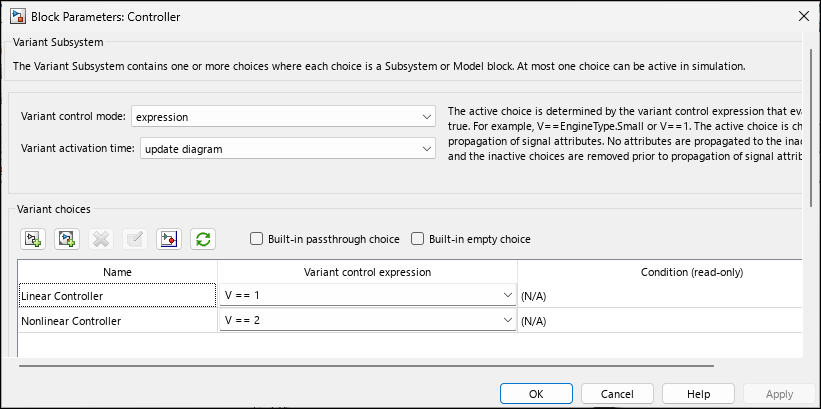
Create a Simple Variant Model
Create a simple model with variant blocks.
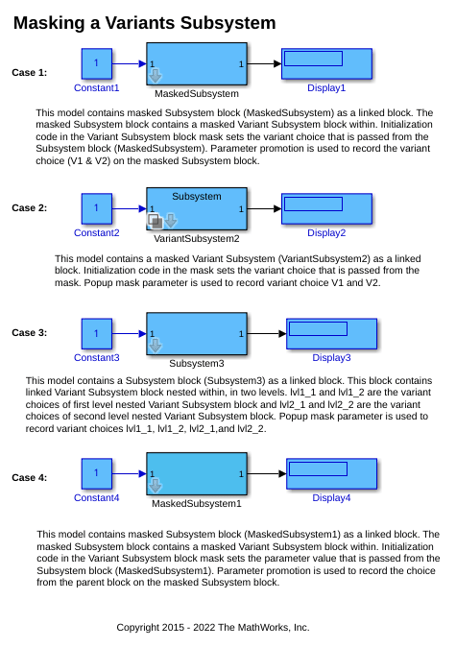
Mask a Variant Subsystem
Recommended way to mask a Variant Subsystem block.
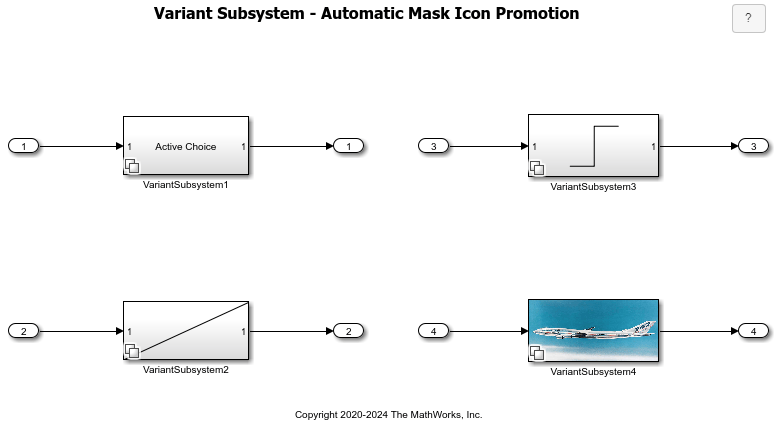
Automatic Mask Icon Promotion in Variant Subsystems
How Simulink® automatically displays the mask icon of the active variant block on the parent Variant Subsystem block. The example illustrates mask icon promotion for these icon types:

