vision.labeler.loading.LasFileSequenceSource Class
R2026bNamespace: vision.labeler.loading
Superclasses: vision.labeler.loading.MultiSignalSource
Load signals from LAS or LAZ file sequence sources into Multi-Sensor Labeler app
Since R2026b
Description
The vision.labeler.loading.LasFileSequenceSource class creates an interface
for loading a signal from a LAS or LAZ file sequence data source into the Multi-Sensor Labeler app. In the Add Signal dialog box of the app, when
Source Type is set to LAS/LAZ File,
this class controls the parameters in that dialog box.
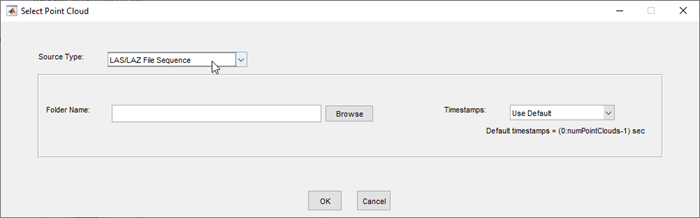
To access this dialog box, in the app, select Import > Add Signal.
The vision.labeler.loading.LasFileSequenceSource class is a handle class.
Creation
When you export labels from a Multi-Sensor Labeler app session that contains a LAS or
LAZ file sequence source, the exported groundTruthMultiSensor object stores an
instance of this class in its DataSource property.
To create a LasFileSequenceSource object programmatically, such as when
programmatically creating a groundTruthMultiSensor object, use the
vision.labeler.loading.LasFileSequenceSource function (described
here).
Description
lasSeqSource = vision.labeler.loading.LasFileSequenceSourceLasFileSequenceSource object for loading a signal from a LAS or
LAZ file sequence data source. To specify the data source and the parameters required to
load the source, use the loadSource method.
Properties
Methods
Version History
Introduced in R2026b

