이 페이지는 기계 번역을 사용하여 번역되었습니다. 영어 원문을 보려면 여기를 클릭하십시오.
stoppreview
R2026b비디오 데이터 미리보기 중지
설명
예제
이 예제에서는 비디오 입력에서 이미지를 미리 보는 방법, 미리 보기 창을 닫는 방법, 미리 보기를 중지하는 방법을 보여줍니다.
사용자 지정 GUI를 만듭니다.
figure("Name","My Custom Preview Window");
uicontrol("String","Close","Callback","close(gcf)");
먼저 시스템에서 사용 가능한 어댑터를 확인하려면 imaqhwinfo 함수를 사용하십시오.
imaqhwinfo
ans = struct with fields:
    InstalledAdaptors: {'demo'  'gentl'  'gige'  'kinect'  'matrox'  'winvideo'}
        MATLABVersion: '25.1 (R2025a)'
          ToolboxName: 'Image Acquisition Toolbox'
       ToolboxVersion: '25.1 (R2025a)'
관심 있는 어댑터에 맞는 지원 형식을 확인하십시오.
info = imaqhwinfo("winvideo");
info.DeviceInfo(2).SupportedFormats
ans = 1×19 cell array
"'RGB24_1024x576'" "'RGB24_1280x720'" "'RGB24_1600x896'" "'RGB24_160x120'" "'RGB24_160x88'" "'RGB24_176x144'" "'RGB24_1920x1080'" "'RGB24_2304x1296'" "'RGB24_2304x1536'" "'RGB24_320x176'" "'RGB24_320x240'" "'RGB24_352x288'" "'RGB24_432x240'" "'RGB24_640x360'" "'RGB24_640x480'" "'RGB24_800x448'" "'RGB24_800x600'" "'RGB24_864x480'" "'RGB24_960x720'"
videoinput 함수를 사용하여 비디오 객체를 만듭니다. adaptorname, deviceid, format를 장치의 어댑터 설정에 맞게 구성하십시오.
obj = videoinput("winvideo",2,"RGB24_800X600");
vidRes = obj.VideoResolution;
nBands = obj.NumberOfBands;
hImage = image(zeros(vidRes(2),vidRes(1),nBands) );
im = preview(obj, hImage);
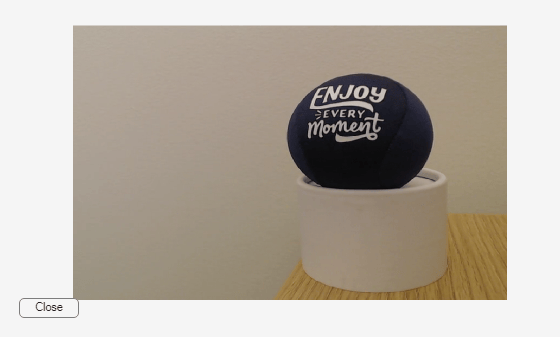
미리보기를 중지하고 10초 후에 라이브 이미지 미리보기 창을 닫습니다.
pause(10);
stoppreview(obj)
closepreview(obj)
입력 인수
버전 내역
R2006a에 개발됨

