이 페이지의 내용은 이전 릴리스에 관한 것입니다. 해당 영문 페이지는 최신 릴리스에서 제거되었습니다.
설정 및 구성
R2026aAMD SoC 장치용 임베디드 타깃을 사용하면 다음을 수행할 수 있습니다.
AMD SoC 장치에 내장된 ARM® Cortex®-A 프로세서에 실행 파일을 불러와 실행하는 Simulink® 모델을 빌드합니다.
Supported Features for Embedded Targets (SoC Blockset)에 설명된 기능과 특징을 사용합니다.
이 임베디드 타깃을 얻으려면 AMD SoC 보드 지원 설치에 설명된 단계를 수행하십시오.
함수
zynq | Display most recent IP address, username, and password |
앱
| Run on Hardware Board - AMD Zynq Board | Build, deploy, and run models on connected hardware boards |
모델 설정
| Hardware Implementation Pane: AMD Zynq ZC706 Evaluation Kit (SoC Blockset) |
| Hardware Implementation Pane: ZCU102 or ZedBoard (SoC Blockset) |
도움말 항목
- Supported Features for Embedded Targets (SoC Blockset)
List of supported features for AMD SoC devices.
- AMD SoC 보드 지원 설치
AMD SoC 장치 지원 설치 안내.
- TFTP/WFTPD 구성 가이드
사용 중인 하드웨어 보드와 함께 사용할 수 있도록 TFTP(Trivial File Transfer Protocol) 또는 WFTPD(Winsock File Transfer Protocol Daemon)를 설치하고 구성하십시오.
문제 해결
Configure Network Interface Card (NIC) on Development Computer (SoC Blockset)
Configure a Network Interface Card (NIC) on development computer to connect to hardware board.
Get IP Address of AMD SoC Device (SoC Blockset)
You can get the IP address of the AMD SoC device from the MATLAB® Command Window or using the Linux® command line.
추천 예제
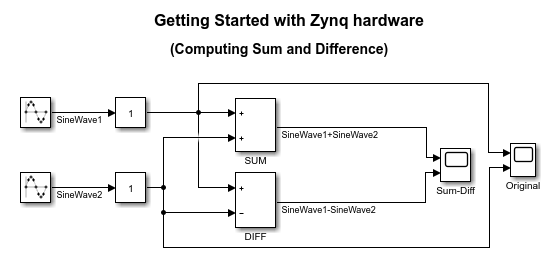
Get Started With Code Generation Using SoC Blockset Support Package for AMD SoC Devices
Generate code from a Simulink model and run the executable on an AMD Zynq® board.

