이 페이지는 기계 번역을 사용하여 번역되었습니다. 최신 내용을 영문으로 보려면 여기를 클릭하십시오.
NI 장치 시작하기
R2026a이 예제에서는 명령줄에서 National Instruments™ 장치를 사용하는 방법을 보여줍니다.
사용 가능한 장치 검색
daqlist를 사용하여 시스템에 연결된 장치를 검색합니다. 개별 장치에 대해 자세히 알아보려면 장치 테이블의 항목에 액세스하십시오.
d = daqlist;
d(1, :)
ans =

  1×5 table

    VendorID     DeviceID               Description                Model               DeviceInfo
    ________    ___________    ______________________________    _________    _____________________________

      "ni"      "cDAQ1Mod1"    "National Instruments NI 9205"    "NI 9205"    [1×1 daq.ni.CompactDAQModule]
d{1, "DeviceInfo"}
ans =

ni: National Instruments NI 9205 (Device ID: 'cDAQ1Mod1')
   Analog input supports:
      4 ranges supported
      Rates from 0.6 to 250000.0 scans/sec
      32 channels ('ai0' - 'ai31')
      'Voltage' measurement type

This module is in slot 1 of the 'cDAQ-9178' chassis with the name 'cDAQ1'.
DataAcquisition 객체 만들기
daq 함수를 사용하여 DataAcquisition 객체를 생성합니다. DataAcquisition 객체에는 하드웨어, 스캔 레이트 및 수집과 관련된 기타 속성을 설명하는 정보가 포함되어 있습니다.
dq = daq("ni")
dq =

DataAcquisition using National Instruments hardware:

                     Running: 0
                        Rate: 1000
           NumScansAvailable: 0
            NumScansAcquired: 0
              NumScansQueued: 0
    NumScansOutputByHardware: 0
                   RateLimit: []

Show channels
Show properties and methods
아날로그 입력 채널 추가
addinput 명령은 DataAcquisition에 입력 채널을 연결합니다.
ch = addinput(dq,"cDAQ1Mod1", "ai0","Voltage")
ch =

    Index    Type      Device       Channel    Measurement Type          Range                Name
    _____    ____    ___________    _______    ________________    __________________    _______________

      1      "ai"    "cDAQ1Mod1"     "ai0"     "Voltage (Diff)"    "-10 to +10 Volts"    "cDAQ1Mod1_ai0"
타임스탬프가 있는 데이터 수집
read 명령은 수집을 시작하고 결과를 타임테이블로 반환합니다.
data = read(dq, seconds(1));
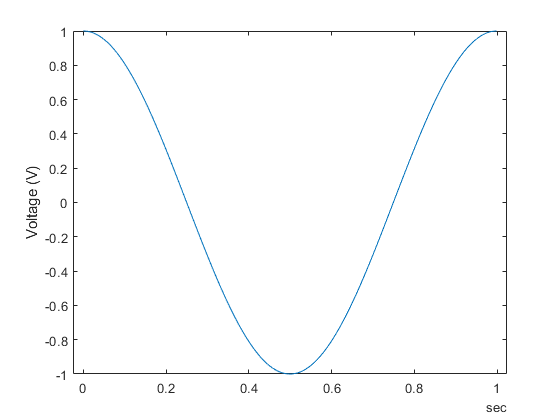
데이터 플로팅
plot(data.Time, data.cDAQ1Mod1_ai0);
ylabel("Voltage (V)");
데이터 수집의 기본 속성 변경
기본적으로 초당 1000개 스캔의 스캔 레이트로 실행됩니다. 더 높은 속도로 수집하기 위해 Rate 속성을 변경합니다.
dq.Rate = 5000;
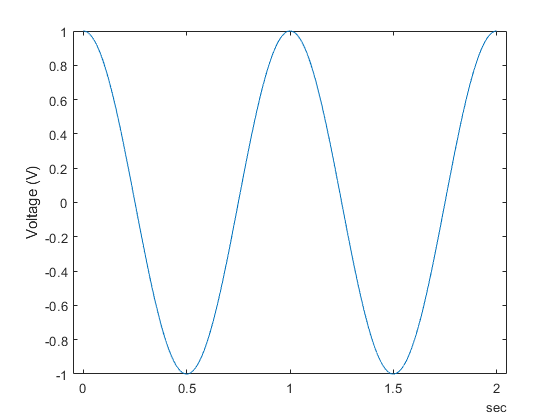
수집을 실행하고 수집된 데이터를 플로팅합니다.
[data, startTime] = read(dq, seconds(2));
plot(data.Time, data.cDAQ1Mod1_ai0);
ylabel("Voltage (V)");