parallel_coordinate​s_matlab

Parallel Coordinates Plot with MATLAB

https://github.com/ethz-pes/parallel_coordinates_matlab

이 제출물을 팔로우합니다

Parallel Coordinates Plot with MATLAB

license - BSD language - MATLAB category - science status - maintained

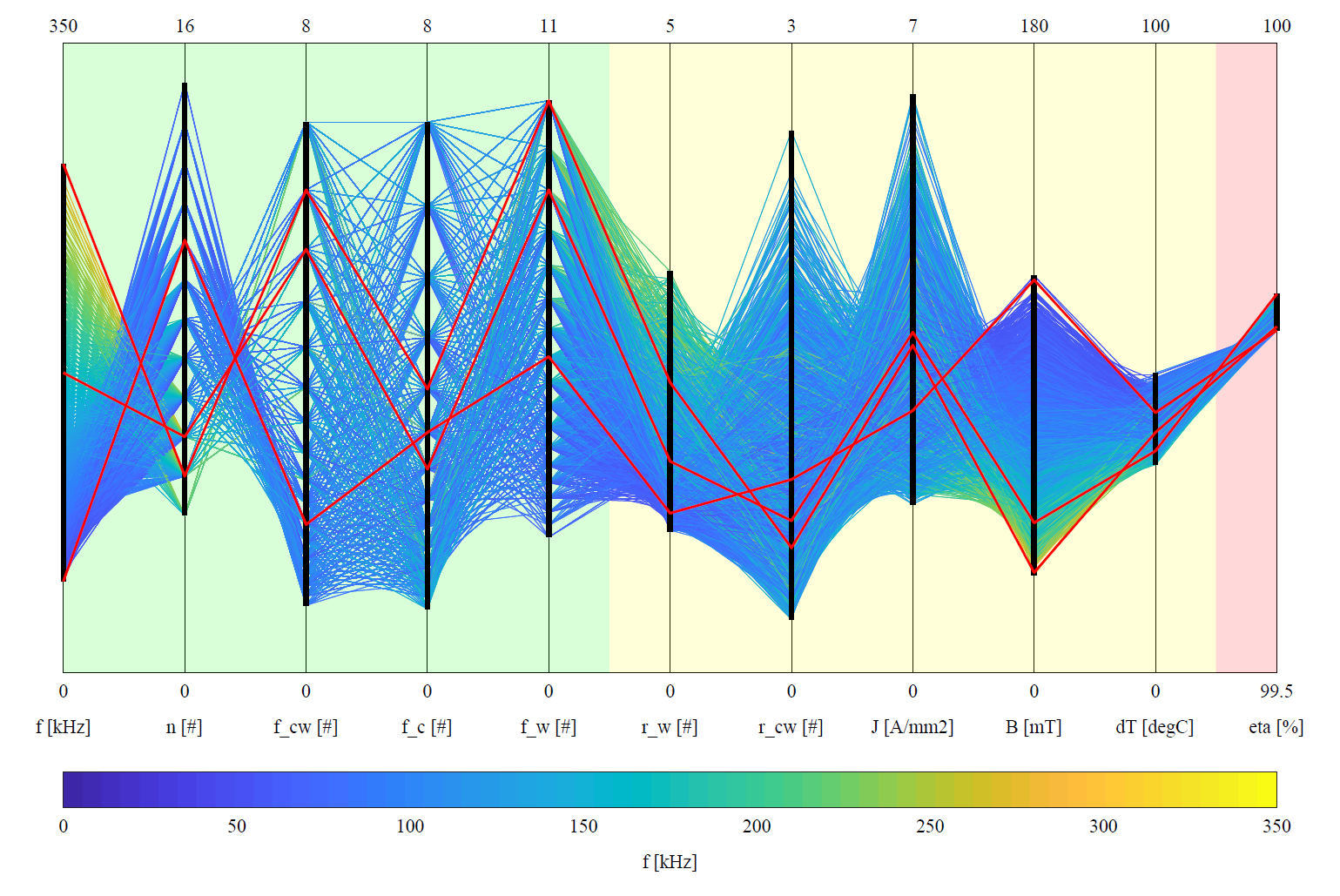
This MATLAB tool makes parallel coordinates plots with paper quality. Parallel coordinates plots allows the visualization of high-dimensional data.

The following features are implemented:

  • Filtering and sorting of the variables
  • Scaling of the range of the variables
  • Find the color of the lines composing the plot
  • Extract and highlight special lines
  • Plot the ranges of the different variables

The tool is able to handle large amount of data:

  • For large datasets, a single vector plot is generated
  • For large datasets, a vector plot is generated with the axis and a raster plot with the data

This tool is developed by the Power Electronic Systems Laboratory at ETH Zurich and is available under the BSD License. The code is also available on the ETH Data Archive.

Example

In the example, the design space diversity of a medium-frequency transformer is considered:

Compatibility

The tool is tested with the following MATLAB setup:

  • Tested with MATLAB R2018b or 2019a
  • No toolboxes are required.
  • Compatibility with GNU Octave not tested but probably easy to achieve.

Author

  • Thomas Guillod, ETH Zurich, Power Electronic Systems Laboratory - GitHub Profile

License

  • This project is licensed under the BSD License, see LICENSE.md.
  • This project is copyrighted by: (c) 2016-2020, ETH Zurich, Power Electronic Systems Laboratory, T. Guillod.
  • This project is copyrighted by: (c) 2021-2022, T. Guillod.

인용 양식

Thomas Guillod (2026). parallel_coordinates_matlab (https://github.com/ethz-pes/parallel_coordinates_matlab), GitHub. 검색 날짜: .

MATLAB 릴리스 호환 정보

  • 모든 릴리스와 호환

플랫폼 호환성

  • Windows
  • macOS
  • Linux

GitHub 디폴트 브랜치를 사용하는 버전은 다운로드할 수 없음

버전 퍼블리시됨 릴리스 정보 Action
1.3

connect readme

1.1

Change txt

1.0.0

이 GitHub 애드온의 문제를 보거나 보고하려면 GitHub 리포지토리로 가십시오.