Custom Code Integration for STM32 Processors
R2026bThis example shows how to integrate custom C code into a Simulink® model by implementing a real-time clock (RTC) peripheral on STM32 processor based boards. The example shows how to call external driver code, exchange data between Simulink and the hardware, and compare different integration methods.
You might need to integrate C code when you want to reuse vendor-supplied drivers, legacy firmware, or hand-optimized algorithms without rewriting them as Simulink blocks. This example demonstrates how different integration workflows support these use cases and highlights the trade-offs between simplicity, flexibility, and control.
The example shows the following ways to integrate custom C code:
C Caller block
System Outputs block
S-Function Builder
MATLAB® Function block
Each workflow offers advantages depending on your modeling requirements and the structure of the existing C code.
Required Hardware
STM32H5xx Based Board
Code Integration Workflow Comparison
This table compares code-integration workflows to help you choose the option that best fits your modeling and implementation needs.
Integration Method | Supports Outputs | Supports Multiple Functions | Requires Guards | Code Reuse | Complexity |
C Caller Block | ✔️ | ❌ | ✔️ | ✔️ | Low |
System Outputs Block | ❌ | ✔️ | ❌ | ✔️ | Medium |
S-Function Builder | ✔️ | ✔️ | ✔️ | ✔️ | High |
MATLAB Function Block | ✔️ | ✔️ | ❌ | ✔️ | Medium |
Integrate Code by Using C Caller Block
To call user-defined C functions directly from a Simulink model, use the C Caller block. This approach works well when you already have C functions—such as device drivers or utility functions—and want to reuse them without restructuring your model.
Advantages
Simple integration of existing C functions
Direct mapping between function outputs and Simulink signals
Low setup complexity
Limitations
STM32 firmware headers often require guards to prevent parsing errors
A single function cannot return multiple outputs directly
Model
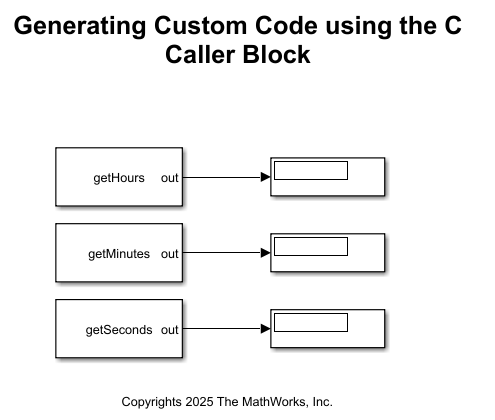
The model RTC_Example_Model_C_Caller.slx uses a custom driver to initialize the RTC peripheral and read time and date values.
open_system("RTC_Example_Model_C_Caller")In this model:
The C Caller block appears inside the execution path where RTC data is required
Each block corresponds to a specific C function
Block inputs and outputs map directly to function arguments and return values
Configure Model to use External C Code
To make external C functions available to the model:
Open the Configuration Parameters dialog box (Ctrl+E).
Navigate to Simulation Target > Code information.
Specify the required header and source files:
Add the header file rtc_module_code.h to Include files
Add the source file rtc_module_code.c to Source files
These files contain the function prototypes and implementations called by the C Caller blocks.
Once configured, Simulink includes the specified files during code generation and calls the functions when the model executes.

Run Model in External Mode
On the Hardware tab, click Monitor & Tune to run the model in external mode. External mode enables communication between Simulink® and the target hardware while the model runs on the processor. Use the Display blocks to observe signal values in real time during execution.

Integrate Code Using System Outputs Block
To insert custom C code at specific execution points, such as subsystem entry or exit, use the System Outputs block. This is useful when you need to run code for initialization, logging, or event handling rather than producing signal outputs.
Advantages
Inserts code at well-defined execution boundaries
Useful for profiling, instrumentation, or event-driven logic
Does not require STM32-specific header guards
Limitations
Cannot output data directly to Simulink signals
Data exchange requires memory-based mechanisms
Execution order must be carefully managed
Model
The model RTC_Example_Model_SystemOutput.slx uses System Outputs blocks at subsystem boundaries to invoke RTC-related code.
open_system("RTC_Example_Model_SystemOutput")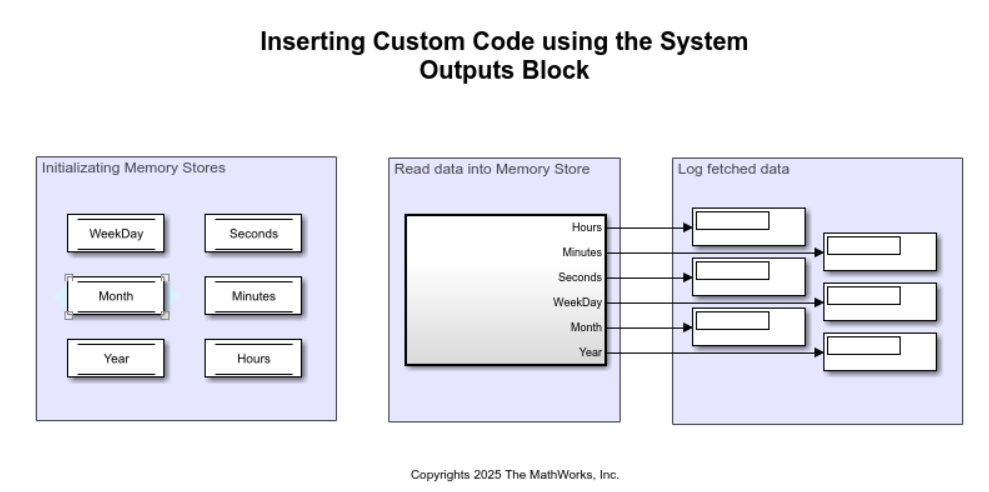
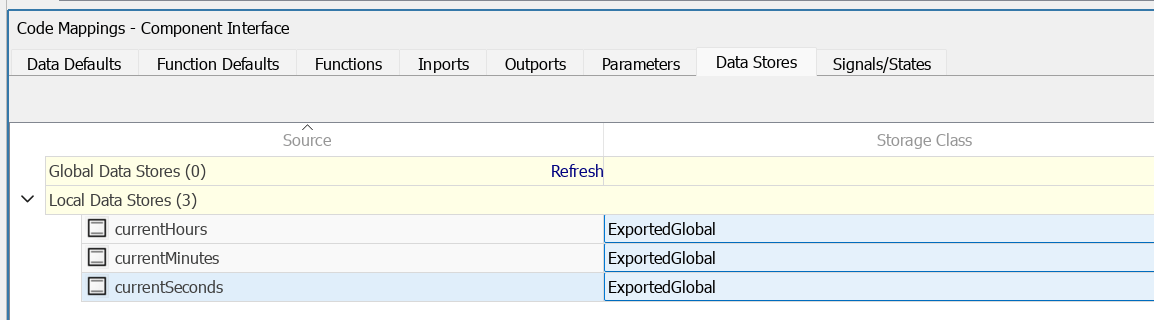
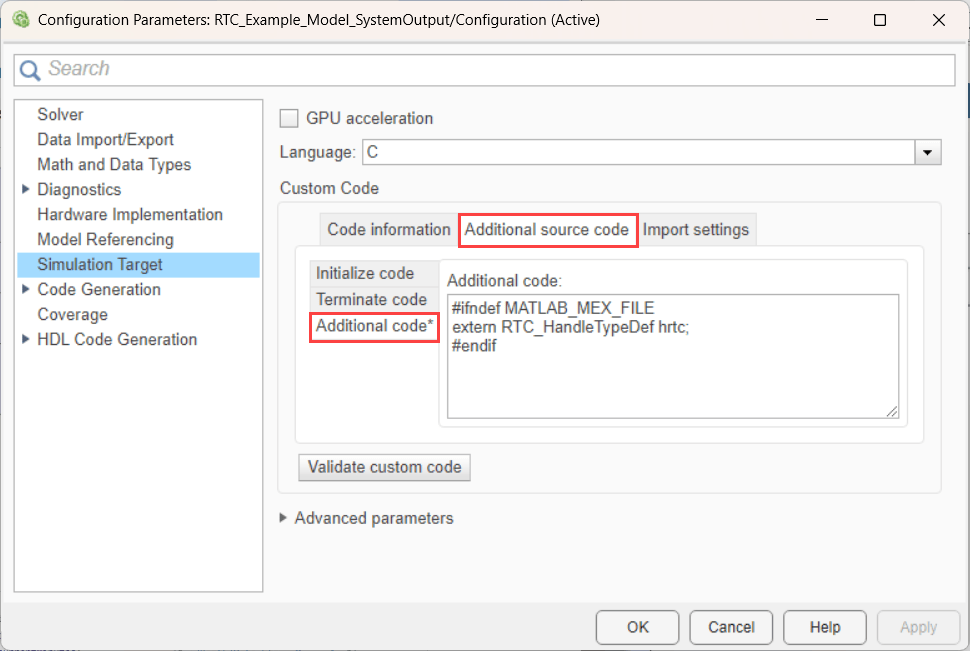
Because this approach does not produce signal outputs, data exchange occurs through Memory Data Store blocks. The data store variables use the ExportedGlobal storage class, which allows the generated code to declare the variables as global symbols. The external C code then accesses these shared variables using extern declarations.
This pattern is commonly used when integrating low-level firmware code that maintains internal state and does not naturally map to Simulink signal interfaces.
Configure Data Exchange
To exchange data between the model and the C code:
Define shared variables in your C source files.
Declare those variables using the extern keyword in header files.
Configure corresponding Data Store Memory blocks in Simulink.
Set the Storage Class to ExportedGlobal.
When the model runs, both generated code and external C code access the same memory locations.
Integrate Code Using S-Function Builder
To create reusable S-functions that integrate custom C code, use the S-Function Builder block. Define custom functions directly in the block or reference external C source files.
The S-Function Builder provides the most flexibility for integrating C code. It is suitable when you need multiple inputs and outputs, reusable blocks, or tighter control over execution behavior.
Advantages
Supports multiple inputs and outputs
Allows inline or external C code
Highly configurable and reusable
Limitations
Higher setup complexity
Requires STM32 firmware guards
Execution order must be explicitly managed
Model
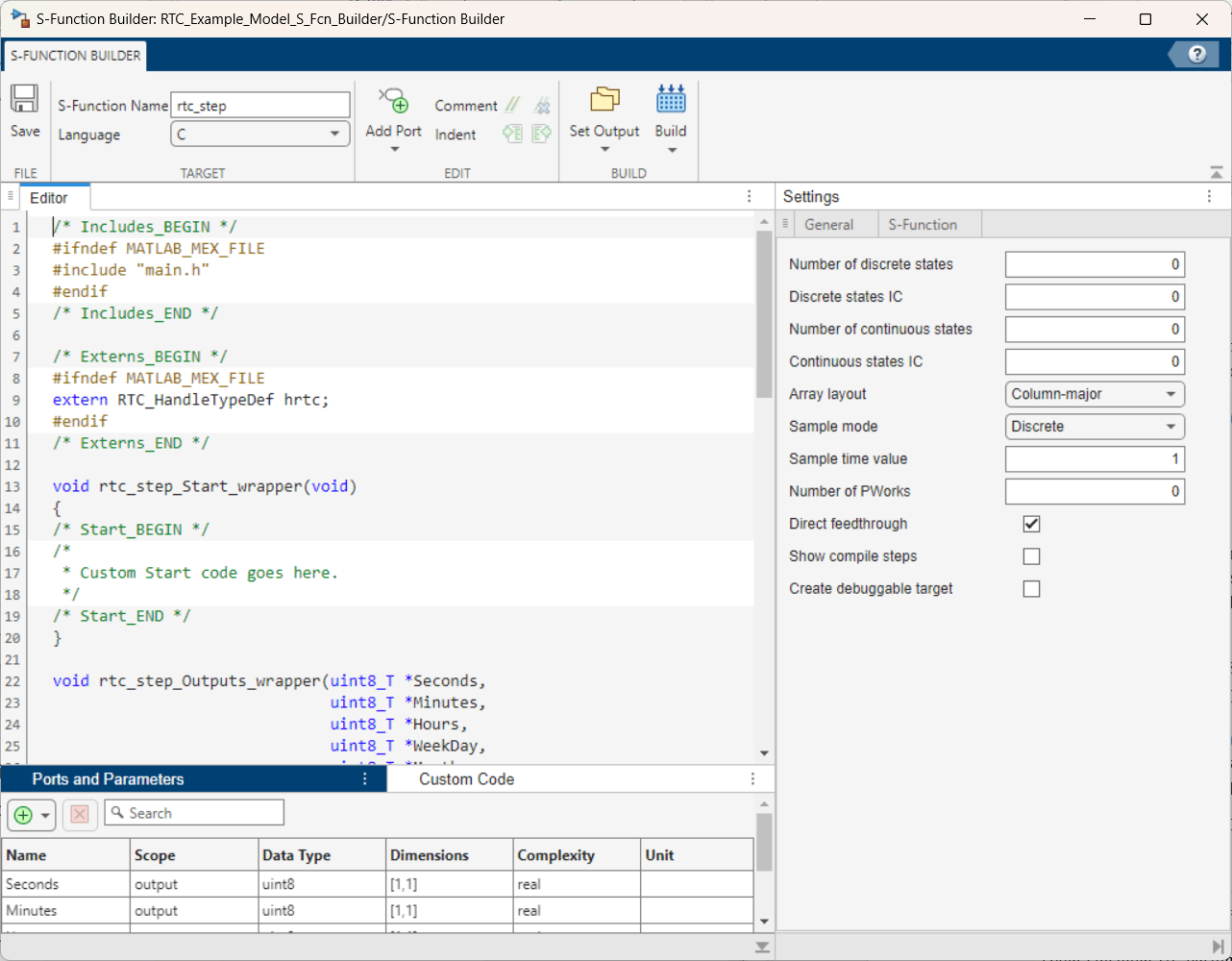
The model RTC_Example_Model_S_Fcn_Builder.slx uses an S-Function created with the S-Function Builder.
open_system("RTC_Example_Model_S_Fcn_Builder")
In this workflow:
You define function interfaces (inputs, outputs, parameters) in the builder
You either write C code directly in the tool or reference external source files
Simulink generates wrapper code that integrates the S-function into the model
This approach is appropriate when you want a reusable block abstraction around existing code.
Integrate Code Using MATLAB Function Block
To call custom C functions from MATLAB® code by using the coder library, use the MATLAB® Function block. This approach supports simulation and code generation.
The MATLAB® Function block allows you to call C functions from MATLAB code using supported coder constructs. This approach works well when you want to combine algorithmic MATLAB code with lower-level C functionality.
Advantages
Supports simulation and code generation
Works with scalar and structured data
Integrates naturally with MATLAB algorithms
Limitations
Requires familiarity with MATLAB Coder constructs
Additional setup required for bus-based data exchange
Without Bus Objects
The model RTC_Example_ML_Function.slx demonstrates calling C functions directly from a MATLAB Function block using coder.ceval.
This approach is suitable when working with simple data types and function interfaces.
open_system("RTC_Example_ML_Function")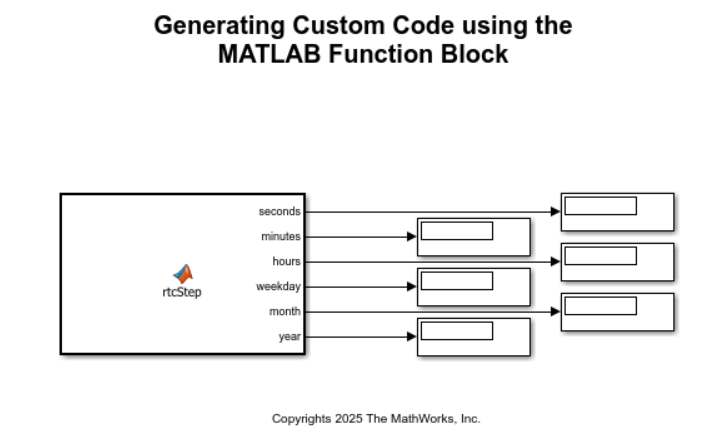
With Bus Objects
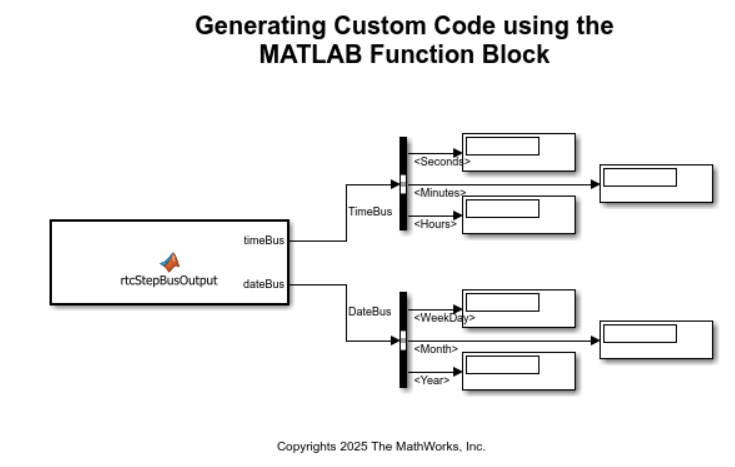
The model RTC_Example_ML_Function_Bus.slx extends this workflow by using bus objects defined in the initialization script custom_code_init_callback.m.
Bus objects allow structured data exchange, which is useful when working with complex peripheral data or grouped signals.
open_system("RTC_Example_ML_Function_Bus")