Deep Learning, Machine Learning, and Internet of Things
R2026bUse Raspberry Pi Blockset along with Deep Learning Toolbox™ and Statistics and Machine Learning Toolbox™ to implement advanced speech, audio, and image recognition applications on Raspberry Pi hardware.
Topics
- Modularize Installation of Third-Party Packages and Libraries for Raspberry Pi Hardware
This section describes the workflow for downloading the core and optional application-based libraries and packages.
- Tips and Troubleshooting Steps for YOLOX Object Detection on Raspberry Pi
Improve results and resolve common issues when collecting data, training, and deploying a YOLOX object detector on Raspberry Pi.
Related Information
Featured Examples
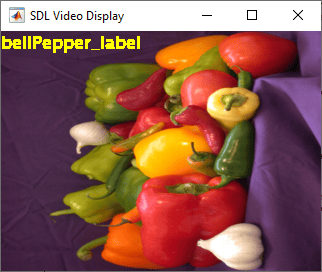
Classify Objects Using Deep Learning Algorithm on Raspberry Pi Hardware
Use the Raspberry Pi® Blockset Hardware to deploy a deep learning algorithm that classifies objects using the ResNet-50 convolutional neural network. This pretrained network is 50 layers deep and can classify images into 1000 object categories, such as keyboard, mouse, pencil, and many more. You can experiment with different objects in your surroundings to see how accurately the network classifies images on the Raspberry Pi hardware.
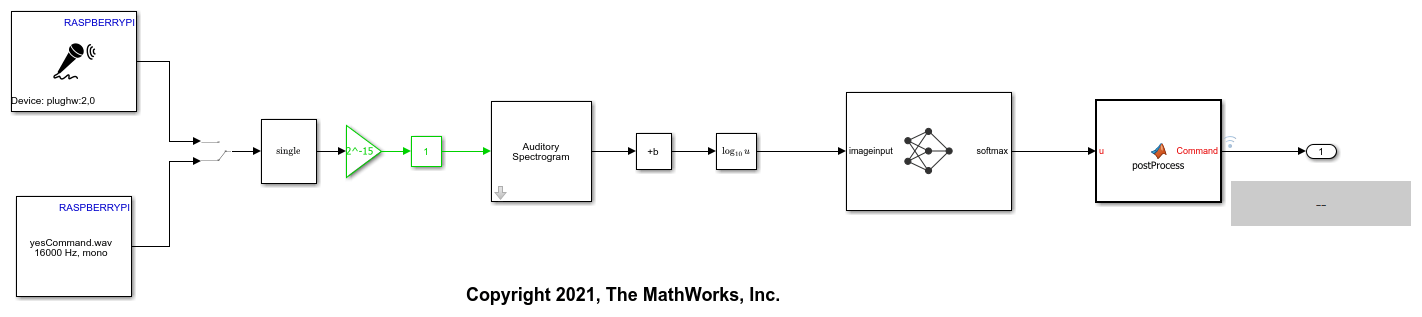
Speech Command Recognition on Raspberry Pi Using Simulink
Deploy feature extraction and a convolutional neural network (CNN) for speech command recognition on Raspberry Pi®. In this example you develop a Simulink® model that captures audio from the microphone connected to the Raspberry Pi board and performs speech command recognition. You run the Simulink model on Raspberry Pi in External Mode and display the recognized speech command. For details about audio preprocessing and network training, see Train Deep Learning Network for Speech Command Recognition (Audio Toolbox).
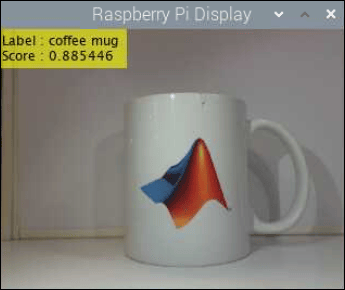
Identify Objects Within Live Video Using ResNet-50 on Raspberry Pi Hardware
Predict the objects in a live video stream on Raspberry Pi® by deploying an image classification algorithm using Raspberry Pi Blockset. The algorithm uses ResNet-50 neural network to identify the objects captured by the webcam that is connected to the Raspberry Pi hardware.
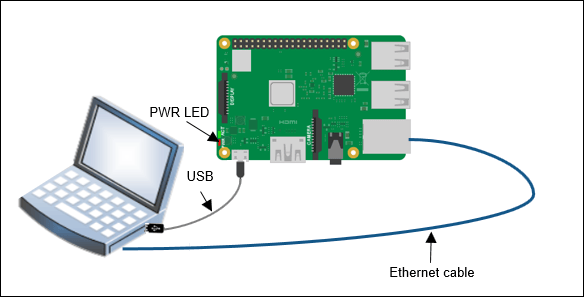
Classify Static Image Using Deep Learning on Raspberry Pi
Generate and deploy code for an image classification algorithm using Raspberry Pi® Blockset. The algorithm uses the ResNet-50 neural network to identify the image that is passed as an input using the command line of Raspberry Pi.
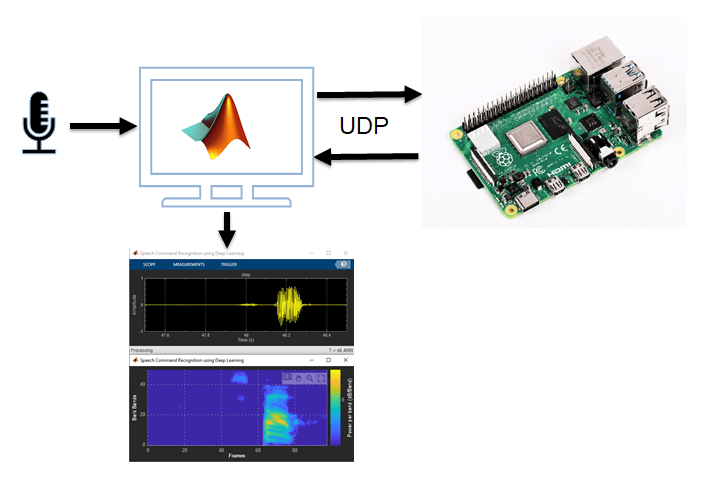
Speech Command Recognition Code Generation on Raspberry Pi
Generate code and deploy feature extraction and speech command recognition network on Raspberry Pi hardware.
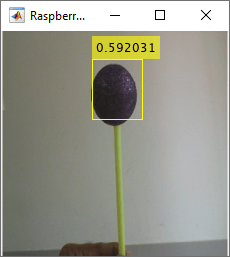
Detect and Track Object Using Deep Learning on Raspberry Pi
Use the Raspberry Pi® Blockset to deploy a deep learning algorithm that detects and tracks an object in Connected IO and PIL modes. This algorithm uses the ResNet-18-based YOLOv2 neural network to identify the object captured by the camera mounted on a servo motor and connected to the Raspberry Pi hardware. You can experiment with different objects in your surroundings to see how accurately the network detects images on the Raspberry Pi hardware.
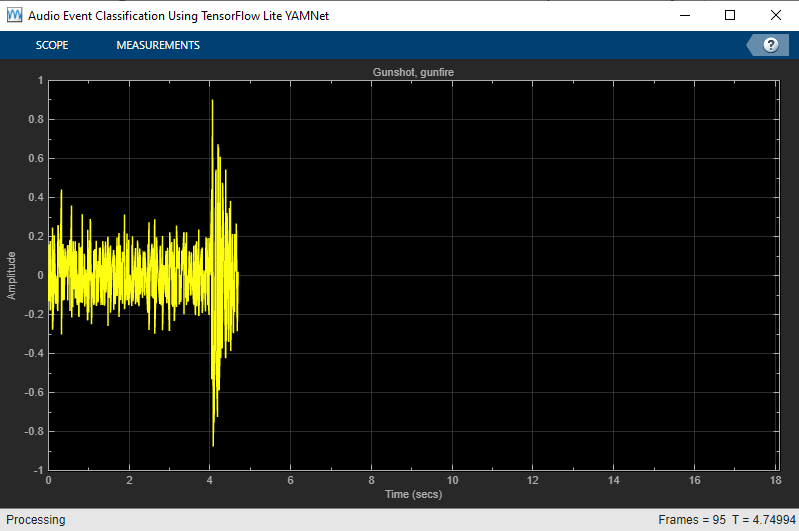
Audio Event Classification Using TensorFlow Lite on Raspberry Pi
Demonstrates audio event classification using a pretrained deep neural network, YAMNet, from TensorFlow™ Lite library on Raspberry Pi®. You load the TensorFlow Lite model and predict the class for the given audio frame on Raspberry Pi using a processor-in-the-loop (PIL) workflow. To generate code on Raspberry Pi, you use Embedded Coder®, Raspberry Pi Blockset and Deep Learning Toolbox Interface for TensorFlow Lite. Refer to Audio Classification and yamnet classification for more details on the YAMNet model description.
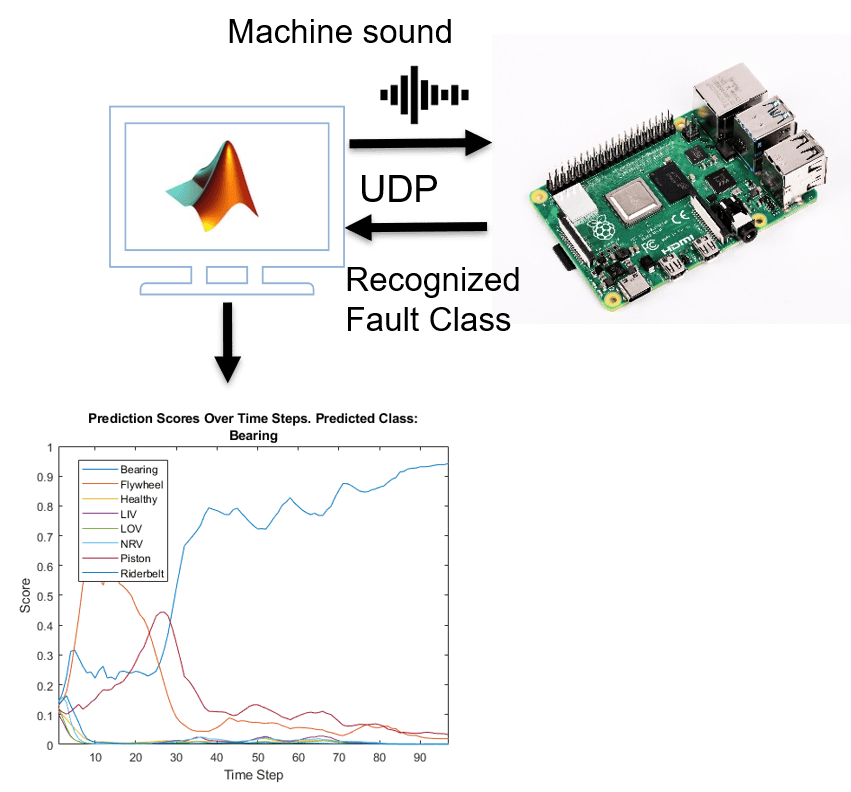
Acoustics-Based Machine Fault Recognition Code Generation on Raspberry Pi
Demonstrates code generation for acoustics-based machine fault recognition using a long short-term memory (LSTM) network and spectral descriptors. This example uses MATLAB® Coder™, MATLAB Coder Interface for Deep Learning, Raspberry Pi® Blockset to generate a standalone executable (.elf) file on a Raspberry Pi. The input data consists of acoustics time-series recordings from faulty or healthy air compressors and the output is the state of the mechanical machine predicted by the LSTM network. This standalone executable on Raspberry Pi runs the streaming classifier on the input data received from MATLAB and sends the computed scores for each label to MATLAB. Interaction between MATLAB script and the executable on your Raspberry Pi is handled using the user datagram protocol (UDP). For more details on audio preprocessing and network training, see Acoustics-Based Machine Fault Recognition.
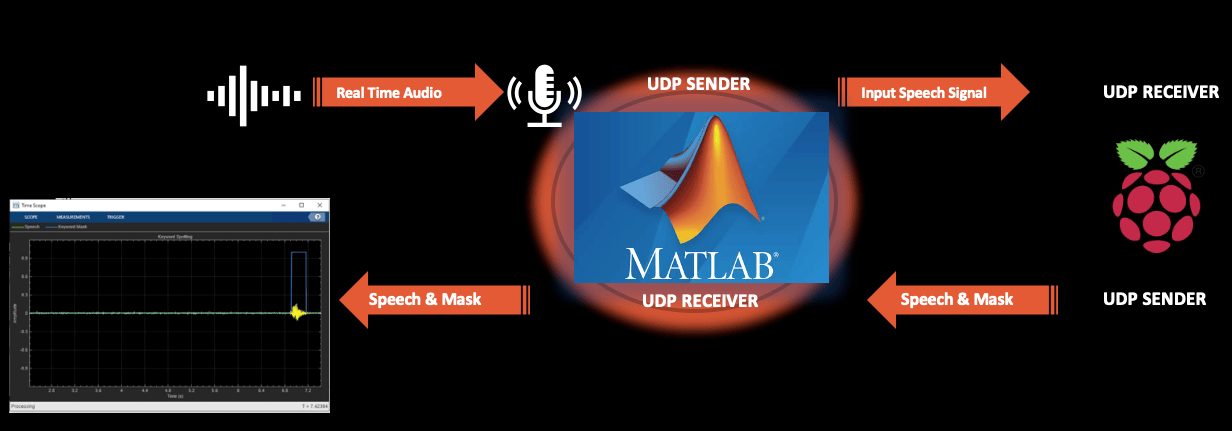
Keyword Spotting in Noise Code Generation on Raspberry Pi
Demonstrates code generation for keyword spotting using a Bidirectional Long Short-Term Memory (BiLSTM) network and mel frequency cepstral coefficient (MFCC) feature extraction on Raspberry Pi®. MATLAB® Coder™ with Deep Learning Support enables the generation of a standalone executable (.elf) file on Raspberry Pi. Communication between MATLAB (.mlx) file and the generated executable file occurs over asynchronous User Datagram Protocol (UDP). The incoming speech signal is displayed using a timescope. A mask is shown as a blue rectangle surrounding spotted instances of the keyword, YES. For more details on MFCC feature extraction and deep learning network training, visit Keyword Spotting in Noise Using MFCC and LSTM Networks.
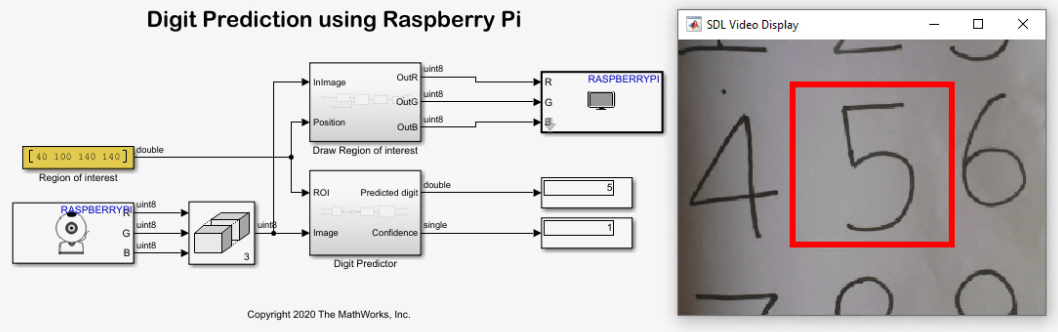
Recognize Handwritten Digits Zero to Nine Using MNIST Data Set on Raspberry Pi Hardware
Use Raspberry Pi® Blockset to recognize images of handwritten digits from zero to nine. In this example, a web camera interfaced with a Raspberry Pi hardware board is used to capture images of the handwritten numbers. The algorithm recognizes the digits and then outputs a label for the digit along with its prediction probability.
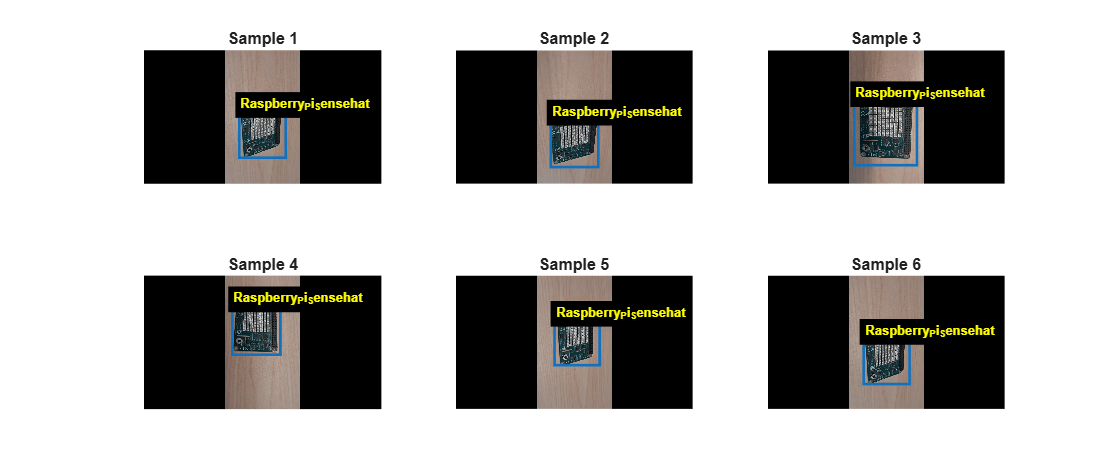
Train and Deploy a YOLOX Object Detector on Raspberry Pi Using Transfer Learning
Collect data, train a custom YOLOX detector with transfer learning, and deploy the detector to Raspberry Pi for real-time object detection.

