GPIO Write
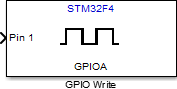
Set GPIO pin status
Libraries:
STM32 Microcontroller Blockset /
STM32F4-Discovery
Description
Set the logical value of a digital pin of the STM32F4 -Discovery™ board.
Examples
Getting Started with Embedded Coder Support Package for STMicroelectronics Discovery Boards
Demonstrates how to use the Embedded Coder® Support Package for STMicroelectronics® STM32 Processors to run a Simulink® model on an STMicroelectronics STM32F4-Discovery, STM32F746G-Discovery, or STM32F769I-Discovery board.
Push Button and LED
Use the GPIO blocks to control the push-button and the LED components by using the STM32™ Microcontroller Blockset.
G.729 Voice Activity Detection for STM32 Processor Based Board
Model the ITU-T G.729 Voice Activity Detector (VAD) algorithm and run it on the ARM® Cortex®-M based STMicroelectronics® STM32 boards using STM32™ Microcontroller Blockset.
Asynchronous Scheduling for STM32F4-Discovery Board
Model asynchronous scheduling using the Hardware Interrupt block for the STMicroelectronics® STM32F4xx processor board using Asynchronous Scheduling for STM32F4-Discovery Board using STM32™ Microcontroller Blockset.
Ports
Input
The input port to set the GPIO pin status.
Data Types: single | double | int8 | int16 | int32 | uint8 | uint16 | uint32 | Boolean | fixed point | enumerated | bus
Parameters
Select one of GPIOA to GPIOI ports to set a GPIO pin status.
Programmatic Use
Block Parameter:
gpio_name |
Select a GPIO pin to write the logical status.
Programmatic Use
Block Parameter:
pin_number |
Select this option to set the GPIO pin status during model initialization.
Programmatic Use
Block Parameter:
gpio_init_out |
Select this option to enable GPIO pin toggling when the input is ‘true’.
Programmatic Use
Block Parameter:
toggle_pin |
Extended Capabilities
C/C++ Code Generation
Generate C and C++ code using Simulink® Coder™.
Version History
Introduced in R2013b
See Also
MATLAB Command
You clicked a link that corresponds to this MATLAB command:
Run the command by entering it in the MATLAB Command Window. Web browsers do not support MATLAB commands.
웹사이트 선택
번역된 콘텐츠를 보고 지역별 이벤트와 혜택을 살펴보려면 웹사이트를 선택하십시오. 현재 계신 지역에 따라 다음 웹사이트를 권장합니다:
또한 다음 목록에서 웹사이트를 선택하실 수도 있습니다.
사이트 성능 최적화 방법
최고의 사이트 성능을 위해 중국 사이트(중국어 또는 영어)를 선택하십시오. 현재 계신 지역에서는 다른 국가의 MathWorks 사이트 방문이 최적화되지 않았습니다.
미주
- América Latina (Español)
- Canada (English)
- United States (English)
유럽
- Belgium (English)
- Denmark (English)
- Deutschland (Deutsch)
- España (Español)
- Finland (English)
- France (Français)
- Ireland (English)
- Italia (Italiano)
- Luxembourg (English)
- Netherlands (English)
- Norway (English)
- Österreich (Deutsch)
- Portugal (English)
- Sweden (English)
- Switzerland
- United Kingdom (English)


