Buffers, Switches, and Counters
R2026bConvert signal rates and frame sizes in Simulink® using frame rebuffering blocks such as the Buffer, Unbuffer, and the Delay Line blocks. Implement
FIFO and LIFO buffers using the Queue, Stack blocks in Simulink, and dsp.AsyncBuffer object in
MATLAB®. You can also count events, detect edges, and perform
actions when events occur using the switch and counter blocks in
DSP System Toolbox™.
Objects
dsp.AsyncBuffer | FIFO buffer |
Functions
rebuffer_delay | Number of samples of delay introduced by buffering and unbuffering operations |
Blocks
 | Buffer | Buffer input sequence to smaller or larger frame size |
 | N-Ratio Buffer | Buffer input data into integer-multiple-sized frames (Since R2026a) |
 | Delay Line | Rebuffer sequence of inputs |
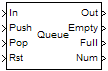 | Queue | Store inputs in FIFO register |
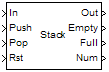 | Stack | Store inputs into LIFO register |
 | Unbuffer | Unbuffer input frame into sequence of scalar outputs |
 | N-Ratio Unbuffer | Unbuffer input data into integer-factor-sized frames (Since R2026a) |
 | Counter | Count up or down through specified range of numbers |
 | Edge Detector | Detect transition from zero to nonzero value |
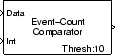 | Event-Count Comparator | Detect threshold crossing of accumulated nonzero inputs |
 | Multiphase Clock | Generate multiple binary clock signals |
 | N-Sample Enable | Output ones or zeros for specified number of sample times |
 | N-Sample Switch | Switch between two inputs after specified number of sample periods |
Topics
- Sample- and Frame-Based Concepts
Explore basic signal concepts in the context of a Simulink model. Learn more about sample-based processing and frame-based processing.
- Buffering and Frame-Based Processing
Convert signals of frame size
1into signals of frame size greater than1, and vice versa. - Convert Sample and Frame Rates in Simulink Using Frame Rebuffering Blocks
Learn how frame rebuffering blocks impact the sample rate and frame rate of signals in Simulink models.
- Delay and Latency
Configure the Simulink environment to minimize delay and increase simulation performance.
- Why Does Reading Data from the dsp.AsyncBuffer Object Give a Dimension Mismatch Error in MATLAB Function Block?
Resolve the dimension mismatch error when you read data from an Async buffer inside the MATLAB function block.
- Why Does the dsp.AsyncBuffer Object Error When You Call read Before write?
Initialize the async buffer by calling either setup or write before the first call to read.

