Simulink Real-Time
R2026bSimulink® Real-Time™ and Speedgoat® take you from simulation to rapid control prototyping (RCP) and hardware-in-the-loop (HIL) testing in a single click.
You can deploy and run real-time applications on Speedgoat test systems directly from your Simulink model. Simulink Real-Time lets you connect with embedded controllers for HIL testing and validate your designs under real operating conditions. You can create, control, and instrument real-time applications using the MATLAB® API or custom apps built with App Designer. You can also automate HIL tests and run them as part of continuous integration workflows.
Get Started
Learn the basics of Simulink Real-Time
Speedgoat Target Computers and I/O Hardware
Choose a Speedgoat target computer and I/O hardware
System Configuration
Development and target computer configuration, target computer boot method, confidence test
Model Preparation for Real-Time Execution
Driver and communication protocol blocks, techniques for creating custom blocks
Create and Execute Real-Time Application Through Simulink Editor Real-Time Tab
Real-time application building and running, control from development and target computers
Create and Execute Real-Time Application by Using MATLAB Language
Real-time application configuration and execution
Control and Instrumentation
Interactive signal and parameter instrumentation with Simulink Real-Time and MATLAB language, signal logging and streaming, and parameter tuning
Standalone Target Computer Operation
Real-time application configuration to be independent of MATLAB
Profiling and Tracing for Performance Optimization
Optimize execution and resource usage by using the execution profiler and tracer
Troubleshooting in Simulink Real-Time
Troubleshoot problems that you encounter while using the Simulink Real-Time product
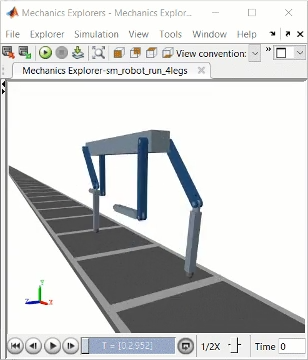
Explore real-time implementation examples that apply to Simulink Real-Time and other products

