Video Display
R2026bDisplay video on device screen
Video Display block
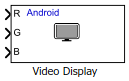
To add a block to a model, double-click the canvas and start typing the block name. Then, select the block from the list.
Libraries:
Simulink Support Package for Android Devices /
Audio & Video
Description
Add-On Required: This feature requires the Simulink Support Package for Android Devices add-on.
Use the Video Display block to display the video on the device screen by using the red, blue, and green component values of an input image. The dimensions of all the three input ports R,G, and B must be equal.
Ports
Input
Programmatic Use: Add Block
To add the block programmatically, use the add_block function with one of these library block paths as the source.
"androidaudiovideolib/Video Display"
Example: add_block("androidaudiovideolib/Video Display","myModel/myBlock",MakeNameUnique="on")
Version History
Introduced in R2014a

