단위 원판에서의 푸아송 방정식
R2026b이 예제에서는 푸아송 방정식을 수치적으로 풀고, 수치 해를 엄밀해와 비교하고, 해가 비슷해질 때까지 메시를 미세 조정하는 방법을 보여줍니다.
단위 원판에서 디리클레 경계 조건이 0인 푸아송 방정식은 에서 (에서는 )로 작성할 수 있습니다. 여기서 는 단위 원판입니다. 엄밀해는 다음과 같습니다.
대부분의 PDE는 엄밀해가 알려져 있지 않습니다. 그러나 단위 원판에서의 푸아송 방정식은 정확한 엄밀해가 알려져 있으므로, 메시를 미세 조정하면서 오차가 어떻게 감소하는지 확인하는 데 사용할 수 있습니다.
문제 정의
PDE 모델을 만들고 지오메트리를 포함시킵니다.
model = createpde();
geometryFromEdges(model,@circleg);
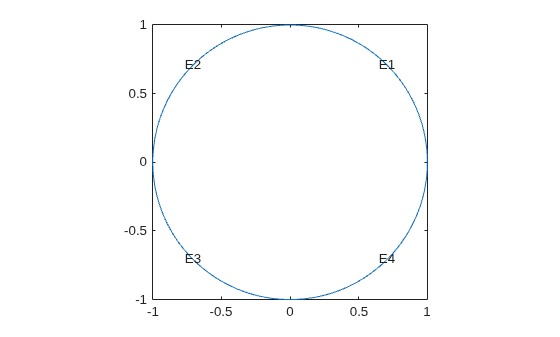
지오메트리를 플로팅하고 경계 조건 정의에 사용할 모서리 레이블을 표시합니다.
figure
pdegplot(model,"EdgeLabels","on");
axis equal
모든 모서리에 0 디리클레 경계 조건을 지정합니다.
applyBoundaryCondition(model,"dirichlet", ...
                             "Edge",1:model.Geometry.NumEdges, ...
                             "u",0);
계수를 지정합니다.
specifyCoefficients(model,"m",0,"d",0,"c",1,"a",0,"f",1);
성긴 메시에서의 해와 오차
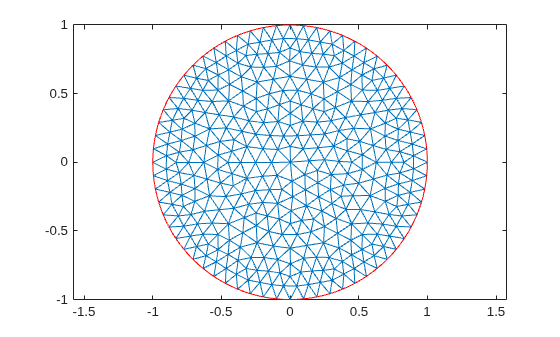
목표 최대 요소 크기를 0.1로 지정하여 메시를 생성합니다.
hmax = 0.1;
generateMesh(model,"Hmax",hmax);
figure
pdemesh(model);
axis equal
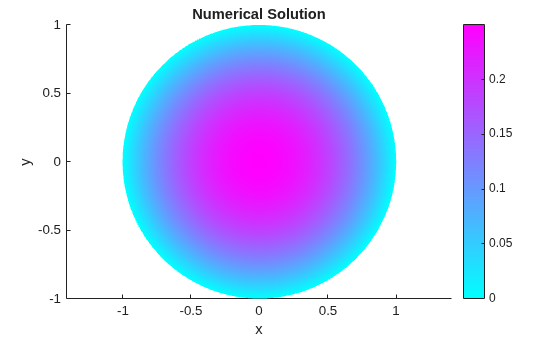
PDE를 풀고 해를 플로팅합니다.
results = solvepde(model);
u = results.NodalSolution;
pdeplot(model,"XYData",u)
title("Numerical Solution");
xlabel("x")
ylabel("y")
axis equal
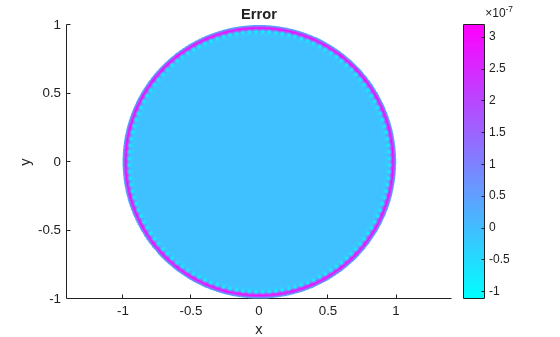
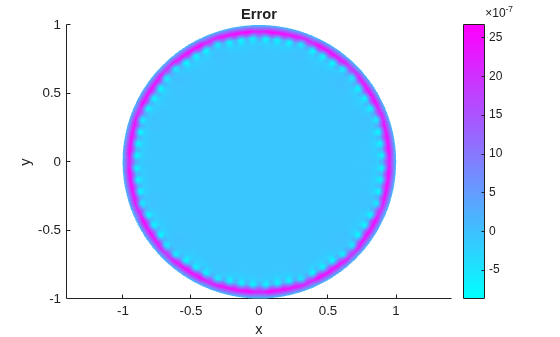
이 결과를 해석적 엄밀해와 비교하고 오차를 플로팅합니다.
p = model.Mesh.Nodes;
exact = (1 - p(1,:).^2 - p(2,:).^2)/4;
pdeplot(model,"XYData",u - exact')
title("Error");
xlabel("x")
ylabel("y")
axis equal
미세 조정된 메시에서의 해 및 오차
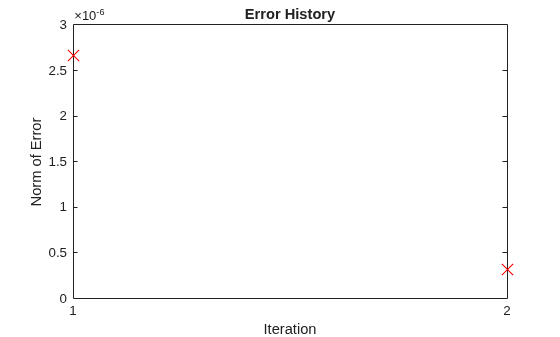
각 반복에서 메시를 미세 조정하면서 방정식을 풀고 그 결과를 엄밀해와 비교합니다. 각 미세 조정마다 Hmax 값이 절반으로 줄어듭니다. 오차 벡터의 무한대 노름이 보다 작아질 때까지 메시를 미세 조정합니다.
hmax = 0.1;
error = [];
err = 1;
while err > 5e-7 % run until error <= 5e-7
    generateMesh(model,"Hmax",hmax); % refine mesh
    results = solvepde(model);
    u = results.NodalSolution;
    p = model.Mesh.Nodes;
    exact = (1 - p(1,:).^2 - p(2,:).^2)/4;
    err = norm(u - exact',inf); % compare with exact solution
    error = [error err]; % keep history of err
    hmax = hmax/2;
end
각 반복에서 오차 벡터의 무한대 노름을 플로팅합니다. 반복할 때마다 오차 값이 감소합니다.
plot(error,"rx","MarkerSize",12);
ax = gca;
ax.XTick = 1:numel(error);
title("Error History");
xlabel("Iteration");
ylabel("Norm of Error");
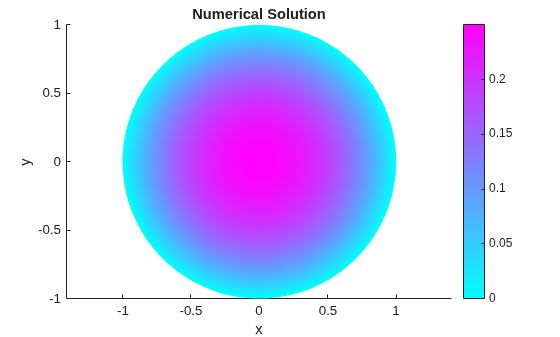
최종 메시와 그에 대응하는 해를 플로팅합니다.
figure
pdemesh(model);
axis equal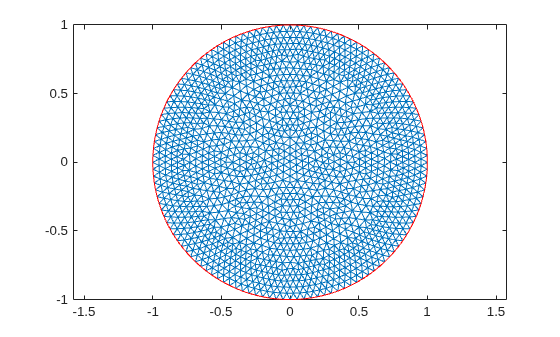
figure
pdeplot(model,"XYData",u)
title("Numerical Solution");
xlabel("x")
ylabel("y")
axis equal
결과를 해석적 엄밀해와 비교하고 오차를 플로팅합니다.
p = model.Mesh.Nodes;
exact = (1 - p(1,:).^2 - p(2,:).^2)/4;
pdeplot(model,"XYData",u - exact')
title("Error");
xlabel("x")
ylabel("y")
axis equal