Synchronize Timetables
R2026bRetime and combine timetables to new time vector in the Live Editor
Description
The Synchronize Timetables task lets you interactively collect variables from all input timetables, synchronize them to a common time vector, and return the result as a single timetable. The effect is similar to a horizontal concatenation, though the input timetables can have different row times. The task also automatically generates MATLAB® code for your live script.
Using this task, you can:
Interpolate data values at new row times.
Aggregate data into time bins (for example, to create a timetable containing quarterly means from timetables containing monthly data).
Remove rows that have duplicate row times.
Make the output a regular one by specifying a uniform time step or sample rate.
For more information on Live Editor tasks, see Add Interactive Tasks to Live Scripts.
Related Functions
Synchronize Timetables generates code that uses the
synchronize function.
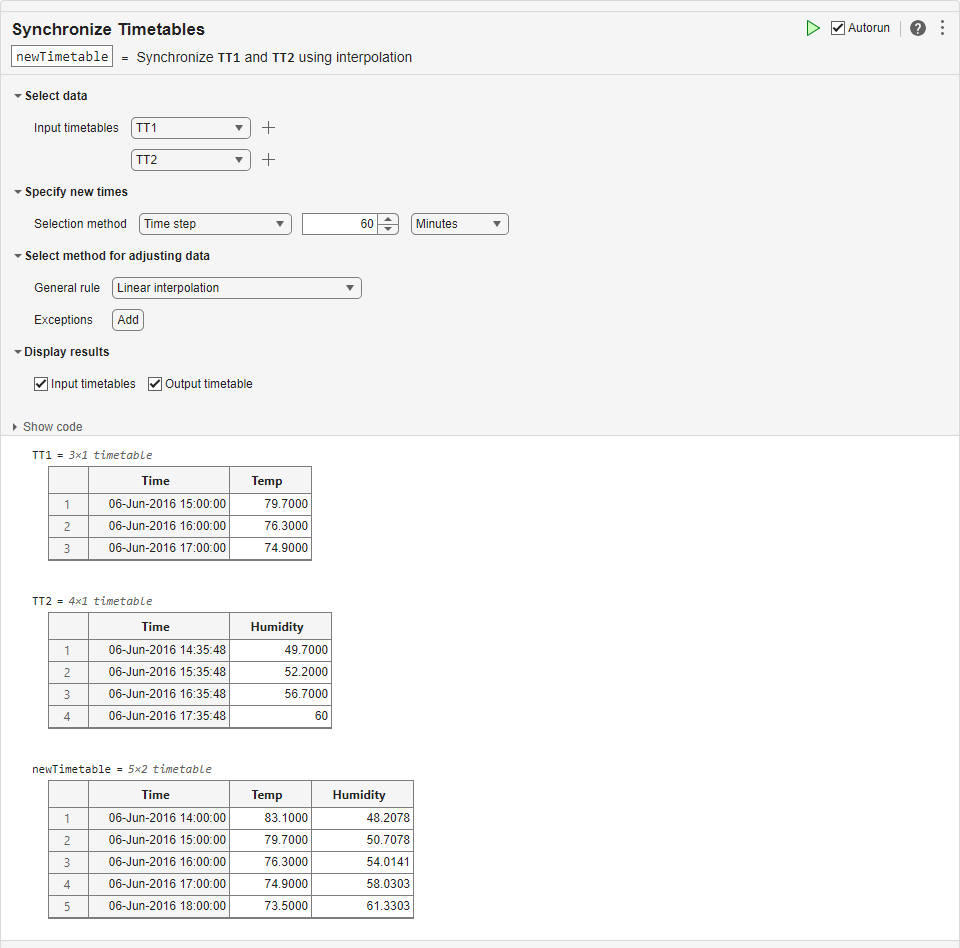
Open the Task
To add the Synchronize Timetables task to a live script in the MATLAB Editor:
On the Live Editor tab, select Task > Synchronize Timetables.
In a code block in the script, type a relevant keyword, such as
synchronize,timetable,upsample, ordownsample. Select Synchronize Timetables from the suggested command completions. For some keywords, the task automatically updates one or more corresponding parameters.
Examples
This example shows how to use the Synchronize Timetables Live Editor task to synchronize data in input timetables.
First, load two small timetables from the firstTT MAT-file. TT1 contains temperature measurements, and TT2 contains humidity measurements.
load firstTT
TT1
TT1 = 3×1 timetable
Time Temp
____________________ ____
06-Jun-2016 15:00:00 79.7
06-Jun-2016 16:00:00 76.3
06-Jun-2016 17:00:00 74.9
TT2
TT2 = 4×1 timetable
            Time            Humidity
    ____________________    ________

    06-Jun-2016 14:35:48      49.7
    06-Jun-2016 15:35:48      52.2
    06-Jun-2016 16:35:48      56.7
    06-Jun-2016 17:35:48        60
Add the Synchronize Timetables task to your live script.
To specify new row times that are the union of the row times from
TT1andTT2, use theSelection methodmenus.To adjust data by filling gaps in the output timetable variables, use the
General rulemenu. SelectFill with missingas the rule. The task fills gaps with the missing value that is appropriate for the data type of each timetable variable. For numeric variables, the missing value isNaN.
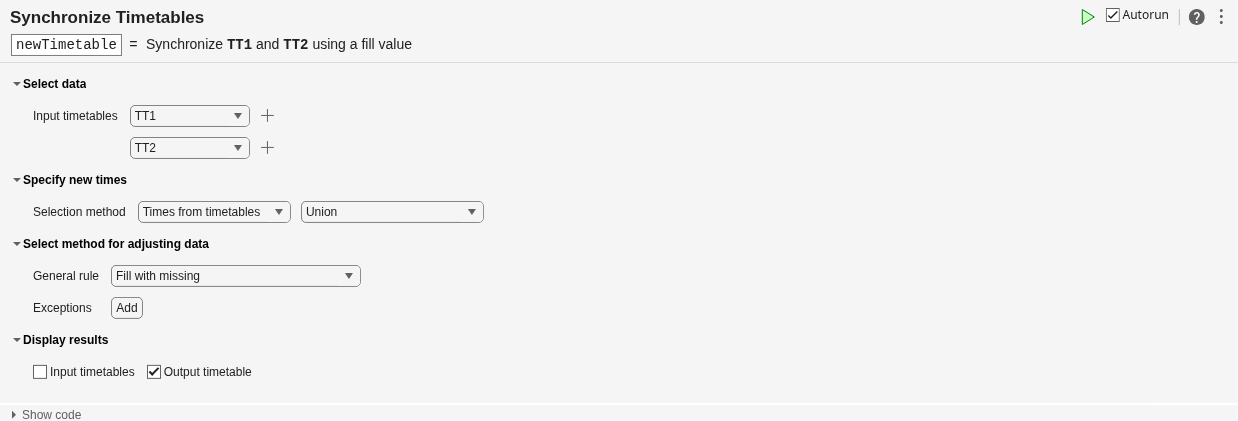
newTimetable = 7×2 timetable
            Time            Temp    Humidity
    ____________________    ____    ________

    06-Jun-2016 14:35:48     NaN      49.7
    06-Jun-2016 15:00:00    79.7       NaN
    06-Jun-2016 15:35:48     NaN      52.2
    06-Jun-2016 16:00:00    76.3       NaN
    06-Jun-2016 16:35:48     NaN      56.7
    06-Jun-2016 17:00:00    74.9       NaN
    06-Jun-2016 17:35:48     NaN        60
You can fill gaps with interpolated values instead of NaNs. Specify linear interpolation as the general rule.
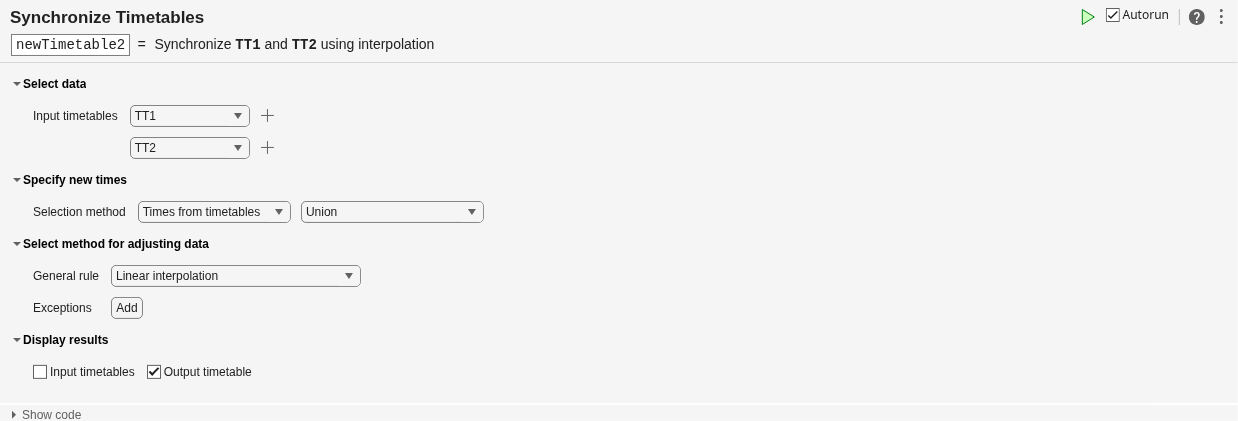
newTimetable2 = 7×2 timetable
            Time             Temp     Humidity
    ____________________    ______    ________

    06-Jun-2016 14:35:48    81.071       49.7
    06-Jun-2016 15:00:00      79.7     50.708
    06-Jun-2016 15:35:48    77.671       52.2
    06-Jun-2016 16:00:00      76.3     54.014
    06-Jun-2016 16:35:48    75.464       56.7
    06-Jun-2016 17:00:00      74.9      58.03
    06-Jun-2016 17:35:48    74.064         60
Synchronize to a regular hourly time vector instead of the union of row times.
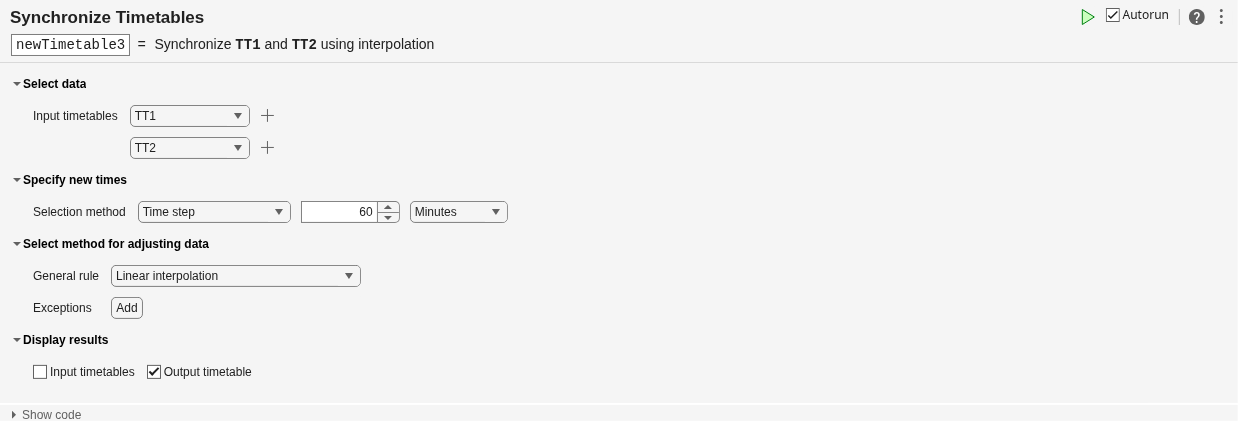
newTimetable3 = 5×2 timetable
            Time            Temp    Humidity
    ____________________    ____    ________

    06-Jun-2016 14:00:00    83.1     48.208
    06-Jun-2016 15:00:00    79.7     50.708
    06-Jun-2016 16:00:00    76.3     54.014
    06-Jun-2016 17:00:00    74.9      58.03
    06-Jun-2016 18:00:00    73.5      61.33

