Custom File Processing Templates
R2026bCustom file processing (CFP) templates provide an extensible API that you can use to augment generated code and to generate additional files. You can specify a Target Language Compiler (TLC) script for your CFP template that executes at the end of code generation. Using this script, you can generate additional code to interface with your application code.
Embedded Coder® provides these files for creating CFP templates:
matlabroot/rtw/c/tlc/mw/codetemplatelib.tlccodetemplatelib.tlcalso provides the comprehensive documentation of the API in the comments headers preceding each function.matlabroot/toolbox/rtw/targets/ecoder/example_file_process.tlcTLC files that support generation of single-rate and multirate main program modules. See Customizing Example Main Program Module Generation.
Specifying CFP Templates
Once you have created a CFP template, you must integrate it into the code generation process.
Select and edit CFP templates in the Code Generation > Templates pane of a model configuration set, and specify their use in the code generation process.
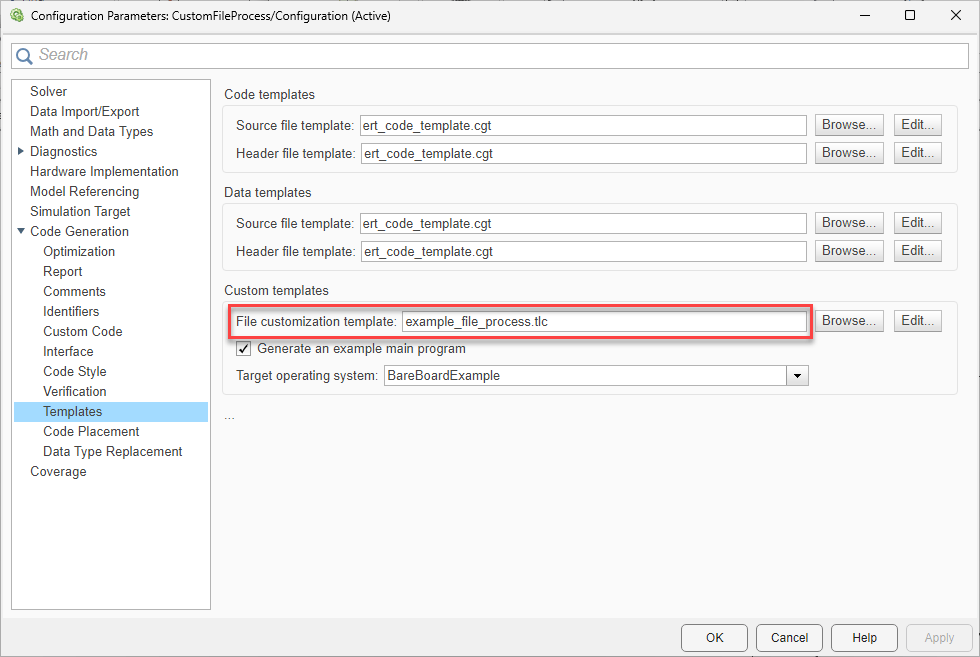
Specify CFP templates by using the File customization template edit field in the Custom templates section. This field specifies the name of a CFP template file to use when generating code files. You must place this file on the MATLAB® path.
For this field, click Browse to navigate to and select an existing CFP template. Click Edit to open the specified file into the MATLAB editor, where you can customize it.
Code Generation with CFP Templates
A CFP template imposes a simple structure on the code generation process. The template, a code generation template (CGT) file, partitions the generated code for each file into a number of sections. For a summary of each section, see Built-In CGT Tokens and Corresponding Code Sections and Subsections Defined for Built-In Sections.
The template assembles code for each section into buffers and then emits the code, in the order listed, to the generated file. To generate a file section, the template then calls the following TLC function.
LibSetSourceFileSection(fileH, section, tmpBuf)
where:
fileHis a file reference to the file being generated.sectionis the code section or subsection to which code is to be emitted. section must be one of the section or subsection names listed in Subsections Defined for Built-In Sections.You can define the
sectionargument as follows:If Subsections Defined for Built-In Sections does not define subsections for a given section, then use the section name as the
sectionargument.If Subsections Defined for Built-In Sections defines one or more subsections for a given section, then use either the section name or a subsection name as the
sectionargument.If you have defined a custom token denoting a custom section, do not call
LibSetSourceFileSection. Use the special API calls for custom sections (see Generate a Custom Section).
tmpBufis the buffer containing the code to be emitted.
This process has no requirement to generate all of the available sections. Your template can generate only the sections you require in a particular file.
The process does not check the syntax of custom code within each section.
For examples of this process, see Generate Source and Header Files with a Custom File Processing Template.
Generate Additional Entry-Point Function to Interface with Application
This example shows how to specify a TLC script to create an additional entry-point function in the generated source and header files.
Embedded Coder® provides the default TLC script file, example_file_process.tlc. The custom TLC script file, fileprocess.tlc, creates an additional entry-point function, CustomFileProcess, which calls the step function and initializes the model, if necessary. The initialization function is transparent to the caller.
Generate Code from Default Template
Generate code using the default template example_file_process.tlc.
Open the example model CustomFileProcess.
model="CustomFileProcess";
open_system(model);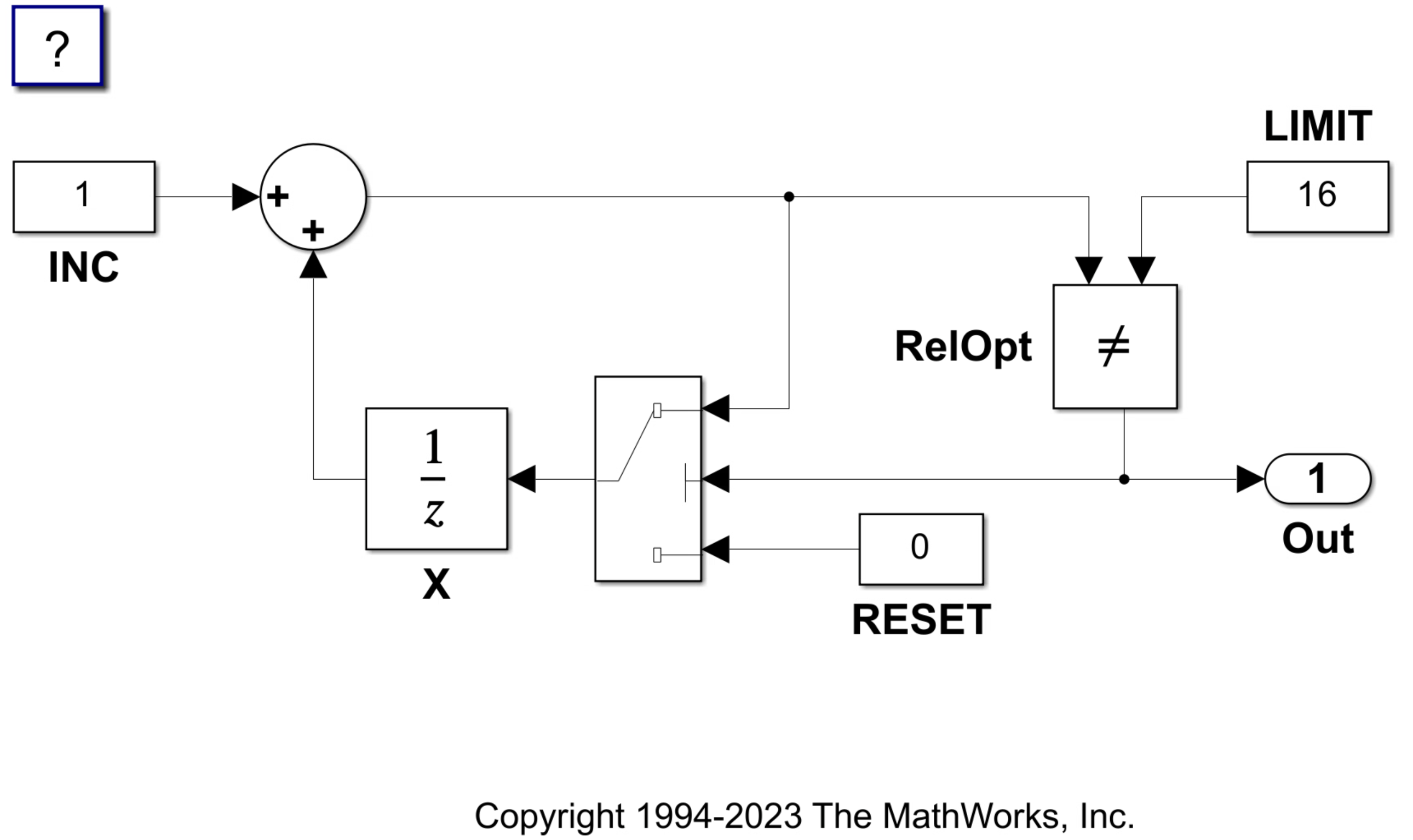
Verify that the model uses the default CFP template.
In the Configuration Parameters dialog box, open Code Generation > Templates pane.
In the Code templates section, verify that the File customization template is set to
example_file_process.tlc.Click the Edit button beside File customization template. The
example_file_process.tlctemplate opens in the MATLAB Command Window. Inspect the template.
Generate code.
evalc('slbuild(model)');Open CustomFileProcess.c to inspect the generated code. The file defines the entry-point functions CustomFileProcess_step and CustomFileProcess_initialize.
Generate Code from Custom Template
In the Code templates section, in the File customization template field, enter fileprocess.tlc.
set_param(model,ERTCustomFileTemplate="fileprocess.tlc");Click the Edit button beside File customization template. The fileprocess.tlc template opens in the MATLAB Command Window. Inspect the template. Notice the section that assembles an additional entry-point function into the buffer tmpBuf.
Generate code.
evalc('slbuild(model)');Inspect the generated code. An additional entry-point function, CustomFileProcess, appears at the end of the generated file CustomFileProcess.c.
file = fullfile("CustomFileProcess_ert_rtw","CustomFileProcess.c");
coder.example.extractLines(file,"/* Step model"," * File trailer for generated code.",1,0)
/* Step model (and initialize if it's the first time called) */
void CustomFileProcess(void)
{
  static boolean_T firstTime = 1;

  /* Initialize model */
  if (firstTime) {
    CustomFileProcess_initialize();
    firstTime = 0;
  }

  /* Step model */
  CustomFileProcess_step();

  /* Get model outputs here */
}

/*
In the header file CustomFileProcess.h, the entry-point function is declared extern as the fileprocess.tlc script specifies.
file = fullfile("CustomFileProcess_ert_rtw","CustomFileProcess.h");
coder.example.extractLines(file,"/* Combined model initialize and step */", ...
    "extern void CustomFileProcess(void);",1,1)
/* Combined model initialize and step */
extern void CustomFileProcess(void);

