MCAL DIO Port Pins Read
R2026bMCAL DIO Port Pins Read block

To add a block to a model, double-click the canvas and start typing the block name. Then, select the block from the list.
Libraries:
Embedded Coder Support Package for Renesas RH850 Microcontrollers /
Microcontroller Abstraction Layer (MCAL) Blocks
Description
Use the MCAL DIO Port Pins Read block to read the logical value of all channels of the specified Digital Input/Output (DIO) port or to read the logical value from a specified group of channels within a Digital Input/Output (DIO) port as defined in the CDF (Configuration Description File).
Before using this block, configure pin modes and DIO channels, select the Configuration Description File (CDF) in Simulink model configuration, and then integrate the block into your target-specific model for code generation and deployment. For information on configuring correct and portable Digital Input/Output (DIO) workflow using the MCAL DIO module in Simulink and AUTOSAR-based projects, see Getting Started With DIO Using MCAL.
Examples
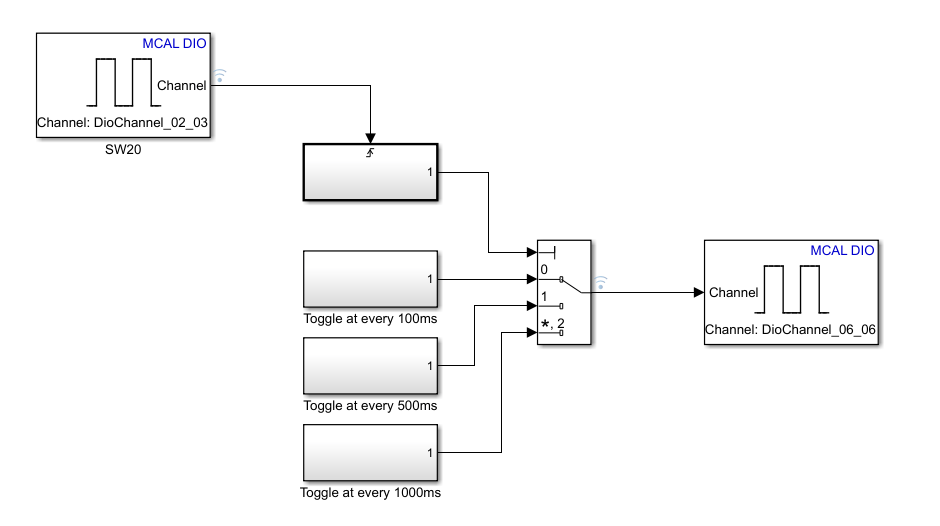
Getting Started with MCAL DIO Blocks on Renesas RH850 Microcontrollers
Control a digital output on a Renesas RH850/U2A16 Microcontroller using the AUTOSAR MCAL DIO Channel Write block in Simulink. The example uses an onboard LED to demonstrate how MCAL DIO configuration and model-based design work together to generate, deploy, and run the model on RH850 hardware to drive an LED.
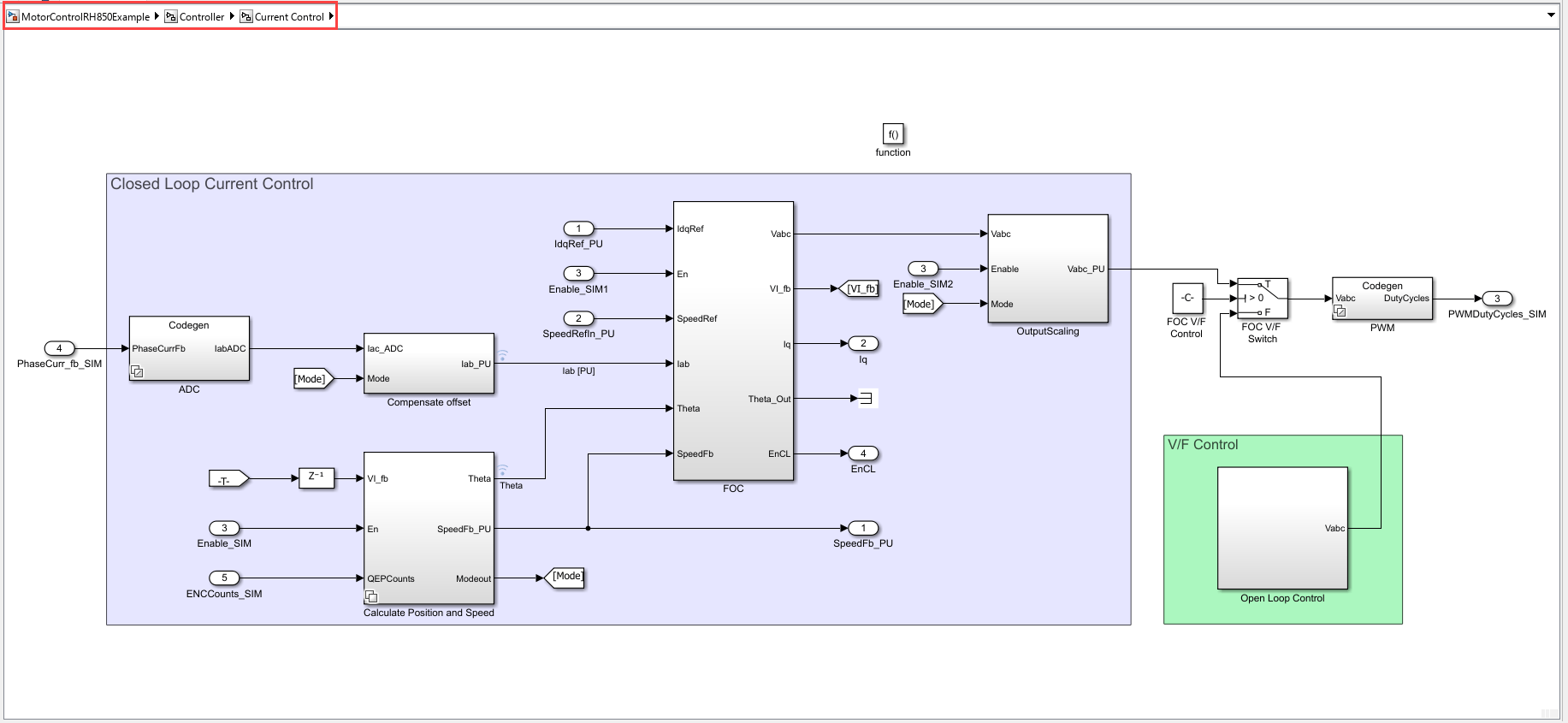
Model-Based BLDC Motor Control on Renesas RH850 U2A Microcontroller Using Simulink
Use the Embedded Coder Support Package for Renesas RH850 Microcontrollers to implement and deploy sensorless Brushless DC (BLDC) motor control on a Renesas RH850 Microcontroller using model-based design in Simulink. You will simulate, generate code, and run both open-loop and closed-loop control strategies, leveraging the Renesas Motor Control Kit.
Ports
Output
Parameters
Version History
Introduced in R2026a

